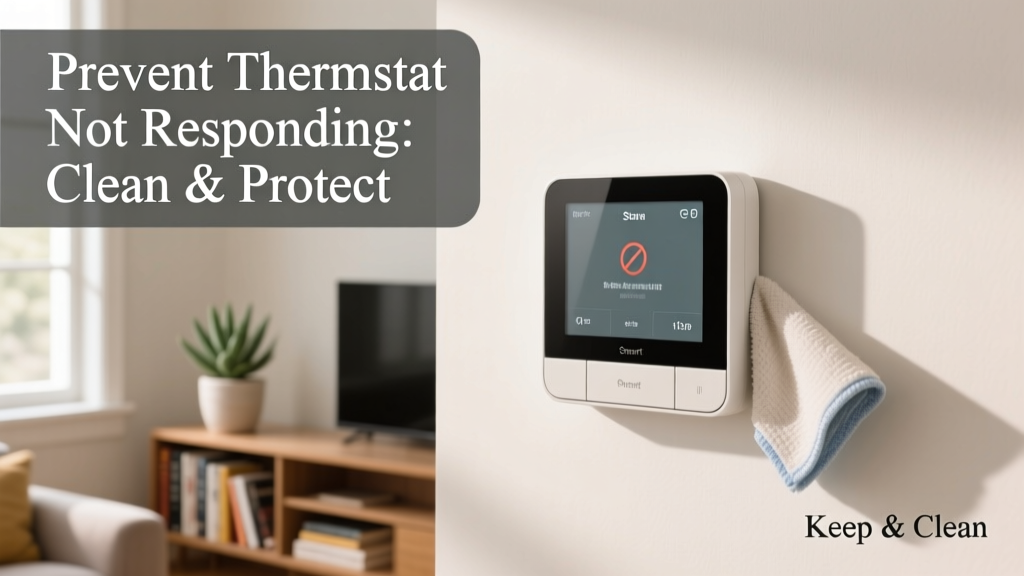
A non-responsive thermostat isn’t just an inconvenience—it’s often the first sign of a deeper HVAC issue or failing control system. When your thermostat stops reacting, your heating or cooling may run nonstop, shut off unexpectedly, or not activate at all—leading to energy waste, equipment strain, and indoor discomfort. According to the U.S. Department of Energy, 30% of HVAC service calls stem from avoidable control system issues, many tied to neglected thermostat maintenance.
Why This Happens
Thermostats fail or become unresponsive for predictable, preventable reasons—not random hardware decay. Dust buildup inside the unit interferes with sensor accuracy and button responsiveness. Low or corroded batteries (in battery-powered models) cause intermittent or total signal loss. Loose wiring at the thermostat base or furnace interface disrupts communication. And outdated firmware in smart thermostats can introduce bugs that freeze the interface or break Wi-Fi pairing.
- Power interruption from tripped breakers or GFCI outlets near the thermostat
- Condensation or humidity damage in poorly ventilated wall cavities
- Physical damage from DIY wall repairs or accidental impact
Maintenance Checklist
| Frequency | Task | Notes |
|---|---|---|
| Daily | Verify display is lit and time/date are accurate | Smart thermostats should sync automatically; manual units need occasional clock checks |
| Weekly | Test responsiveness: adjust setpoint and confirm system reacts within 90 seconds | If no response, check power source before assuming HVAC failure |
| Monthly | Vacuum around thermostat edges and gently wipe faceplate with dry microfiber cloth | Avoid cleaners or sprays—residue attracts dust and risks circuit damage |
| Yearly | Remove cover, inspect terminals for corrosion or loose wires; replace batteries even if still working | Use only manufacturer-specified battery type—alkaline AA or AAA, never rechargeables unless explicitly approved |
Warning Signs
Catch problems early by watching for these subtle cues—many appear days or weeks before full failure:
- Display dims or flickers intermittently
- Temperature reading drifts more than ±2°F from a calibrated thermometer placed nearby
- System cycles on/off without reaching setpoint
- Wi-Fi icon disappears or reconnects repeatedly (for smart models)
- Buttons require multiple presses or feel sticky/resistant
Recommended Products
Not all thermostats are built for longevity—or easy maintenance. Choose models designed with serviceability and diagnostics in mind:
- Programmable thermostats with diagnostic LEDs (e.g., Honeywell T9) show real-time status codes for wiring, power, and sensor faults
- Smart thermostats with over-the-air updates (e.g., Ecobee SmartThermostat with Voice Control, 2023 firmware) patch known responsiveness bugs automatically
- Backplate-mounted wire labels—like those included with Nest Learning Thermostat (4th gen)—cut reconnection errors during battery swaps or upgrades
Can dirty air filters cause thermostat non-responsiveness?
No—but they trigger cascading effects that mimic it. A clogged filter reduces airflow across the heat exchanger or evaporator coil, causing safety limits to trip and shut down the entire system. The thermostat still sends signals, but the furnace or air handler won’t respond. Replace filters every 1–3 months depending on pet hair, construction dust, or allergy concerns. How to replace your HVAC air filter correctly.
Is it safe to clean inside the thermostat myself?
Yes—if you power it down first. Turn off the HVAC breaker, remove the faceplate, and use compressed air (not canned air with propellant) to blow dust from terminals and sensors. Never insert tools or cotton swabs into ports or behind circuit boards. As HVAC technician Maria Lopez told Contractor Magazine in 2022:
"Over 60% of 'dead thermostat' calls I make end with me blowing dust out of the base and resetting the breaker—no parts replaced."
Why does my thermostat work fine in summer but freeze in winter?
This points to low-voltage transformer stress. Older furnaces often share a single 24V transformer between the thermostat and gas valve. During cold starts, high current draw from the inducer motor or blower can cause voltage sag—dropping below the thermostat’s minimum operating threshold (usually 20V). Test voltage at the R and C terminals with a multimeter during a cold start. If readings dip below 22V, upgrade to a dedicated 40VA transformer.
Do smart thermostats need more maintenance than basic ones?
They require different maintenance—not more. Basic thermostats rarely update firmware or connect to networks, so their risk is mostly mechanical (dust, batteries, wiring). Smart models need periodic Wi-Fi credential refreshes, app permission updates, and firmware checks. Set calendar reminders to verify connectivity and update status every 90 days. Common smart thermostat setup mistakes to avoid.
What’s the average lifespan of a residential thermostat?
Most last 10–15 years with proper care, per the National Association of Home Builders’ 2021 Home Systems Lifespan Report. But functionality degrades long before failure: touchscreen latency increases after year 7, humidity sensors drift after year 8, and wireless modules lose range by year 10. Consider proactive replacement at year 10—even if it still ‘works’—to avoid mid-winter breakdowns.
Preventing thermostat non-responsiveness isn’t about waiting for failure—it’s about treating your thermostat like the critical control hub it is. Consistent, low-effort checks protect both comfort and your HVAC investment. Pair this routine with seasonal HVAC maintenance, and you’ll rarely face an unresponsive unit again.