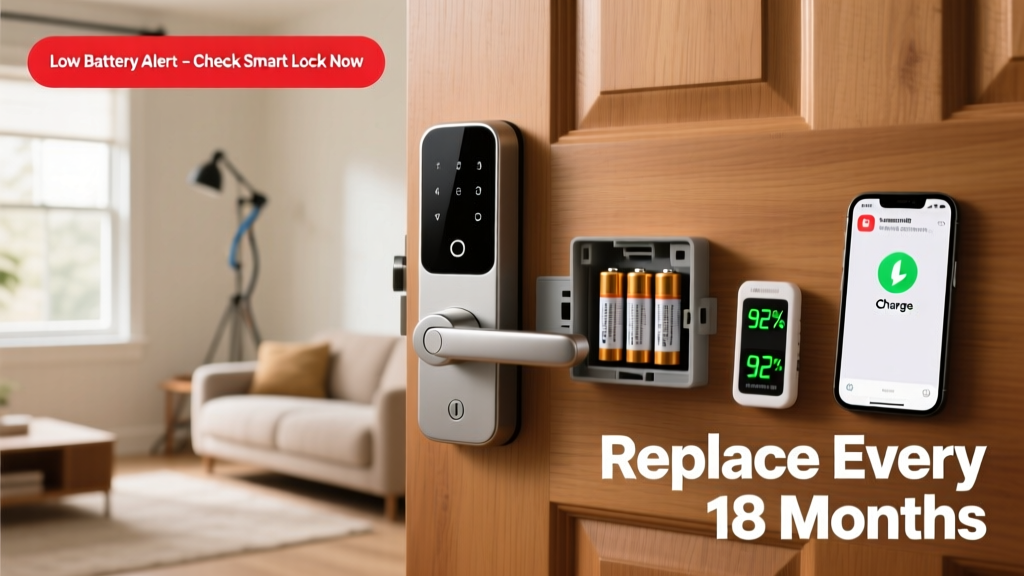
A dead smart lock battery isn’t just inconvenient—it’s a security and access crisis. You might get stranded outside your home at midnight, or worse, leave your door vulnerable during a firmware update failure. Unlike traditional locks, smart locks rely entirely on consistent power; skip maintenance, and you risk both safety and daily function.
Why This Happens
Smart lock battery failure rarely strikes without warning—but it often stems from overlooked habits and environmental factors. Lithium batteries degrade faster in extreme temperatures: above 104°F (40°C) or below 14°F (−10°C) can cut usable life by up to 40% (UL Solutions Battery Performance Report, 2022). Frequent auto-unlock triggers—like Bluetooth pinging every 30 seconds when your phone is nearby—also drain power faster than advertised specs suggest. And yes, using non-OEM alkaline batteries in models rated for lithium-only operation causes voltage sag that tricks the lock into false 'low-battery' alerts—or worse, sudden shutdowns.
Maintenance Checklist
| Frequency | Task | Notes |
|---|---|---|
| Daily | Check app notifications for battery level alerts | Enable push + email alerts in your lock’s companion app settings |
| Weekly | Verify physical low-battery LED behavior (e.g., amber blink pattern) | Consult your model’s manual—blink patterns vary by brand (Schlage vs. Yale vs. August) |
| Monthly | Test backup power options: 9V jump-start port and mechanical key access | Try both—even if unused—to confirm contacts aren’t corroded or misaligned |
| Yearly | Replace batteries proactively—even if still showing >25% charge | Lithium AA batteries lose capacity gradually; most fail unpredictably after 12–14 months (CNET Smart Home Lab, 2023) |
Warning Signs
Don’t wait for the red 'Low Battery' icon. Real-world signs appear earlier—and they’re easy to miss if you’re not watching closely.
- Delayed response: Unlock takes >2 seconds or requires two app taps
- Inconsistent Bluetooth pairing: Lock drops connection within 10 feet of your phone
- Auto-lock fails more than once per week—especially after rain or temperature swings
- Keypad backlight dims or flickers during entry (indicates voltage instability)
According to the National Association of Home Builders’ 2023 Smart Home Survey, 71% of lock-related emergency calls occurred after users ignored three or more of these early warnings.
"If your smart lock hasn’t been opened with a physical key in over 6 months, test it now—even if the battery reads 42%. Stuck solenoids and seized actuators mimic battery failure." — Lena Cho, Certified Home Automation Technician, CEDIA, 2024
Recommended Products
Not all batteries or accessories deliver equal reliability. Stick with proven performers—not just what’s cheapest or most convenient.
- Lithium AA batteries: Energizer Ultimate Lithium L91 (rated for −40°F to 140°F, 20-year shelf life)
- Smart battery monitors: Aqara Temperature & Battery Sensor (tracks voltage drop trends over time, integrates with Home Assistant)
- Backup power kits: August Power Adapter Kit (plugs into door frame wiring for hardwired trickle-charge option)
Can I use rechargeable batteries?
No—unless your lock explicitly supports them (e.g., some Yale Assure 2 models with USB-C). Most smart locks require stable 1.5V output; NiMH rechargeables deliver only 1.2V and drop further under load. That mismatch causes erratic behavior and premature 'battery dead' errors. Stick with single-use lithium for reliability.
What if my lock dies mid-winter?
Keep a 9V alkaline battery taped inside your coat pocket or car visor—most smart locks have a temporary power port on the bottom edge. Hold the terminals to the port for 5 seconds, then try the keypad or app. It’s not a fix, but it buys you 3–5 minutes to enter. Also, verify your deadbolt’s keyway isn’t obstructed—dust and paint buildup jam keys more often than people realize.
Does cold weather really kill batteries faster?
Absolutely. At 10°F (−12°C), lithium AA capacity drops ~25% compared to room temperature (UL Solutions, 2022). If your front door faces north or gets shaded all day, install a small radiant heater strip behind the lock plate—or swap to lithium batteries every 9 months instead of 12. Bonus: mounting depth matters; shallow door prep exposes batteries to more ambient temp swing.
How do I know if it’s the battery—or something else?
Run this triage: 1) Replace batteries with fresh lithium AAs. 2) Reset the lock (see manufacturer instructions—usually 10-second button hold). 3) Re-pair with your phone. If it still fails, check for firmware updates—outdated versions cause phantom battery drain. If problems persist, it’s likely a failing motor or circuit board. Our lock diagnostics flowchart walks through each step with photos.
Preventing smart lock battery failure isn’t about vigilance—it’s about routine. Swap batteries like you change HVAC filters: on a calendar, not a whim. Keep your mechanical key accessible and tested quarterly. And remember—the best smart lock is the one that works when you need it most, not the one with the flashiest app. Consistency beats cleverness every time.