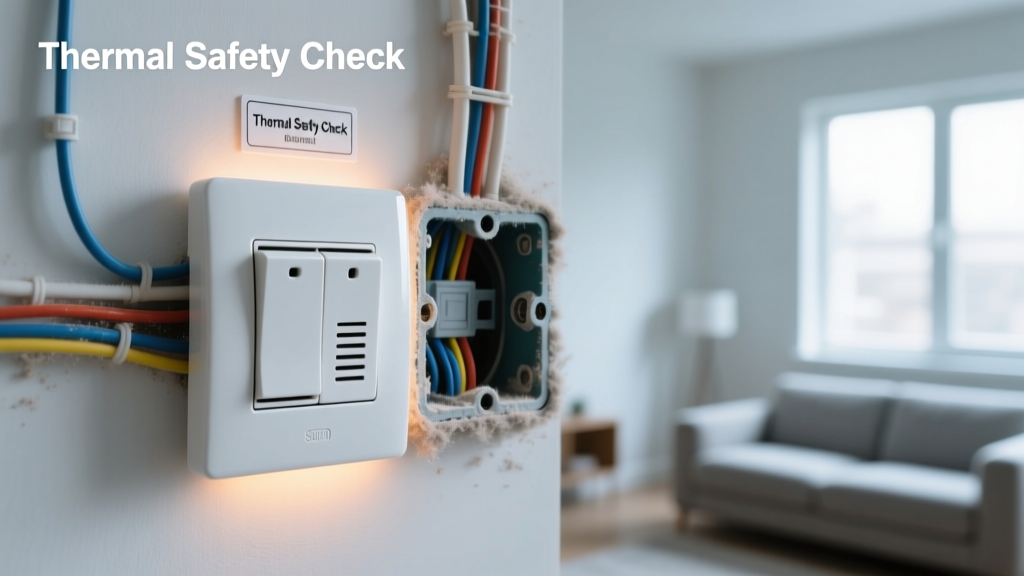
A warm light switch isn’t normal—it’s a red flag. While slight warmth near high-wattage loads (like dimmed LED circuits) can occur, persistent or noticeable heat signals loose connections, overloaded circuits, or failing devices. According to the U.S. Fire Administration’s 2022 report, electrical distribution equipment—including switches and outlets—accounts for nearly 14% of home structure fires annually. Prevention isn’t optional; it’s essential wiring safety.
Why This Happens
Heat at a light switch almost always stems from resistance—either at the terminal screws, inside the switch mechanism, or along the circuit path. Over-torqued or under-torqued wire connections create micro-arcing over time. Dimmer switches paired with incompatible bulbs (e.g., non-dimmable LEDs) generate excess heat. Older switches—especially pre-2000 toggle types—lack modern thermal cutoffs and may degrade silently. And yes: daisy-chained circuits with too many fixtures on one switch exceed design capacity.
- Loose or corroded screw terminals (most common cause)
- Undersized wiring (e.g., 14-gauge on a 20-amp circuit)
- Dimmer switches mismatched with bulb type or wattage load
- Enclosed boxes with poor ventilation (e.g., recessed wall cavities)
- Backstabbed connections instead of screw terminals (prone to failure)
Maintenance Checklist
| Frequency | Task |
|---|---|
| Daily | Feel switches after use—if noticeably warm, stop using and label for inspection |
| Weekly | Check for flickering lights or buzzing sounds coinciding with switch operation |
| Monthly | Verify no faceplate screws are missing or stripped; tighten if loose (power off first) |
| Yearly | Turn off breaker, remove cover, inspect terminal screws and wire condition; retorque to manufacturer spec (usually 14–18 in-lbs) |
Warning Signs
Don’t wait for smoke. These symptoms appear well before catastrophic failure:
- Switch plate feels hot to the touch—even mildly—after 5 minutes of use
- Discoloration (yellowing or brown spotting) on the plastic faceplate or wall surrounding the switch
- Faint ozone or burnt-plastic odor near the switch location
- Visible arcing marks inside the box when inspected (tiny black specks or pitting on brass terminals)
- Switch feels stiff, spongy, or makes a 'crackling' sound when flipped
Recommended Products
Upgrading components improves reliability and safety—not just convenience. Prioritize UL-listed, tamper-resistant devices rated for your circuit amperage and load type.
- Leviton Decora Smart Wi-Fi Switches: Built-in temperature monitoring and auto-shutoff above 140°F (UL 1693 certified)
- Lutron Maestro LED+ Dimmers: Auto-sense compatibility prevents overloading with mixed bulb types
- Wago 221 Lever-Nut Connectors: Replace backstabs with these for secure, vibration-resistant terminations
- Thermal imaging camera (FLIR ONE Pro): Spot hidden hotspots behind walls during annual inspections
Can I fix a warm switch myself?
Yes—if you’re comfortable turning off the correct breaker, verifying power is dead with a non-contact voltage tester, and re-terminating wires to proper torque specs. But if you see charring, melted insulation, or aluminum wiring, call a licensed electrician immediately. According to the National Electrical Code (NEC 2023), aluminum-to-copper connections require CO/ALR-rated devices and antioxidant paste—DIY attempts here risk fire.
How often should I replace light switches?
Every 15–20 years—even if they seem fine. Internal spring mechanisms fatigue, contact resistance increases, and arc suppression degrades. The Insurance Institute for Business & Home Safety’s 2023 residential electrical study found that switches older than 18 years were 3.2× more likely to fail thermally under load.
Does dimmer switch warmth mean it’s broken?
Not necessarily—but it needs verification. A quality dimmer may run warm (up to 113°F surface temp) under full load. But if it exceeds that, smells hot, or dims inconsistently, it’s likely overloaded or mismatched.
"A dimmer shouldn’t be hotter than your coffee mug after brewing—anything beyond that means re-evaluate load, bulb type, and ventilation." — Mike Rinaldi, Master Electrician & NEC Code Trainer, 2024
Is a warm switch dangerous if lights still work?
Yes. Functionality ≠ safety. Heat indicates energy loss as resistance—and resistance creates fire risk. The U.S. EPA estimates that 14% of household electrical energy waste comes from poor connections, many starting at warm switches. Don’t ignore it because the light turns on.
What’s the safest way to test a warm switch?
First, turn off the circuit at the panel and verify with a multimeter (not just a non-contact tester). Then check continuity across terminals and inspect for corrosion or bent contacts. If unsure, consult a professional—our electrical safety checklist walks through safe verification steps. For recurring issues, consider upgrading to AFCI breakers, which detect dangerous arcing before heat builds.
Warm switches rarely happen overnight—they whisper before they scream. Catching them early preserves your wiring, protects your family, and avoids costly repairs. Stay vigilant, stay grounded, and never ignore heat where there shouldn’t be any. For deeper diagnostics, review our guide on circuit overload signs—many warm switches are just the tip of an overloaded system.