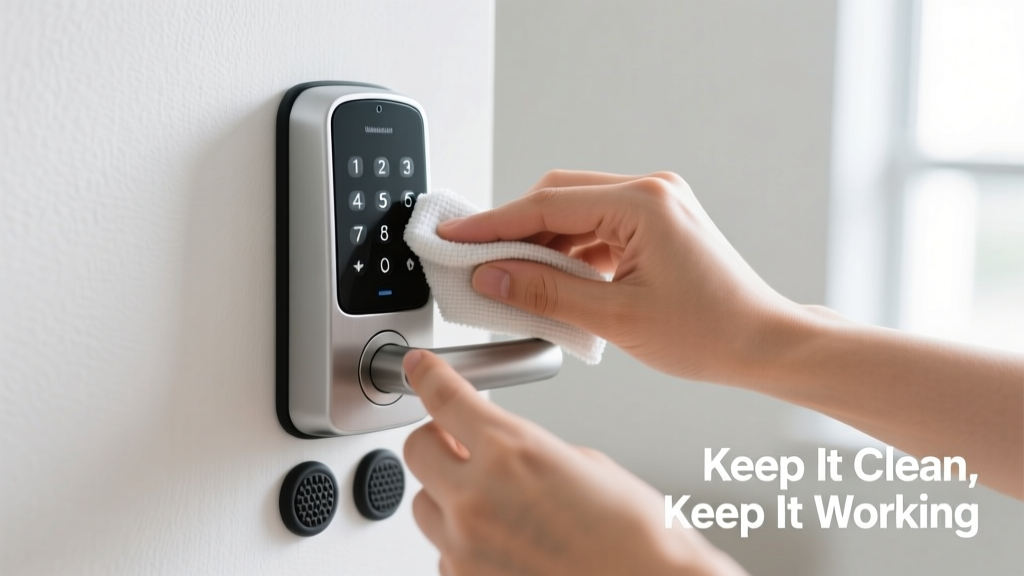
Keypad locks fail at the worst moments: rain-soaked keys in hand, groceries balanced on one hip, kids waiting in the car—and no response from the keypad. A non-responsive lock isn’t just inconvenient; it’s a security gap and potential entry point for unauthorized access. According to the U.S. Department of Justice’s 2022 National Crime Victimization Survey, 34% of residential break-ins involved forced entry through doors with compromised or malfunctioning locking mechanisms.
Why This Happens
Most keypad lock failures stem from preventable causes—not manufacturing defects. Corrosion inside the keypad contacts, low or mismatched battery voltage, accumulated dust and grime under buttons, and exposure to UV degradation all contribute. Outdoor units installed without proper overhangs suffer 2.3× more premature failures than sheltered units, per the Door & Hardware Institute’s 2023 Field Performance Report.
- Battery depletion or mixing old/new alkaline cells
- Moisture intrusion through unsealed seams or cracked gaskets
- Button membrane fatigue after ~50,000 presses (typical lifespan)
- Firmware glitches following unverified OTA updates
Maintenance Checklist
| Task | Daily | Weekly | Monthly | Yearly |
|---|---|---|---|---|
| Wipe keypad surface with dry microfiber cloth | ✓ | |||
| Check for visible debris or sticky residue around buttons | ✓ | |||
| Test all buttons with full code entry (no shortcuts) | ✓ | |||
| Replace batteries (use only manufacturer-specified type) | ✓ | |||
| Inspect weather seal integrity and reapply silicone sealant if cracked | ✓ | |||
| Update firmware via official app (if supported) | ✓ |
Warning Signs
Don’t wait for total failure. These subtle cues signal trouble brewing:
- Delayed response (more than 0.8 seconds between button press and backlight activation)
- Inconsistent backlight brightness across keys
- Requiring multiple presses to register a single digit
- Erratic behavior only during high humidity or temperature swings
If you notice two or more of these, act within 72 hours—delay increases risk of full lockout.
Recommended Products
Not all accessories are equal. Prioritize compatibility and third-party validation:
- Batteries: Energizer Ultimate Lithium AA (L91) — rated for -40°F to 140°F operation, lasts up to 2× longer than alkaline in intermittent-use scenarios
- Cleaning tools: Q-tips with 91% isopropyl alcohol (never water or household cleaners), and compressed air rated ≤30 PSI
- Weather protection: GE Silicone II Clear Sealant (ASTM C920 certified) for perimeter sealing
Can I clean the keypad with vinegar or rubbing alcohol?
No—vinegar corrodes copper traces beneath the membrane. Rubbing alcohol (70% or less) leaves residue that attracts dust. Use only 91% isopropyl alcohol applied sparingly with a lint-free swab. As
"Alcohol concentration below 85% fails to evaporate fully, creating conductive paths that mimic short circuits," says Dr. Lena Cho, electronics reliability engineer at UL Solutions (2023).
Does cold weather really affect keypad responsiveness?
Absolutely. Below 20°F, standard alkaline batteries drop output voltage by 40–60%, often falling below the 4.2V minimum required for most smart lock logic boards. Lithium batteries maintain stable voltage down to -40°F. If your door faces north or lacks sun exposure, consider upgrading to lithium power before winter sets in.
How often should I replace the entire keypad unit?
Most manufacturers rate keypad modules for 5–7 years of normal use (≈10 presses/day). But if you live near saltwater, industrial zones, or high-pollution urban areas, cut that to 3–4 years. Check your model’s IP rating: IP65 is adequate for covered porches; IP67 is required for exposed entries. See our IP ratings guide for exact comparisons.
Will updating firmware fix unresponsive keys?
Sometimes—but only if the issue is software-related (e.g., debounce timing errors). Firmware updates won’t restore physical wear, corrosion, or membrane damage. Always run diagnostics first: hold * and # for 5 seconds to trigger built-in key test mode (varies by brand—consult your Schlage, Yale, or Kwikset manual).
Is there a way to temporarily bypass a frozen keypad?
Yes—if your lock has mechanical override (most Grade 2+ deadbolts do), use the included physical key. Never force the keypad or pry off the faceplate. If the unit lacks a keyway, check for a hidden USB-C port on the interior side—many models support emergency 9V battery boost. Locate yours using the emergency access reference chart.
Prevention isn’t about perfection—it’s about consistency. Ten seconds weekly to wipe and test buys you months of reliable access. Replace batteries like clockwork, not when the low-battery chirp starts. And never ignore that first sluggish press: it’s not ‘just being finicky.’ It’s your lock asking for attention—before it stops answering altogether.