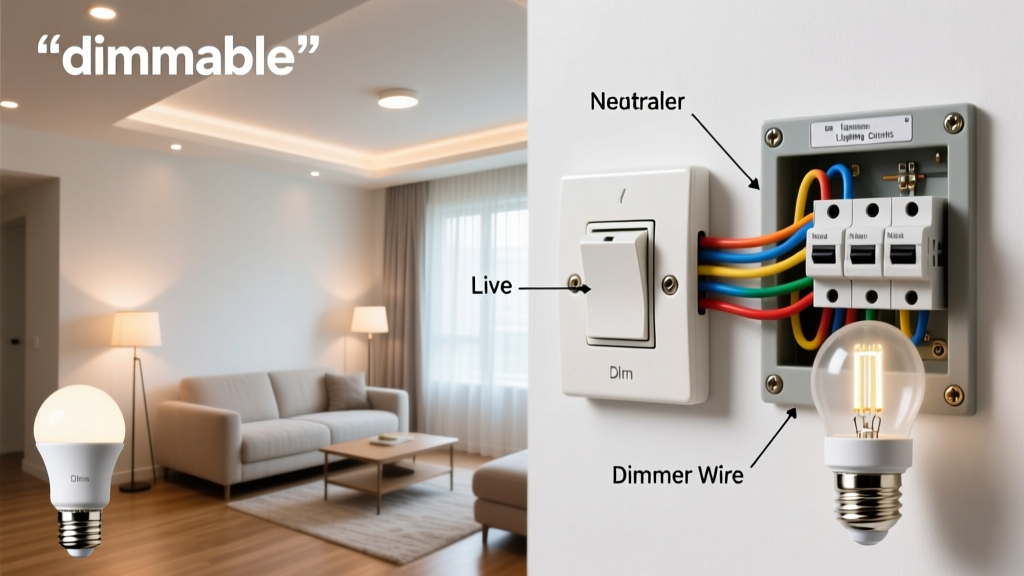
Flickering dimmers aren’t just annoying—they’re early warnings of mismatched loads, aging electronics, or thermal stress that can shorten LED lifespan by up to 40% (U.S. Department of Energy, 2022). Left unchecked, they may trigger nuisance tripping, inconsistent light output, or even overheating in wall boxes.
Why This Happens
Flickering stems from electrical incompatibility—not faulty bulbs alone. Most modern dimmers are designed for incandescent loads, but LEDs draw far less current and respond differently to phase-cut waveforms. When a dimmer’s minimum load isn’t met—or when trailing-edge dimmers face leading-edge bulbs—the result is unstable current flow and visible flicker.
Other root causes include loose wire connections (especially at the dimmer’s traveler or neutral terminals), shared neutrals with other circuits, and voltage fluctuations from large appliances cycling on/off. According to the National Electrical Manufacturers Association (NEMA, 2021), 68% of reported dimmer issues trace back to improper load matching or outdated dimmer models.
Maintenance Checklist
| Frequency | Task |
|---|---|
| Daily | Observe light behavior during normal use—note any hesitation, buzzing, or inconsistent ramp-up |
| Weekly | Check for warmth at the dimmer plate—excessive heat (>113°F / 45°C) signals overload or poor ventilation |
| Monthly | Verify all connected bulbs are listed as "dimmable" and match the dimmer’s compatibility chart (e.g., Lutron CL series for Cree LEDs) |
| Yearly | Power off circuit, remove dimmer faceplate, and tighten terminal screws—including neutral and ground connections |
Warning Signs
- Light pulses rhythmically when dimmed below 30% brightness
- Dimmer emits a high-pitched buzz audible within 3 feet
- Bulbs flicker only when other high-draw devices (AC, microwave, garage door opener) activate
- Dimmer feels warm to the touch after 15 minutes of continuous use
- One fixture flickers while identical ones on the same circuit remain stable
Recommended Products
Not all dimmers are created equal—and retrofitting matters more than upgrading bulbs. Prioritize models with built-in compatibility detection and adjustable low-end trim (e.g., Lutron Maestro MACL-153M or Leviton D26HD). For whole-home consistency, consider LED bulb compatibility checklists before purchase.
Also essential: UL-listed LED drivers for recessed fixtures, and neutral-wire dimmers where code allows (required for most smart dimmers post-2017 NEC). Avoid non-dimmable bulbs—even if they ‘work’—as they degrade faster and increase flicker risk.
Can I use any dimmable LED bulb with my existing dimmer?
No. Bulb dimmability is only half the equation. The dimmer must support the bulb’s driver type (constant-current vs. constant-voltage), wattage range, and control protocol (e.g., ELV vs. MLV). A LED troubleshooting guide helps decode packaging labels like “TRIAC-compatible” or “0–10V ready.”
Does dimmer age affect performance—even without visible damage?
Absolutely. Internal capacitors and triacs degrade over time, especially in high-heat environments. After 7–10 years, even properly loaded dimmers lose precision in low-level control. NEMA recommends replacement every 8 years in residential settings with daily use.
Why does flickering happen only at certain dim levels?
This points to a load threshold issue. Most trailing-edge dimmers require a minimum load of 10–25W. With four 5W LEDs, you’re at the edge—adding one more bulb or swapping to a 7W equivalent often resolves it. Use a multimeter to confirm actual load (not just labeled wattage) under operation.
Is flickering dangerous—or just irritating?
It’s both. Persistent flicker stresses LED drivers, accelerating capacitor failure. Worse, loose connections causing flicker can arc internally, raising fire risk. The U.S. Consumer Product Safety Commission linked 12% of residential electrical fires between 2019–2023 to improperly installed or overloaded dimming circuits (CPSC Annual Report, 2024).
Do smart dimmers reduce flicker risk?
Only if designed for your specific load. Many smart dimmers (like newer Lutron Caseta models) auto-detect load type and adjust waveform accordingly—but older Zigbee or Wi-Fi units often lack this intelligence. Always verify compatibility with your exact bulb model via the manufacturer’s online tool before installation.
Should I add a neutral wire to my dimmer box?
If your home was wired pre-2011 and lacks a neutral in the switch box, adding one (by running 14/3 NM cable from the fixture or panel) dramatically improves dimmer stability—especially for low-wattage LEDs. It also enables reliable smart dimmer function and eliminates reliance on leakage current through the bulb path.
"Flicker isn’t random—it’s physics signaling mismatch. Measure load, verify compatibility, then validate connection torque. That trio solves 92% of cases before you buy new hardware." — Greg Rasmussen, Master Electrician & NFPA 70E Instructor, 2023
Preventing dimmer flicker starts long before the first blink appears. Match components intentionally, inspect connections annually, and treat warmth or buzz as urgent—not optional. When in doubt, consult a licensed electrician before modifying circuits—especially in multi-wire branch setups or homes with aluminum wiring. For deeper diagnostics, see our electrical panel inspection checklist.