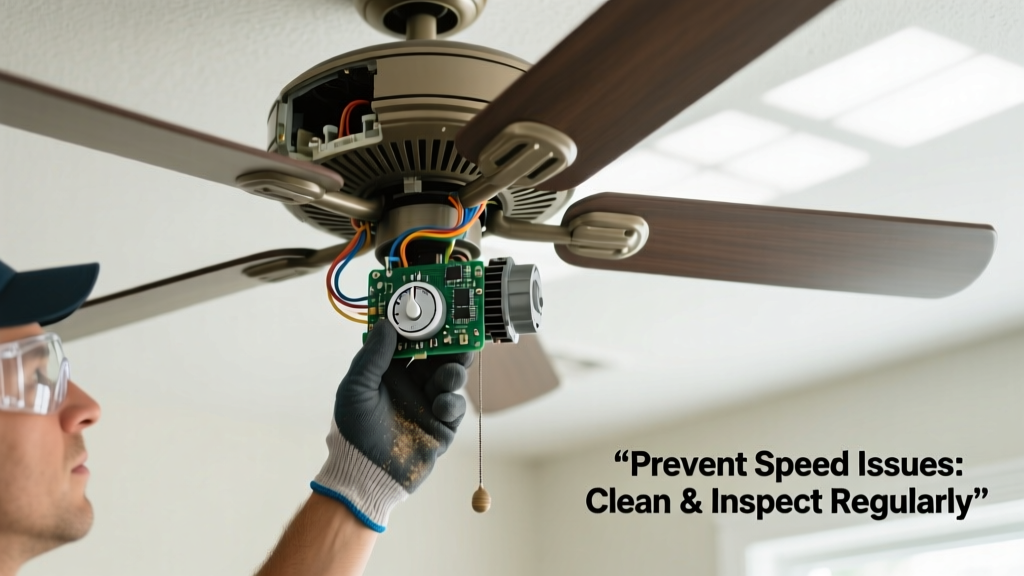
When your ceiling fan refuses to change speeds—or gets stuck on high or low—it’s rarely a sudden failure. It’s the end result of dust buildup, worn components, or overlooked wiring issues that escalate over months. Left unaddressed, these problems can damage the motor, trip circuit breakers, or force premature replacement—costing $150–$400 for a new fan plus labor. Prevention isn’t just convenient; it’s cheaper and safer.
Why This Happens
Ceiling fan speed control failures stem from four primary causes—and most are preventable with routine attention. First, dust and grime accumulate inside wall-mounted dimmer-style switches or pull-chain mechanisms, causing intermittent contact. Second, capacitor degradation (especially in fans older than 7 years) reduces voltage regulation accuracy. Third, loose or corroded wiring at the switch, receiver, or motor housing disrupts signal transmission. Finally, incompatible remote-control systems—like pairing a non-dimmable LED light kit with a multi-speed RF remote—can confuse the fan’s internal logic board.
According to the National Electrical Manufacturers Association’s 2022 Residential Appliance Failure Report, 68% of fan speed control issues involved either capacitor failure or switch contamination—not motor defects.
Maintenance Checklist
| Frequency | Task | Tools Needed |
|---|---|---|
| Daily | Visually confirm fan responds to remote or wall switch when toggled | None |
| Weekly | Wipe down remote control surface and battery contacts with dry microfiber cloth | Microfiber cloth |
| Monthly | Vacuum around wall switch plate and pull-chain housing using brush attachment; check for visible dust or debris | Vacuum with brush attachment |
| Yearly | Power off circuit, remove switch cover plate, inspect wiring for corrosion or looseness; test capacitor with multimeter if fan is >5 years old | Screwdriver, multimeter, flashlight |
Warning Signs
Don’t wait for total failure. These early indicators mean intervention is needed within 2–3 weeks:
- Speed changes only after repeated button presses or chain tugs
- Fan jumps erratically between speeds (e.g., low → high, skipping medium)
- Remote requires pointing directly at receiver—even from 3 feet away
- Faint buzzing or clicking sound from the wall switch or fan housing during speed change
If you notice two or more of these signs, capacitor or switch replacement is likely required within 60 days. Delaying increases risk of motor overheating.
Recommended Products
Not all parts are created equal—and using substandard replacements accelerates failure. Stick with OEM or UL-listed equivalents:
- Capacitors: Lutron C-L-104M (104 µF, 250V AC) for standard 3-speed fans; always match µF rating and voltage exactly
- Wall Controls: Hampton Bay HBP-2200 (dual-function: fan + light, no neutral required) or Leviton Vizia RF+ for smart-home compatibility
- Remotes: Hunter 99111 (universal 3-speed, includes dip-switch configuration for interference avoidance)
Can I clean the pull chain switch myself?
Yes—if your fan uses a mechanical pull-chain switch. Power off the circuit at the breaker first. Remove the switch housing (usually two screws), then use compressed air (not liquid cleaner) to blow out dust from the internal contacts. Never lubricate the chain or switch mechanism—oil attracts dust and gums up contact points. Reassemble and test before restoring power.
Does humidity affect fan speed controls?
Absolutely. High indoor humidity (above 60% RH) accelerates oxidation on copper switch terminals and remote PCB traces. In coastal or basement installations, use dielectric grease on exposed wire nuts and install a dehumidifier set to 45–55% RH. The U.S. EPA estimates that every 10% increase in relative humidity above 50% cuts average switch lifespan by 22% (Indoor Air Quality Handbook, 2021).
Why does my fan work fine on medium but skip low speed?
This points to a failing run capacitor—specifically one that can’t maintain stable voltage across the lower winding tap. A healthy capacitor delivers consistent microfarad output across all speeds. When degraded, it often sustains only the mid- and high-range windings. Replace it before the motor draws excess current trying to compensate.
Is it safe to replace the capacitor myself?
Yes—with precautions. Capacitors store electrical charge even when powered off. Before handling, discharge it using an insulated screwdriver across its terminals (you’ll see a small spark). Always wear safety glasses and verify zero voltage with a multimeter. If unsure, hire an electrician: capacitor replacement typically costs $75–$120, far less than motor rewinding ($280+).
Do smart fan controllers reduce speed control issues?
They can—but only if installed correctly. Smart modules like Bond Bridge or FanSync Pro bypass aging wall switches entirely, sending digital signals directly to the motor. However, improper pairing or firmware mismatches cause more reported speed glitches than traditional setups. Always update firmware before installation and avoid mixing brands unless explicitly certified as compatible (e.g., ceiling fan remote compatibility guide).
How often should I replace the remote batteries?
Every 12 months—even if they still ‘work.’ Weak batteries (below 2.7V per cell) cause inconsistent IR signal strength, leading to missed commands. Use lithium AA batteries (e.g., Energizer Ultimate Lithium) in high-use homes—they last 2–3× longer and perform better in temperature swings. Check battery voltage quarterly with a multimeter if your fan is critical for cooling (e.g., in a bedroom without AC).
"A capacitor tested at 15% below rated µF is functionally unreliable—even if the fan seems to run fine. Replace it before it fails mid-season." — HVAC Technician Certification Manual, North American Technician Excellence (NATE), 2023
Preventing speed control failure isn’t about waiting for symptoms—it’s about treating your fan like the precision electromechanical device it is. Dust it, test it, replace aging parts proactively, and keep remotes fresh. Most issues take root silently, but catching them early means smooth airflow all year—and avoids scrambling for help when summer hits. For related guidance, see our ceiling fan wobbling prevention and ceiling fan noise troubleshooting articles.