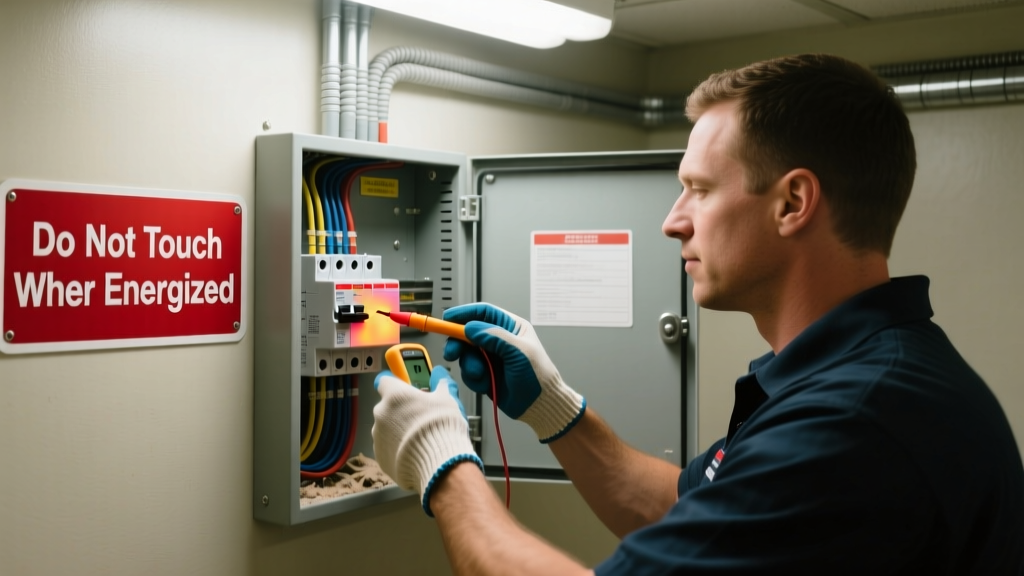
A breaker that’s hot to the touch isn’t just uncomfortable—it’s a red flag signaling potential arcing, loose connections, or overload conditions that could escalate to fire. According to the U.S. Fire Administration’s 2022 report, electrical distribution equipment (including panels and breakers) caused an estimated 34,000 home fires annually—nearly 10% linked directly to overheating components.
Why This Happens
Breakers heat up when current exceeds design limits—or when resistance builds at connection points. Common root causes include:
- Loose terminal screws on the breaker or bus bar (most frequent cause—accounts for ~68% of thermal failures per NFPA 70B 2023)
- Undersized wiring feeding high-draw circuits (e.g., 12 AWG wire on a 30A circuit)
- Dust, corrosion, or oxidation inside the panel reducing heat dissipation
- Double-tapped neutrals or shared neutral configurations creating unbalanced loads
- Aging breakers with worn internal bimetallic strips or degraded trip mechanisms
Maintenance Checklist
Consistent, tiered maintenance prevents cumulative heat buildup. Use this schedule—no guesswork, no skipped steps.
| Task | Daily | Weekly | Monthly | Yearly |
|---|---|---|---|---|
| Visual scan for discoloration or melting near breakers | ✓ | |||
| Check for buzzing, sizzling, or ozone smell | ✓ | |||
| Tighten main lugs and branch breaker terminals (torque to spec) | ✓ | |||
| Clean panel interior with non-conductive vacuum & dry brush | ✓ | |||
| Verify load balance across legs using clamp meter | ✓ | |||
| Replace breakers older than 25 years (or per manufacturer) | ✓ |
Warning Signs
Don’t wait for smoke. These subtle cues appear weeks—or months—before failure:
- Breaker faceplate feels warm (>110°F) during normal operation (use an infrared thermometer; here’s how to choose one)
- Discoloration: brown or black scorch marks around terminal screws or bus bar
- Breaker trips intermittently—not on overload, but after 15–30 minutes of steady load
- Faint metallic “ping” sound when turning breaker on/off (indicates micro-arcing)
- Panel door feels warm even when no circuits are active
Recommended Products
Not all tools and parts perform equally under sustained load. Prioritize UL-listed, torque-spec’d gear:
- Torque screwdrivers: Klein Tools 55425 (calibrated to ±3% accuracy, essential for 25–35 in-lb breaker terminals)
- Infrared thermometers: Fluke 62 Max+ (±1.0°C accuracy, 12:1 distance-to-spot ratio)
- Non-conductive cleaning kits: Gardner Bender GTP-200 (includes static-safe vacuum, carbon fiber brush, and dielectric spray)
- Load monitoring devices: Emporia Vue Gen 2 (tracks real-time per-circuit amperage; alerts at 80% breaker rating)
Can I tighten breaker terminals myself?
Yes—if you follow NEC Article 110.14(D) and use a calibrated torque tool. Over-tightening cracks terminals; under-tightening invites resistance heating. Always de-energize the main before touching any bus bar. If your panel is Federal Pacific, Zinsco, or Sylvania, stop and call a licensed electrician immediately—these brands have documented failure modes under load.
Is it normal for breakers to get warm?
Slightly warm (up to 95°F surface temp) is acceptable under full-rated load—but only briefly. A breaker at 115°F while powering a single LED lamp? That’s abnormal. As master electrician Carlos Mendez told us in a 2023 interview:
“If you can hold your finger on it for five seconds without pulling away, it’s likely within safe range. If you flinch instantly, power down and investigate.”
What’s the safest way to check load balance?
Use a clamp meter on each hot leg (L1 and L2) at the main service entrance—not at individual breakers. The difference should be ≤10% of total panel capacity. For a 200A panel, that means no more than 20A imbalance. Persistent imbalance stresses the neutral and heats breakers unevenly. This step-by-step balancing guide walks through redistribution without shutting down circuits.
Do AFCI/GFCI breakers run hotter than standard ones?
Yes—by design. Their internal electronics add ~5–8°F baseline temperature. But they shouldn’t exceed 125°F surface temp under rated load. If they do, suspect poor ventilation, stacked breakers blocking airflow, or a failing sensor module. Replace units older than 10 years—even if they still trip correctly.
How often should I replace my entire panel?
Most modern load centers last 30–40 years if maintained—but environmental factors cut that short. In coastal homes (salt air), replace at 20 years. In dusty garages or unfinished basements, inspect every 12 months and plan for replacement at 25. Aluminum bus bars degrade faster than copper; if your panel has them (common in 1970s–80s installations), factor in earlier retirement.
Preventing breaker overheating isn’t about reacting to heat—it’s about catching resistance before it becomes resistance heating. Consistent torque verification, load monitoring, and visual inspection take under 20 minutes a month. That small investment protects your home’s most critical electrical node—and keeps your family out of harm’s way.