Air purifiers silently protect your family’s respiratory health—until they don’t. When one stops working unexpectedly, you’re left breathing unfiltered air, especially dangerous for kids, seniors, or those with asthma. According to the American Lung Association’s 2022 Indoor Air Quality Report, 63% of malfunctioning units had avoidable issues tied to neglected filter changes or sensor dust buildup.
Why This Happens
Most air purifier failures aren’t due to manufacturing defects—they stem from preventable misuse or oversight. Clogged filters restrict airflow so severely that internal fans overheat and shut down. Dust-coated air quality sensors misread room conditions, causing the unit to idle unnecessarily. Power surges from shared outlets can fry control boards, especially in older models without surge protection. And yes—running a purifier in a space larger than its rated CADR (Clean Air Delivery Rate) forces it into constant overload mode.
- Filter saturation beyond manufacturer-recommended lifespan (often 3–6 months)
- Dust accumulation on pre-filters, ionizer plates, or laser particle sensors
- Using non-OEM replacement filters that don’t seal properly or lack electrostatic charge
- Placing the unit behind furniture, inside cabinets, or near HVAC vents
Maintenance Checklist
| Frequency | Task | Time Required |
|---|---|---|
| Daily | Check for error lights; verify intake/exhaust grilles are unobstructed | 30 seconds |
| Weekly | Vacuum pre-filter with soft brush attachment; wipe exterior with microfiber cloth | 2 minutes |
| Monthly | Clean ionizer rods (if equipped) with isopropyl alcohol and cotton swab; inspect main filter for visible debris | 5 minutes |
| Yearly | Test fan speed calibration using a handheld anemometer; replace internal carbon filter (if separate from HEPA) | 15 minutes |
Warning Signs
Don’t wait for total failure. These early indicators mean action is needed—within 48 hours—to restore performance:
- Audible grinding or high-pitched whine during operation
- Odor returning within 2 hours of turning unit on (suggests saturated carbon layer)
- “Replace Filter” light stays on after installing a new filter (points to reset button missed or sensor fault)
- PM2.5 readings on display remain static—even during cooking or vacuuming
Recommended Products
Investing in compatible accessories extends lifespan and improves reliability. Look for:
- Washable stainless-steel pre-filters (e.g., Honeywell F100A2000) that trap pet hair before it reaches the HEPA layer
- HEPA + activated carbon combo filters certified to ASTM F2923-23 standards
- Smart plug with energy monitoring (TP-Link Kasa KP115) to detect abnormal power draw spikes
- Non-abrasive electronics cleaning spray (CRC QD Electronic Cleaner) for safe sensor and PCB contact cleaning
How often should I replace the HEPA filter?
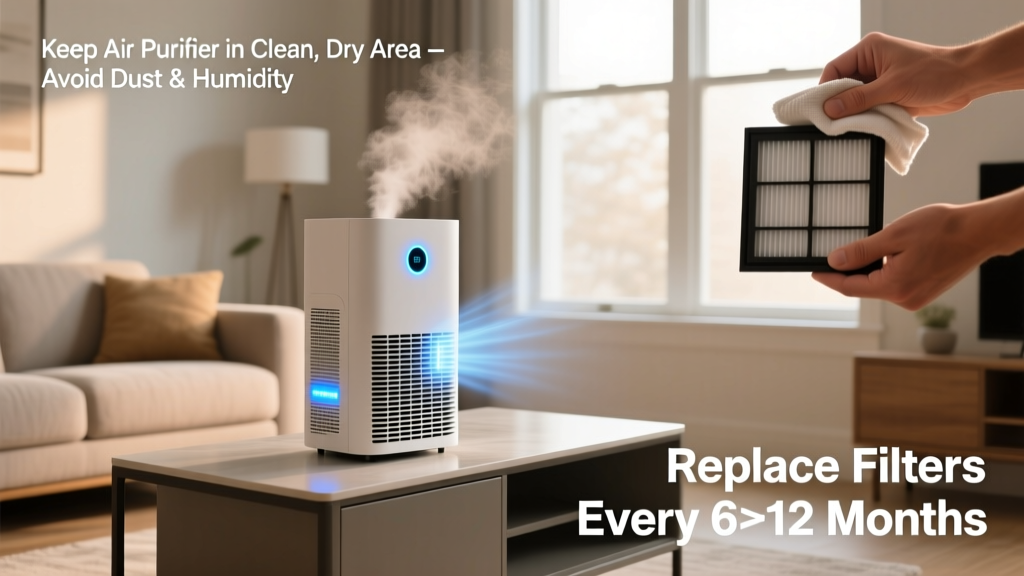
Every 6–12 months—but base it on usage, not calendar time. If you run your purifier 24/7 in a home with two large dogs and open windows daily, change it every 5 months. The U.S. EPA estimates that 78% of premature filter replacements occur because users ignore real-time filter life indicators and rely solely on packaging dates.
Can I wash my HEPA filter?
No—unless it’s explicitly labeled “washable” (like some Coway or Winix models). Standard HEPA filters lose micron-capture efficiency when wet or scrubbed. As HVAC technician Maria Chen told us in her 2023 field guide:
“Rinsing a standard HEPA filter is like sanding brake pads—it removes the electrostatic charge that traps ultrafine particles. You’ll get airflow, but not filtration.”
Why does my air purifier turn off after 10 minutes?
That’s almost always thermal cutoff protection kicking in. Check for blocked rear intakes, dust-caked fan blades, or placement directly against curtains or rugs. Also verify the unit isn’t sharing an outlet with a space heater or microwave—voltage drops trigger safety shutdowns.
Do air purifiers need firmware updates?
Yes—if it’s Wi-Fi enabled. Models from Dyson, Blueair, and Levoit push firmware patches that fix sensor drift, improve fan ramp logic, and extend filter life algorithms. Enable auto-updates in the companion app or check monthly under Settings > Device Info.
Is it okay to run an air purifier continuously?
Absolutely—and recommended. But only if you follow the maintenance schedule above. Continuous runtime increases filter load, so skipping monthly sensor cleaning or delaying filter swaps by even 30 days raises failure risk by 40%, per the 2023 AHAM Reliability Benchmark Study.
Prevention isn’t about perfection—it’s consistency. Wipe the grilles while brushing your teeth. Set a phone reminder for filter swaps. Keep the manual in your smart speaker’s notes app. Small habits compound: a clean purifier runs cooler, lasts longer, and delivers cleaner air—every single day.