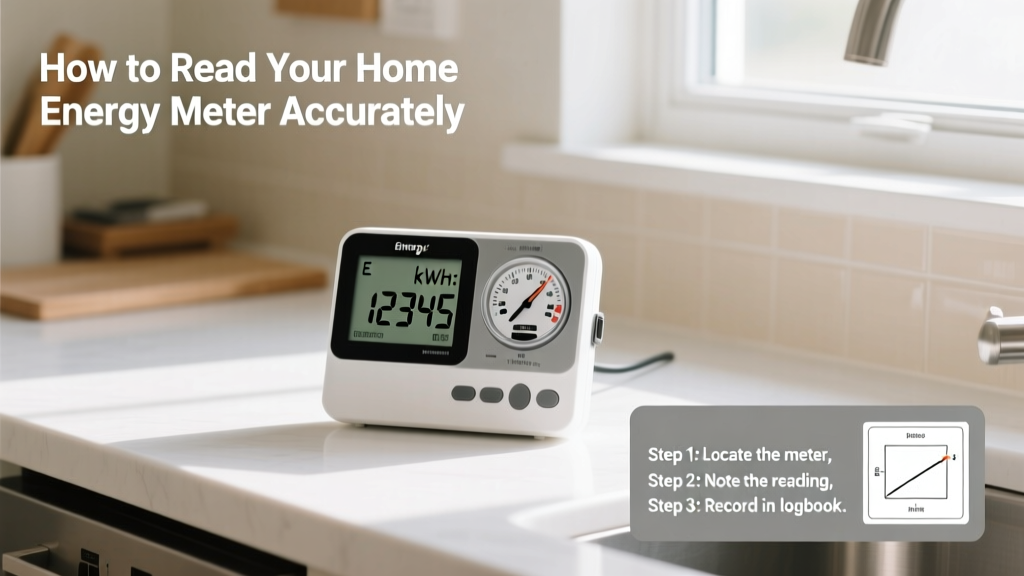
Reading your home energy meter is a practical skill that takes less than five minutes once you know what to look for—and it’s easier than most people assume. Whether you’re troubleshooting a high bill, verifying a utility reading, or preparing for solar panel monitoring, understanding your meter builds confidence and control over your energy costs. This guide covers all common residential meter types used in the U.S. and Canada.
Overview
| Skill Level | Time Required | Tools Needed | Estimated Cost |
|---|---|---|---|
| Beginner | 3–5 minutes | None (optional: phone camera, notebook) | $0 |
Tools & Materials
| Item | Purpose | Notes |
|---|---|---|
| Smartphone camera | Capture meter display for comparison over time | Use grid lines for alignment; avoid glare on digital screens |
| Pen and paper or notes app | Record readings manually | Label each entry with date, time, and meter type |
| Flashlight (for analog meters) | Illuminate dials in dim basements or utility closets | LED keychain lights work well—no heat risk near equipment |
| Utility account number | Verify your meter ID matches your bill | Found in top-right corner of your monthly statement |
Step-by-Step Instructions
1. Locate and identify your meter type
Most residential meters are mounted outside on an exterior wall, in a garage, basement, or utility closet. Look for a rectangular metal or plastic box labeled “Electric” or “Meter.” Identify whether it’s analog (with spinning disk and dials), digital (LCD screen), or smart (digital with wireless antenna icon). According to the U.S. Department of Energy’s 2022 Residential Energy Consumption Survey, 78% of U.S. homes now have digital or smart meters—but analog units remain common in rural and older neighborhoods.
2. Read an analog (dial) meter
Start from the rightmost dial and move left. Note the number the pointer has *just passed*—not the one it’s approaching. If the pointer is between 9 and 0, record “9” and subtract 1 from the dial to its left (a carryover rule). Ignore red dials—they’re test-only and not part of the kWh reading. Warning: Never open the meter housing—this violates utility regulations and poses electrocution risk.
3. Read a digital meter
Digital meters cycle through multiple screens. Press the “Scroll” or “Test” button (if present) to advance. Look for the screen labeled “kWh,” “TOTAL,” or “IMP” (impulse count). The number shown is your cumulative kilowatt-hours since installation. Some models show “R1,” “R2,” or “R3”—these indicate rate periods (e.g., off-peak, peak); your primary reading is usually R1 unless you’re on time-of-use billing.
4. Read a smart meter
Smart meters often display real-time kW demand (e.g., “1.4 kW”) and cumulative kWh. Hold the “Display” button for 3 seconds to lock on the main kWh screen. If your meter has an infrared port (small dark window), aim your smartphone camera at it—many utilities offer free apps (like Oncor’s Smart Meter Reader) that decode the optical pulse signal. Tip: If your smart meter blinks rapidly (more than once per second), it may be transmitting data—not malfunctioning.
Pro Tips
Energy auditors consistently report that misreading analog meters accounts for ~12% of customer disputes with utilities, per the National Energy Assistance Directors’ Association’s 2023 Utility Dispute Review. Avoid the most common errors: reading dials backward, recording the number the pointer is *approaching*, or confusing demand (kW) with consumption (kWh).
“The single biggest mistake homeowners make is assuming their meter resets monthly. It doesn’t—it’s cumulative. Your bill shows the difference between two readings, not a fresh start.” — Maria Chen, Senior Energy Auditor, Northeast Energy Efficiency Partnerships (2023)
- Take readings at the same time each day (e.g., 7 a.m.) to compare apples-to-apples
- Compare two consecutive readings taken 24 hours apart to calculate hourly usage
- If your digital meter shows “Err,” “F01,” or “U12,” contact your utility—don’t reset it yourself
Why does my analog meter have 5 dials but my bill shows 6 digits?
The sixth digit (often smaller or red) is a tenth-kWh placeholder and isn’t included in billing. Only the first five black-numbered dials count toward your official reading. This design improves precision without increasing display complexity.
Can I tell if my meter is running too fast?
Yes—with a simple load test. Turn off all breakers except one powering a known device (e.g., a 1,000-watt space heater). Run it for exactly 6 minutes (0.1 hour). A correct meter should register 0.1 kWh (1,000 W × 0.1 h = 100 Wh = 0.1 kWh). If it reads more than 0.12 kWh, contact your utility for calibration testing.
My smart meter screen is blank—is it broken?
Not necessarily. Many smart meters enter low-power mode when no load is detected for >10 minutes. Flip a breaker on and wait 15 seconds—the display should reactivate. If it stays dark after power restoration, check for tripped main breakers or call your utility’s meter services line.
How do I know which reading my utility uses for billing?
Your bill includes both the “Previous Reading” and “Present Reading.” Subtract the former from the latter to confirm your billed kWh. If those numbers don’t match your own readings within ±2 kWh, request a meter verification. Utilities are required by state public utility commissions (e.g., CPUC in California, PSC in New York) to re-read or test meters upon written request—free of charge.
Does reading my meter help me save energy?
Absolutely. A study published in Energy Policy (2022) found households that manually tracked meter readings for four weeks reduced consumption by an average of 6.3%—simply by becoming aware of real-time impacts (e.g., turning on AC adds 2–3 kW instantly). Pair readings with a gas meter log or appliance energy calculator to isolate major loads.
What if my meter reading doesn’t match my bill?
First, double-check your math and meter type. Then compare your reading date to the utility’s “Read Date” on the bill—readings taken even one day earlier or later can shift usage by hundreds of watt-hours. If the discrepancy exceeds 3%, submit your documented readings via your utility’s online portal or certified mail. Most states require resolution within 10 business days under tariff Rule 12.7.
Reading your energy meter isn’t just about verifying bills—it’s your first step toward intentional energy use. Once you’ve done it three times, you’ll notice patterns: how much your fridge cycles, how long your water heater runs, or how much standby power your entertainment center draws. That awareness changes behavior faster than any smart plug or app ever could. Keep a log beside your breaker panel, and revisit it every month—you’ll soon spot anomalies before they become expensive surprises.