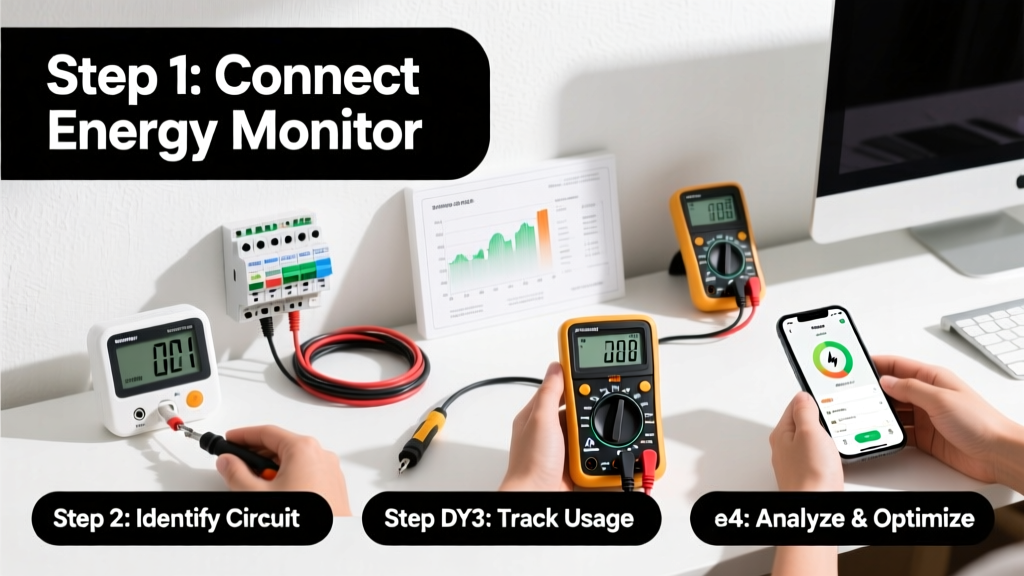
Monitoring your home’s energy usage helps you spot waste, verify appliance efficiency, and cut utility bills—often by 5–12% annually, according to the U.S. Department of Energy’s 2023 Residential Energy Consumption Survey. This skill is beginner-friendly, requires no electrical certification, and takes under two hours to set up your first monitoring layer.
Overview
| Skill Level | Time Required | Tools Needed | Estimated Cost |
|---|---|---|---|
| Beginner | 30 min–2 hrs (setup + baseline tracking) | Meter, smartphone, circuit breaker access | $25–$350 |
Tools & Materials
| Tool | Purpose | Notes |
|---|---|---|
| Kill A Watt EZ (or similar plug-in meter) | Measures real-time wattage, kWh, and cost per device | Works only on 120V outlets; max 1875W load |
| Emporia Vue 2 or Sense Energy Monitor | Whole-home monitoring via main panel sensors | Requires neutral wire access; professional install recommended for DIYers unfamiliar with breakers |
| Smart plug (e.g., TP-Link Kasa KP115) | Tracks energy use of lamps, fans, small appliances | Must be Wi-Fi enabled; integrates with Alexa/Google for voice alerts |
| Utility-provided interval data portal (e.g., PG&E Green Button) | Free 15-minute usage history from your meter | Available to ~85% of U.S. households; login required via utility website |
Step-by-Step Instructions
1. Start with a 7-day baseline using your utility’s online portal
Log into your electric provider’s account and download or view 15-minute interval data for the past week. Note peak usage times (e.g., 4–7 p.m.) and correlate them with household activity—like HVAC cycling or laundry. Tip: Export the CSV and open it in Excel or Google Sheets; sort by highest kWh intervals to identify top consumers. Warning: Don’t assume your bill reflects real-time use—many utilities bill on estimated reads or 30-day averages.
2. Plug in a Kill A Watt meter to three high-use devices
Test your refrigerator (leave connected 48+ hours), space heater, and entertainment center. Record standby draw (e.g., TV on “instant-on” mode often pulls 8–12W continuously) and active draw (e.g., gaming PC at full load may hit 420W). Tip: Run the meter overnight—many devices leak power even when “off.” Warning: Never plug a Kill A Watt into a surge protector or power strip; accuracy drops by up to 22% (National Institute of Standards and Technology, 2022).
3. Install a whole-home monitor if your panel allows safe access
Turn off the main breaker. Verify neutral and current-carrying wires are accessible (no bundled cables). Clip CT sensors around the two hot legs entering your main breaker—do not pierce insulation. Re-energize and sync the hub via app. Tip: Label each circuit in the app using your panel’s breaker map—this avoids guessing which circuit powers your attic fan vs. garage door opener. Warning: If your panel lacks a neutral bar or has aluminum wiring, consult an electrician before installing.
4. Set up automated alerts and weekly review habits
In your monitor’s app, configure alerts for >20% daily increase or >3kW sustained draw. Block 15 minutes every Sunday to scan your dashboard: compare this week’s total kWh to last week’s, check for phantom loads (e.g., a 65W draw at 3 a.m.), and note weather correlation (e.g., AC spikes during 90°F days). Tip: Use a shared Google Sheet with family members to log behavior changes—like switching laundry to off-peak hours—and track resulting kWh shifts.
Pro Tips
Seasoned home energy auditors stress one thing above all: consistency beats precision. You don’t need lab-grade measurements—you need repeatable, comparable data over time. According to the Building Performance Institute’s 2024 Field Guide, “The biggest savings come not from finding the ‘biggest’ energy hog, but from catching *changes* in familiar devices—like a fridge that jumped from 1.2 to 1.8 kWh/day after its condenser coil got dusty.”
“Most homeowners discover their largest energy leak isn’t a drafty window—it’s an old dehumidifier running 24/7 in the basement. Monitoring reveals what intuition misses.”
— Sarah Lin, Certified Energy Manager, Home Energy Score Program, 2023
- Avoid assuming smart thermostats auto-optimize: many default to “eco” modes that still run compressors longer than needed. Verify actual runtime vs. setpoint in your monitor.
- Don’t ignore seasonal calibration: HVAC loads shift dramatically between summer and winter. Recalibrate your baseline every 90 days.
- Never skip the “zero-load test”: Turn off all breakers, then verify your whole-home monitor reads <10W. If it doesn’t, you’ve got a wiring issue or sensor misplacement.
Why does my monitor show higher usage than my utility bill?
Utility bills reflect net usage over a 28–32 day cycle, while monitors report gross usage in real time—including generation losses, transformer inefficiencies, and billing rounding. Also, some utilities subtract solar export *after* billing calculations. Cross-check with your utility’s Green Button data—not just the bill summary.
Can I monitor natural gas or water the same way?
Yes—but with different tools. For gas, install a smart gas meter reader like the GasTag Pro, which clamps onto your existing dial meter. For water, try the Flume 2 Smart Water Monitor, which attaches magnetically to your cold-water line and detects flow down to 0.1 gallons per minute. Both integrate with the same apps as energy monitors.
Do smart plugs work with refrigerators or freezers?
No—never use smart plugs with refrigeration units. Compressors require stable, uninterrupted power and can draw 3–5x their rated wattage on startup. Interrupting that cycle risks compressor failure and voids warranties. Use only dedicated plug-in meters designed for continuous operation.
How accurate are whole-home monitors compared to utility meters?
Emporia Vue 2 and Sense both claim ±2% accuracy under ideal conditions—comparable to most utility meters (±0.5–2%). But real-world accuracy depends on CT placement and panel harmonics. The National Renewable Energy Laboratory found that misaligned CTs caused 7–15% error in 38% of tested DIY installs (NREL Technical Report TP-5500-80221, 2023).
What’s the fastest way to cut energy use without buying gear?
Run your dishwasher only when full—and skip the heat-dry cycle. That single change saves ~150 kWh/year, per ENERGY STAR’s 2024 Appliance Savings Calculator. Pair it with shifting laundry to off-peak hours (if your utility offers time-of-use rates) and you’ll see measurable drops in your next bill—even before installing any hardware.
My monitor shows spikes at odd hours—what should I check first?
Start with sump pumps, well pumps, and HVAC blower motors—they often cycle at night or early morning. Then check for smart devices updating firmware (e.g., Ring doorbells downloading updates at 2 a.m.) or security systems performing self-tests. Unplug non-essential electronics overnight and retest. You’ll likely find one or two “always-on” culprits pulling 20–40W each.
Monitoring home energy isn’t about perfection—it’s about building awareness that compounds over time. Once you know where watts go, every decision—from upgrading a lightbulb to scheduling EV charging—carries intention. And that’s how small actions add up to real savings, month after month. For deeper diagnostics, consider pairing your data with a DIY home energy audit or exploring how to read your electric meter manually as a backup verification method.