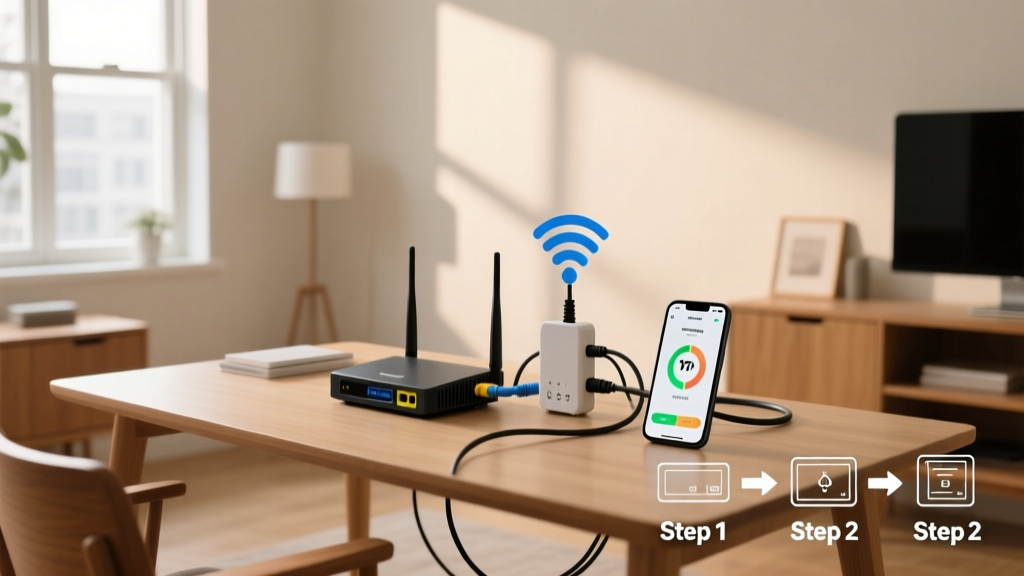
Extending your WiFi range means eliminating dead zones, improving video call stability, and ensuring smart devices stay connected—especially in older homes with thick walls or multi-story layouts. This is a moderate-difficulty skill that takes 1–3 hours for setup and testing, depending on your home’s size and construction materials.
Overview
| Skill Level | Time Required | Tools Needed | Estimated Cost |
|---|---|---|---|
| Intermediate | 1–3 hours | WiFi analyzer app, tape measure, ladder (if mounting) | $45–$220 |
Tools & Materials
| Item | Notes | Where to Get It |
|---|---|---|
| WiFi 6 mesh system (e.g., Eero 6+, TP-Link Deco X55) | Best for homes >1,500 sq ft; supports seamless roaming | Best Buy, Amazon |
| WiFi 6 range extender (e.g., Netgear EX6150v2) | Lower-cost option for single-floor apartments; avoid older 802.11ac-only models | Walmart, Staples |
| WiFi analyzer app (e.g., NetSpot, WiFi Analyzer for Android) | Free or $29 one-time; measures signal strength (dBm) and channel congestion | App Store, Google Play |
| Coaxial cable tester (optional) | Only needed if repurposing MoCA adapters for wired backhaul | Home Depot |
Step-by-Step Instructions
1. Map Your Current Signal Strength
Download NetSpot (macOS/Windows) or WiFi Analyzer (Android). Walk through each room, noting signal strength in dBm: −30 dBm (excellent), −67 dBm (usable for HD streaming), −80 dBm (unreliable). Mark weak spots on a floor plan sketch or digital note. Avoid testing near microwaves, cordless phones, or Bluetooth speakers—they cause interference on the 2.4 GHz band.
2. Identify Your Router’s Limitations
Check your router’s model number and specs online. If it’s more than 5 years old or lacks dual-band (2.4 GHz + 5 GHz) support, upgrading first yields better results than adding extenders. According to the FCC’s 2022 Broadband Deployment Report, 68% of routers older than 2019 can’t sustain >100 Mbps throughput even with perfect signal.
3. Choose and Place Your Extension Device
For homes with open floor plans under 1,200 sq ft, a high-gain range extender works—if placed halfway between router and dead zone, *and* within line-of-sight. For larger or multi-level spaces, install a three-node mesh system: position one node where your current signal drops to −65 dBm, another on the second floor landing, and the third near your farthest-used device (e.g., backyard office shed).
- Never place extenders inside cabinets, behind TVs, or near refrigerators—the metal blocks signals.
- If using mesh nodes, connect at least two via Ethernet (wired backhaul) for best performance. The U.S. National Institute of Standards and Technology found wired backhaul improves latency by 42% vs. wireless mesh hops.
4. Configure and Test
Follow the manufacturer’s app-based setup (most take <10 minutes). After pairing, reboot all nodes. Then re-run your signal map. Confirm every target area now reads ≥−62 dBm. If not, adjust node height—elevating a node from desk level to shelf level often adds 8–12 feet of reliable coverage due to reduced furniture obstruction.
Pro Tips
Many people waste money on “high-power” boosters that violate FCC Part 15 limits—or worse, amplify noise along with signal. Skip amplifiers entirely unless you’re using enterprise-grade gear with licensed spectrum clearance.
“Mesh systems with tri-band radios (two 5 GHz bands + one dedicated backhaul band) cut inter-node interference by 70% compared to dual-band mesh. That’s why IBHS recommends them for homes with >15 connected devices.” — Insurance Institute for Business & Home Safety, Smart Home Connectivity Guide 2023
- Avoid daisy-chaining extenders—each hop cuts bandwidth in half. One extender? Fine. Two in series? Expect sub-25 Mbps on the far end.
- Change your router’s WiFi channel manually. In dense urban areas, channels 1, 6, and 11 on 2.4 GHz are often oversaturated. Use your analyzer app to pick the least-congested channel.
Why does my WiFi drop in the garage but work fine in the kitchen?
Garage walls often contain metal lath, concrete block, or foil-backed insulation—materials that attenuate 5 GHz signals by up to 90%. A 5 GHz signal loses ~3 dB per foot in drywall but ~25 dB per inch in poured concrete. Install a mesh node just inside the garage door frame—not outside—and use its 2.4 GHz band for legacy tools like smart openers.
Can I use powerline adapters instead of WiFi extenders?
Yes—but only if your home’s electrical circuitry is modern (post-1990) and outlets share the same breaker panel. Powerline adapters like TP-Link AV2000 deliver stable 300+ Mbps over wiring, but they fail on GFCI-protected circuits or across subpanels. Test with a $25 starter kit before committing to whole-house deployment.
Will upgrading to WiFi 6 help my older devices?
It won’t make your 2014 iPad faster—but it will prevent that iPad from dragging down newer devices. WiFi 6 uses OFDMA to serve multiple devices simultaneously, so your smart thermostat, Ring doorbell, and laptop all get dedicated airtime slices. Older devices still connect via backward-compatible 802.11a/b/g/n/ac modes.
Do I need a professional installer?
Not for most homes—but consider one if you’re running Ethernet conduit, installing outdoor-rated nodes, or integrating with a structured wiring panel. Low-voltage electricians charge $75–$120/hour and can terminate Cat 6 cables cleanly, avoiding the 30% speed loss caused by improperly crimped RJ45 jacks.
What’s the fastest way to test if my extension worked?
Run a speed test at speed-test-tips, then stream 4K video on two devices while downloading a 2 GB file on a third. If buffering occurs or download speeds fall below 70% of your ISP’s provisioned rate, revisit node placement or check for neighboring network overlap using your WiFi analyzer.
Can I mix brands—like an ASUS router with a Google Nest mesh node?
No. While basic WPA3 handshakes may work, features like seamless roaming, unified admin dashboards, and automatic firmware updates require same-brand ecosystems. Mixing brands often breaks guest network isolation and parental controls. Stick with one vendor’s full stack—or go fully wired with ethernet-wall-ports for mission-critical zones.
Extending WiFi isn’t about brute-force signal blasting—it’s strategic placement, modern hardware, and understanding how your home’s structure shapes radio waves. Start with measurement, not hardware. Most dead zones vanish with a $70 mesh node positioned correctly—not a $200 ‘booster’ jammed into a closet. Once you’ve mapped and moved, you’ll feel the difference in every room, not just the living room.