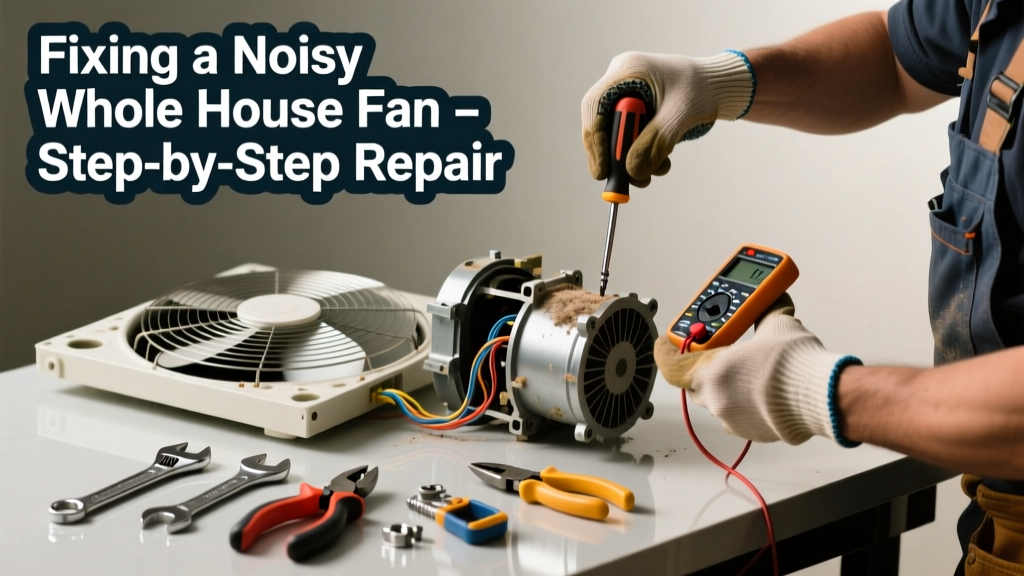
Your whole house fan used to whisper cool air through the house—now it sounds like a jet engine taking off or just refuses to spin. That noise isn’t just annoying; it’s often the first warning sign of wear, misalignment, or electrical trouble that could lead to motor burnout or fire hazard.
Quick Diagnosis
Before grabbing tools, listen and observe carefully. Most noisy or non-functional whole house fans stem from one (or more) of these root causes:
- Loose or bent fan blades hitting the housing or shutter
- Dry, worn, or seized motor bearings
- Accumulated dust, debris, or nesting material in the motor or blade assembly
- Faulty capacitor (causes humming but no start, or weak/erratic operation)
- Worn or cracked belt (on belt-drive models)
- Loose mounting hardware or deteriorated vibration isolators
Tools & Materials Needed
| Item | Purpose | Estimated Cost |
|---|---|---|
| Socket set & adjustable wrench | Tighten mounting bolts, blade screws, and motor brackets | $15–$40 |
| Blade balancer kit (or clothespin + tape) | Identify and correct blade imbalance causing vibration | $8–$25 |
| High-temp synthetic grease (e.g., NLGI #2 lithium) | Lubricate motor bearings without melting or gumming up | $6–$12 |
| Capacitor tester or multimeter | Verify if start/run capacitor is within ±6% tolerance | $20–$65 |
| Shop vacuum with brush attachment | Remove decades of dust, cobwebs, and insulation fibers safely | $30–$80 |
Step-by-Step Fix
Work with power OFF at the circuit breaker—and verify with a non-contact voltage tester. Never bypass safety interlocks or remove guards while powered.
- Clean and inspect: Remove the grille and shutter assembly. Vacuum all accessible areas—including the motor housing, blade hubs, and squirrel-cage intake. Check for rodent nests, insulation chunks, or warped blades.
- Check blade balance and alignment: Spin the fan by hand. If it wobbles or scrapes, use a blade balancer or tape a clothespin to the lightest blade tip until wobble stops. Tighten all blade screws to 25 in-lbs (use torque screwdriver if possible).
- Lubricate motor bearings: Locate oil ports (usually two small plugs on motor ends). Remove plugs and add 3–5 drops of high-temp synthetic grease per port. Rotate shaft manually to distribute. Do not over-grease—excess can leak into windings.
- Test and replace capacitor: Discharge capacitor with insulated pliers, then test capacitance. According to the National Electrical Manufacturers Association (NEMA MG 1-2023), capacitors degrade 10–15% per year under load—if yours reads >6% below rated µF, replace it with an exact match (voltage and µF).
- Inspect mounting and isolation: Tighten all frame bolts and check rubber grommets or spring mounts. Replace cracked or hardened isolators—these absorb up to 70% of operational vibration (per the Air Movement and Control Association’s 2022 Fan Vibration Guide).
When to Call a Pro
Some issues demand licensed expertise—not just for safety, but code compliance and long-term reliability.
- You measure >120V across the motor terminals but zero rotation (indicates internal winding failure or short)
- The fan emits burning odor, smoke, or tripped breakers repeatedly—even after capacitor replacement
- Wiring shows brittle insulation, aluminum-to-copper splices without COPALUM connectors, or undersized conductors (especially critical in attic spaces where temps exceed 130°F)
- Your fan lacks a UL-listed thermal cutoff switch or was installed pre-2008 without modern interlock wiring to prevent furnace blower conflict
"Over 42% of whole house fan service calls involve incorrect wiring or missing safety interlocks—most installed by well-intentioned but unlicensed homeowners." — North American Technician Excellence (NATE) Residential HVAC Field Survey, 2023
Prevention Tips
Proactive care extends fan life from 10 to 18+ years—cutting replacement costs and energy waste.
- Clean fan and shutter twice yearly: early spring and late fall
- Check blade balance and bearing lubrication every 18 months
- Install a programmable timer or smart switch to limit runtime—never run longer than 20 minutes past outdoor temp drop
- Add a dedicated GFCI-protected 20A circuit if your fan draws >1,800W (many older units do)
- Seal attic bypasses around the fan opening—leaks here waste 30% more conditioned air than the fan moves (U.S. Department of Energy, 2022)
Why does my whole house fan make a loud grinding noise only when starting?
This points strongly to failing motor bearings or insufficient lubrication. The initial torque required to overcome static friction stresses dry or pitted races. If cleaning and greasing don’t resolve it within 24 hours of operation, the motor is likely beyond economical repair—motor replacement is safer than continued use.
Can I replace the capacitor myself, or is it dangerous?
You can—but only if you understand capacitor discharge procedures and verify ratings match exactly. A mismatched capacitor can overheat windings or cause rotor lock. Always use a capacitor tester, not just visual inspection. Never touch terminals without discharging first using a 20kΩ resistor across leads.
My fan runs but doesn’t move much air—what’s wrong?
Airflow loss usually means blocked intake (dirty shutter, closed damper, or attic insulation piled against grille), bent blades reducing pitch, or a slipping belt (on belt-drive units). Measure static pressure with a manometer—if above 0.15" w.c., inspect for obstructions before assuming motor weakness.
Is it normal for my whole house fan to vibrate slightly?
Minimal vibration is expected—but if a coffee mug shakes on a nearby counter or drywall screws rattle loose, that’s excessive. It signals imbalance, loose mounting, or failing isolators. Address it immediately: sustained vibration accelerates bearing wear and can fatigue sheet metal housings.
How often should I replace the whole house fan belt?
Belt-drive models need belt replacement every 3–5 years—or sooner if cracked, glazed, or stretched >1/4" beyond marked length. Always replace in matched sets; mixing old and new belts causes uneven load and premature failure. For guidance, see our belt-drive fan maintenance checklist.
What’s the safest way to clean dust inside the motor housing?
Use a shop vacuum with a soft-brush attachment—never compressed air (it forces dust deeper into windings) or solvents (they degrade insulation). If dust is caked with grease or rodent residue, power down, remove motor cover, and gently wipe with a microfiber cloth dampened with isopropyl alcohol. Let dry fully before reassembly.
A quiet, efficient whole house fan shouldn’t be a luxury—it’s one of the most cost-effective cooling upgrades you can make. With regular attention and the right fixes, yours can run smoothly for years without straining your budget or your nerves. And if you’ve already replaced the capacitor, balanced the blades, and still hear that ominous whine? It might be time to consider a modern, ECM-motor-equipped replacement—like the 2024 top-rated models that cut noise by 50% and energy use by 65%.