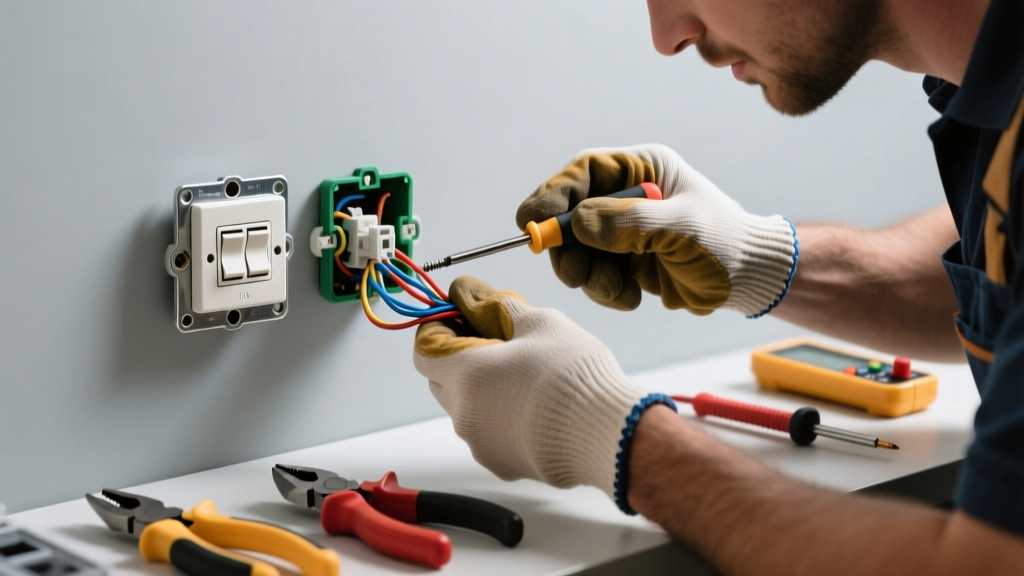
If your hallway or stairway lights won’t turn on from either switch—or behave erratically—you’re likely dealing with a faulty three-way switch setup. These circuits are trickier than standard switches because they rely on precise traveler wire connections and proper grounding. A single miswired screw terminal can kill the entire circuit.
Quick Diagnosis
Before grabbing tools, eliminate obvious culprits:
- Burnt-out bulb (test with known-good bulb)
- Tripped breaker or GFCI outlet upstream
- Loose wire nut connection in either switch box or light fixture
- Worn-out switch mechanism—especially if toggle feels spongy or clicks inconsistently
- Reversed traveler wires (most common wiring error during replacement)
Tools & Materials Needed
| Item | Purpose | Estimated Cost |
|---|---|---|
| Non-contact voltage tester | Confirms power is off before touching wires—critical for safety | $12–$25 |
| Wire stripper/cutter | Cleans insulation without nicking copper; essential for secure terminations | $8–$18 |
| Phillips & flat-head screwdrivers | Removes faceplates and switch mounting screws; insulated handles required | $6–$15 |
| New three-way switch (Leviton or Lutron) | Replaces worn internal contacts; avoid cheap no-name brands | $10–$22 |
| Electrical tape & wire nuts (red or yellow) | Secures connections and insulates exposed conductors | $4–$9 |
Step-by-Step Fix
Work only after turning off the correct breaker and verifying no voltage at both switch boxes with your tester:
- Label all wires before disconnecting. Use masking tape and a marker: "Common (black)", "Traveler 1 (red)", "Traveler 2 (blue or yellow)", "Ground (bare/green)". Photos help too.
- Check continuity on the old switch. Set multimeter to continuity mode. With switch in both positions, test between common and each traveler terminal. One position should beep on Traveler 1, the other on Traveler 2. No beep? Switch is dead.
- Verify traveler pairing. At Switch A, identify which two wires show continuity *regardless of toggle position*—those are the travelers. They must land on the brass traveler screws at *both* switches—not the common (dark) screw.
- Reconnect using correct terminals: Common (black or dark screw) carries hot feed or load; travelers go to brass screws; ground to green screw. Double-check that the same two wires serve as travelers at both ends.
When to Call a Pro
Stop immediately and call a licensed electrician if you encounter any of these:
- Voltage present at the switch box even after flipping the breaker—indicates shared neutrals or mislabeled panel
- Aluminum wiring (silver-colored, stiff, often installed pre-1975)—requires special CO/ALR-rated devices and anti-oxidant paste
- More than three cables entering one switch box—suggests complex multi-switch or smart-home integration
- Smoke, burning odor, or discolored outlets near the switches—signs of arcing or overheating
"Over 30% of residential electrical callbacks stem from misidentified travelers during three-way switch replacements." — National Electrical Contractors Association (NECA) Residential Installation Standard, 2022 Edition
Prevention Tips
Extend the life of your three-way system with these habits:
- Replace both switches simultaneously—even if only one fails—since age and wear are usually matched
- Use LED-compatible three-way switches if upgrading bulbs; older switches may chatter or flicker with low-wattage loads
- Tighten all terminal screws every 3 years—vibration and thermal cycling loosen connections over time
- Install battery-powered occupancy sensors in place of switches for high-traffic areas to reduce mechanical wear
Why does my three-way switch only work from one location?
This almost always means the traveler wires are swapped at one switch—or the common terminal is connected to a traveler instead of the hot or load wire. Recheck labeling and use your multimeter to confirm which wire is hot at Switch A when the breaker is on (with caution).
Can I replace a three-way switch with a smart switch?
Yes—but only with models explicitly rated for three-way setups (e.g., Lutron Caseta PD-6WCL or TP-Link Kasa HS210). You’ll need a neutral wire in at least one box, and the companion switch must be a compatible remote (not another smart switch). Skip this if your home lacks neutrals in switch boxes.
Do I need to turn off power to both switches?
No—just the breaker feeding the circuit. Both switches are on the same circuit, so one breaker controls them both. Verify with your voltage tester at *each* box before proceeding.
What color wires go where on a three-way switch?
There’s no universal color code, but convention is: black = common (hot feed or light load), red + blue/yellow = travelers, bare/green = ground. Never assume—always test. The common terminal is usually darker (brass vs. bronze) or labeled "COM".
Why does the light stay on no matter what I do with the switches?
That indicates the common terminals are tied together—or one switch has its common wired directly to a traveler. It creates a permanent path. Disconnect both switches and check for accidental contact between traveler and common wires inside the box.
Can a bad light fixture cause three-way switch issues?
Rarely—but possible. If the fixture’s internal socket or wiring shorts across hot and neutral, it can backfeed and confuse the switch logic. Test by temporarily replacing the fixture with a basic incandescent bulb and socket.
A properly functioning three-way circuit shouldn’t feel like an electrical puzzle—it just works. Most failures come down to one loose screw, a mislabeled wire, or a decade-old switch whose internal contacts have oxidized. Take your time, verify every connection, and don’t hesitate to call a pro when readings don’t match expectations. Your safety—and your light—is worth the extra five minutes of caution.