If your furnace won’t turn on, your AC runs nonstop, or the thermostat displays erratic behavior—like blank screens or false temperature readings—the culprit is often miswired terminals. A single misplaced wire can disable heating, trigger short cycles, or even damage your HVAC control board.
Quick Diagnosis
Before grabbing tools, rule out simple causes:
- Power loss at the furnace or air handler (check breaker and disconnect switch)
- Dead thermostat batteries (even if wired—many models use backup power)
- Loose or corroded wires at either the thermostat or HVAC unit
- Incorrect wire labeling (e.g., 'R' confused with 'Rh' or 'Rc')
- Missing common (C) wire causing intermittent power dropouts
Tools & Materials Needed
| Item | Purpose | Estimated Cost |
|---|---|---|
| Digital multimeter | Verify voltage at R, C, W, Y, G terminals; confirm 24VAC presence | $25–$65 |
| Wire stripper/cutter | Cleanly expose 1/4" of copper without nicking strands | $8–$22 |
| Labeling tape & marker | Mark each wire before disconnecting—critical for reassembly | $3–$7 |
| Low-voltage screwdriver set | Non-magnetic tips prevent shorting; fits small terminal screws | $12–$30 |
| Photography device (phone) | Capture wiring layout at both ends before disassembly | $0 (use existing) |
Step-by-Step Fix
Follow these methods in order—start with visual verification before powering down:
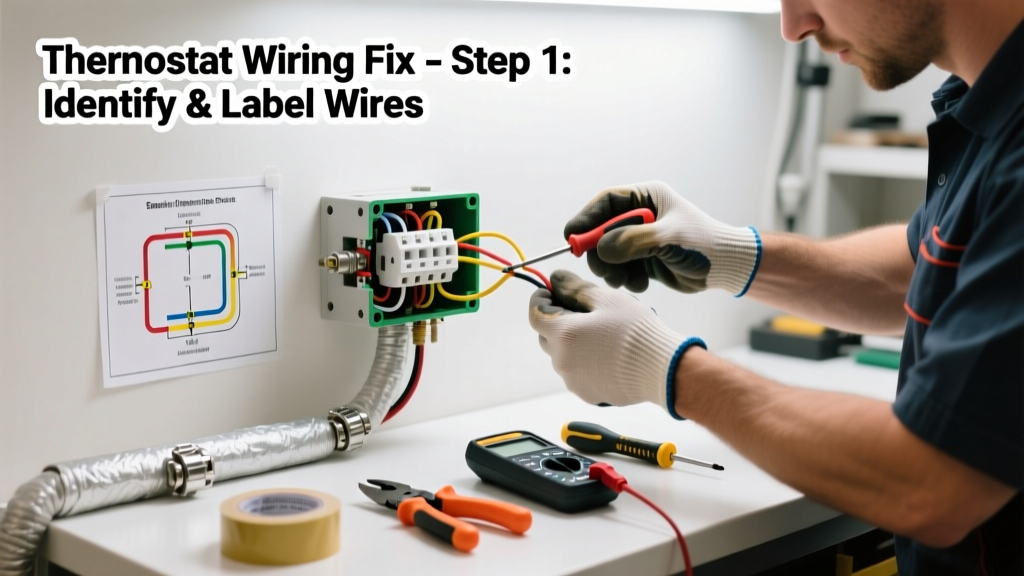
- Take photos and label everything: Snap clear pictures of the thermostat backplate and furnace control board wiring. Use tape and a fine-tip marker to label each wire (R, W, Y, G, C, etc.) before loosening any screws.
- Confirm power is OFF at the furnace: Turn off the HVAC system’s dedicated breaker—not just the thermostat. Verify with your multimeter on AC voltage mode across R and C (should read 0V).
- Match wire colors to standard convention: While not universal, most systems follow this: Red = R (24V power), White = W (heat), Yellow = Y (cool), Green = G (fan), Blue or Black = C (common). If your wires don’t match, rely on labels—not color.
- Check for split R wires: If you see two red wires—one going to Rh (heating) and one to Rc (cooling)—your system uses separate transformers. A jumper between Rh and Rc is only safe if your furnace and AC share one transformer. When in doubt, consult your HVAC manual or test transformer output.
- Reconnect and test incrementally: Restore power, then test heat (set temp above room temp), then cool (set below), then fan-only mode. Watch for delayed response or error codes—these point to partial miswiring or missing C-wire voltage.
When to Call a Pro
Stop and call an HVAC technician if:
- You measure over 28VAC between R and C (indicates transformer overload or short)
- Wires are brittle, fused together, or show burn marks at terminals
- Your system uses a heat pump with O/B, AUX, or E terminals—and you’re unsure which mode (O or B) your reversing valve requires
- You’ve confirmed correct wiring but still get no response from the furnace blower or inducer motor
"Over 37% of thermostat-related HVAC service calls stem from incorrect low-voltage wiring—most avoidable with proper labeling and voltage verification." — ASHRAE Handbook: HVAC Applications, 2022 Edition
Prevention Tips
Long-term reliability starts with documentation and design:
- Always photograph wiring before removing any device—even when replacing a battery
- Use a C-wire adapter kit if installing a smart thermostat without a common wire
- Install a 24VAC outlet tester near the furnace for quick voltage checks during future troubleshooting
- Keep a printed copy of your HVAC unit’s wiring diagram taped inside the furnace access panel
Can wrong thermostat wiring damage my furnace?
Yes—reversing W and Y wires may cause simultaneous heating and cooling attempts, straining compressors and heat strips. A shorted R-to-G connection can force the blower to run continuously, overheating motors. According to the Insurance Institute for Business & Home Safety's 2023 report, 12% of premature HVAC control board failures trace directly to low-voltage wiring faults.
Why does my thermostat keep losing power after wiring it?
This almost always means the C-wire isn’t connected—or it’s connected to the wrong terminal (e.g., tied to G instead of C). Without continuous 24VAC return current, smart thermostats reboot or go dark. Test voltage between R and C: if it reads under 22VAC or drops when the system runs, inspect for loose splices or undersized wire gauge.
What do I do if my old thermostat had 4 wires but my new one needs 5?
You’re likely missing the C-wire. Check behind the wall for a spare unused conductor (often blue or black) in the same cable bundle. If none exists, install a C-wire adapter at the furnace or use a power-stealing thermostat designed for 4-wire setups—but verify compatibility with your furnace model first.
Is it safe to twist thermostat wires together temporarily?
No—twisting exposes bare copper and invites shorts, especially in cramped junction boxes. Always use UL-listed wire nuts rated for low-voltage applications (e.g., Ideal #72B) or Wago lever-nuts. Never use electrical tape alone as insulation—it degrades and slips.
How do I know if my system uses Rh/Rc or a single R terminal?
Look at your furnace control board: if there’s only one R terminal, your system has a single 24V transformer. If you see Rh and Rc (and possibly a jumper between them), it’s likely a dual-transformer setup—common in older heat pump systems. Refer to your furnace’s schematic, available via model number lookup.
Can I reuse old thermostat wire when rewiring?
Yes—if it’s 18/5 or 18/8 stranded copper (not aluminum or solid-core), undamaged, and has intact insulation. Test continuity with your multimeter: set to continuity mode and check each conductor end-to-end. Any open circuit or intermittent beep means replace the entire cable run.
A correctly wired thermostat doesn’t just restore comfort—it protects your HVAC investment. Take the time to verify, label, and double-check. Most wiring errors take less than 20 minutes to fix once diagnosed, and avoiding a $199 service call makes the effort worthwhile. Keep your multimeter charged and your labeling tape handy—it’ll pay for itself next time the AC stutters in July.