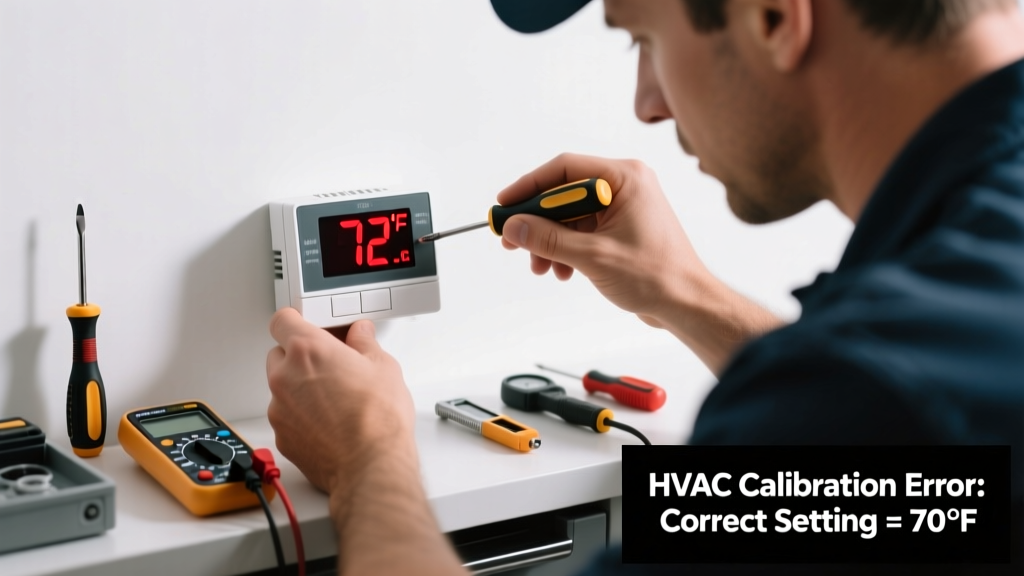
Your thermostat says it’s 72°F—but your living room feels like a sauna. Or the heat kicks on when it’s already 78°. When your thermostat reading is wrong, it’s not just annoying—it wastes energy, strains your HVAC system, and can lead to costly repairs down the line.
Quick Diagnosis
Before grabbing tools, rule out simple causes first. Most inaccurate readings stem from one of these five issues:
- Low or dead batteries (especially in non-wireless programmable models)
- Dirt, dust, or debris clogging the internal sensor
- Direct sunlight, drafts, or proximity to heat sources (like lamps or exterior walls)
- Loose or corroded wiring at the thermostat or furnace control board
- Outdated firmware (on smart thermostats like Nest or Ecobee)
Tools & Materials Needed
| Item | Purpose | Estimated Cost |
|---|---|---|
| Digital multimeter | Verifies voltage at terminals and checks for continuity in wires | $25–$60 |
| Small Phillips screwdriver | Removes thermostat faceplate and mounting screws safely | $4–$12 |
| Compressed air canister | Cleans dust from thermistor and internal components without disassembly | $8–$15 |
| Laser thermometer (optional but recommended) | Measures actual ambient temp at thermostat location vs. reading | $30–$75 |
| Replacement AA or AAA batteries | Fresh power restores sensor accuracy in battery-powered units | $3–$7 |
Step-by-Step Fix
Follow these methods in order—start simple, escalate only if needed:
- Replace batteries and reboot: Remove batteries for 60 seconds, then reinsert. For smart thermostats, hold reset button 10 seconds or use app-based factory reset.
- Relocate or shield the unit: If mounted near a window, vent, or appliance, move it to an interior wall away from airflow and thermal radiation. Use a non-metallic wall plate spacer to reduce conduction from studs.
- Clean the sensor: Power off HVAC at the breaker, remove faceplate, and gently blow compressed air into the sensor chamber (usually behind a small grille near the center). Never use cotton swabs—they leave fibers that insulate the thermistor.
- Check calibration offset: On most modern thermostats (Honeywell T9, Ecobee SmartThermostat), go to Settings > Installation Settings > Temperature Calibration. Compare against a trusted laser thermometer reading taken 18” away and wait 5 minutes for stabilization. Adjust offset in ±2°F increments.
When to Call a Pro
Stop and call an HVAC technician if you encounter any of these:
- Voltage at the R (power) and C (common) terminals reads below 22V AC—indicates transformer failure or wiring fault
- Thermostat display flickers or resets repeatedly after battery replacement (sign of failing internal capacitor or PCB damage)
- You detect burning odor, discoloration, or charring on wiring or terminal block
- Your system runs continuously despite correct settings—could indicate shorted wires or failed relay in the furnace control board
According to the U.S. EPA, improperly calibrated thermostats contribute to up to 12% of avoidable residential heating and cooling energy waste annually (EPA ENERGY STAR Program, 2022).
Prevention Tips
Maintain accuracy year-round with these habits:
- Test thermostat calibration every fall and spring using a certified digital thermometer placed beside it for 10 minutes
- Vacuum around the thermostat base quarterly to prevent dust buildup in vents and sensors
- Update firmware on smart thermostats at least twice per year—Ecobee and Nest push critical sensor algorithm patches
- Avoid painting over or covering the thermostat—paint layers insulate the sensor and skew readings by 3–5°F
Why does my thermostat read higher than the actual room temperature?
This usually points to radiant heat interference. A south-facing wall, incandescent lamp nearby, or even a TV left on heats the unit’s housing faster than the air—causing the thermistor to misread ambient conditions. Relocating the thermostat or installing a sun-shade bracket solves 80% of these cases.
Can I calibrate my old mercury thermostat?
No—you cannot recalibrate a mercury bulb thermostat. Its reading depends entirely on physical expansion of mercury in glass. If it’s off by more than ±2°F, replace it with a digital model. Mercury units are also banned for sale in 27 states as of 2024 (National Institute of Standards and Technology, 2023).
My smart thermostat shows accurate temp but won’t trigger the HVAC—what’s wrong?
This suggests a communication or wiring issue—not a sensor problem. Check if the C-wire is securely connected and delivering steady 24V AC. Also verify in the app whether ‘equipment status’ shows ‘idle’ or ‘no response’. A loose W (heat) or Y (cool) wire at either end will break the control signal.
How do I know if the problem is the thermostat or the HVAC system itself?
Bypass the thermostat: Turn off power, disconnect R and W wires, twist them together, then restore power. If the furnace fires up, the thermostat is faulty. If nothing happens, the issue lies in the furnace control board, limit switch, or gas valve—and requires professional diagnosis.
Will resetting my thermostat erase my schedule or Wi-Fi settings?
It depends on the model. Honeywell T-Series retains schedules after soft reset but loses Wi-Fi credentials. Ecobee saves both unless you perform a full factory reset (Settings > System > Reset > Full Reset). Always note your current settings before resetting—how to back up Ecobee settings takes under two minutes.
Is it safe to clean inside my thermostat with alcohol wipes?
No. Isopropyl alcohol can damage plastic lens coatings and leave residue on thermistors that attracts dust. Use only dry compressed air or a soft artist’s brush. For stubborn grime on the faceplate, dampen a microfiber cloth with distilled water—not cleaners—then wipe gently. See our guide on safe cleaning products for HVAC controls.
A thermostat isn’t just a temperature dial—it’s the nervous system of your home’s climate control. Fixing a reading error early keeps your HVAC running efficiently, extends equipment life, and avoids the $150+ cost of an emergency service call. Most inaccuracies take less than 20 minutes to resolve once you know where to look—and now you do.