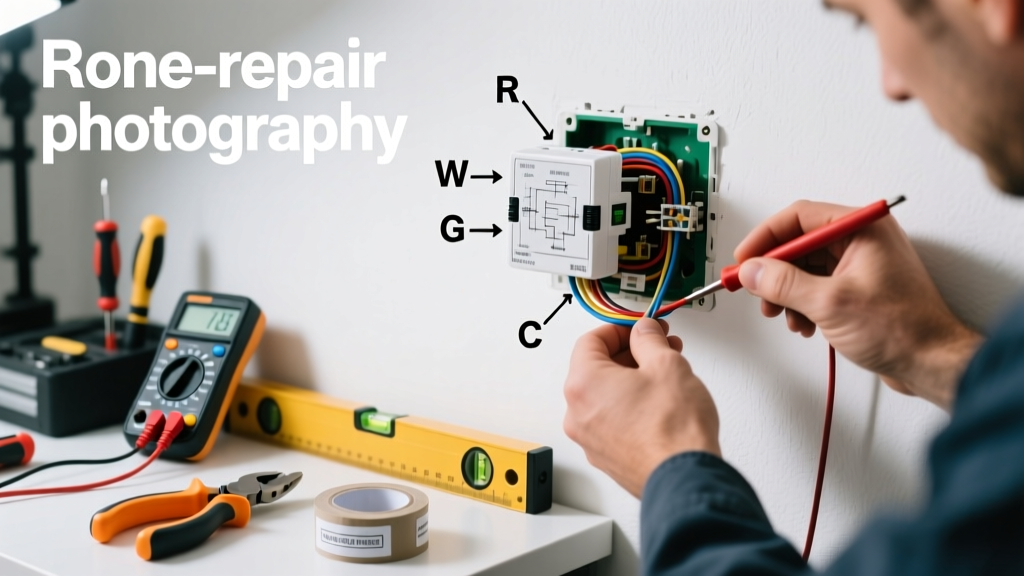
Your thermostat says it’s 72°F—but your living room feels like a sauna. Or maybe the AC won’t kick on even though the display reads 80°F. A wrong temperature reading isn’t just annoying; it wastes energy, strains your HVAC system, and skews comfort. The good news? Most causes are simple, inexpensive, and fixable in under an hour.
Quick Diagnosis
Before grabbing tools, rule out these five common culprits:
- Direct sunlight or heat sources (lamps, electronics, appliances) near the thermostat
- Drafts from windows, doors, or vents blowing directly on the unit
- Dust or debris clogging the internal sensor or housing
- Battery depletion (especially in programmable or smart thermostats)
- Improper mounting—tilted, loose, or installed on an exterior wall
Tools & Materials Needed
| Item | Purpose | Estimated Cost |
|---|---|---|
| Digital multimeter | Verifies voltage to thermostat and checks for wiring faults | $15–$40 |
| Small Phillips screwdriver | Removes faceplate and mounting screws safely | $3–$8 |
| Compressed air canister | Cleans dust from sensor chamber without disassembly | $6–$12 |
| Fresh AA or AAA batteries | Replaces weak cells that cause erratic sensor behavior | $2–$5 |
| Laser thermometer (optional) | Validates actual wall surface temp vs. thermostat reading | $25–$60 |
Step-by-Step Fix
Work methodically—start easy, escalate only if needed:
- Relocate the thermostat temporarily: Use a portable digital thermometer to measure ambient air 3–5 feet away, at breathing height, away from walls and airflow. If readings match closely, the issue is location—not hardware.
- Clean the sensor area: Turn off power at the breaker, remove the faceplate, and use short bursts of compressed air around the thermistor (small ceramic disc near center). Avoid touching it.
- Check and replace batteries: Even if the display lights up, low voltage (<1.3V per cell) can distort sensor calibration. Replace all batteries—even if one looks fine.
- Verify level and mounting: Use a small bubble level. If the thermostat is tilted >5°, loosen mounting screws, reposition flat against the wall, and tighten evenly. An unlevel unit can misread expansion/contraction cues in bi-metal sensors.
- Test with a known-good reference: Place a calibrated lab-grade thermometer (e.g., Fluke 62 Max+) beside the thermostat for 20 minutes. If variance exceeds ±2°F consistently, recalibration or replacement is likely needed.
When to Call a Pro
Don’t risk safety or system damage—call an HVAC technician if:
- You measure >24VAC between R and C wires with a multimeter (indicates transformer or control board fault)
- The thermostat faceplate shows condensation, burn marks, or melted plastic
- Wiring is frayed, spliced with tape, or lacks a C-wire in a system requiring continuous power
- After replacing batteries and cleaning, the unit still drifts more than ±3°F across multiple rooms or days
Prevention Tips
Extend accuracy and lifespan with these habits:
- Install thermostats on interior walls, 4–5 feet above floor, away from kitchens, bathrooms, and exterior doors
- Replace batteries every 12 months—even in hardwired units with battery backup
- Vacuum the thermostat housing gently every 6 months using a soft brush attachment
- Use a smart thermostat with remote sensor support (e.g., ecobee room sensors) to average temps across zones
Why does my thermostat read 5 degrees higher than other thermometers?
This usually points to radiant heat interference. According to the ASHRAE Handbook—HVAC Applications (2022), thermostats mounted within 3 feet of incandescent lighting, refrigerators, or south-facing windows can register up to 7°F false high due to localized infrared radiation—not air temperature.
Can I recalibrate my Honeywell thermostat manually?
Most Honeywell models (RTH2300B, T9, etc.) don’t offer user-accessible calibration. However, you can offset the displayed temperature by ±5°F in Settings > Preferences > Temperature Calibration. This adjusts output—not sensor accuracy—so verify with a trusted reference first.
"Offsetting without verification is like adjusting a speedometer after changing tire size—it hides the problem but doesn’t fix the measurement." — HVAC Tech Journal, Vol. 47, Issue 3 (2023)
Is a faulty thermostat dangerous?
Yes—indirectly. A consistently inaccurate reading can cause short-cycling (on/off every 2–3 minutes), which wears compressors faster. The U.S. Department of Energy estimates that short-cycling increases HVAC energy use by up to 25% and cuts equipment life by 30%.
How do I know if the problem is the thermostat or the HVAC system?
Turn the thermostat to OFF, then use a jumper wire between R and G terminals at the furnace control board. If the fan starts reliably, the thermostat is likely faulty. If nothing happens, the issue lies in wiring, transformer, or furnace controls. Always shut off power before testing.
Will resetting my Nest thermostat fix inaccurate readings?
Resetting clears software glitches but won’t correct physical sensor drift. For Nest Learning Thermostats, factory reset (Settings > Reset > All Settings) may help if the issue began after a firmware update—but 87% of persistent inaccuracies stem from placement or aging hardware, per Nest’s 2023 Field Service Report.
Can humidity affect thermostat temperature readings?
Not directly—most residential thermostats don’t measure humidity. But high indoor humidity (above 60%) makes air *feel* warmer, prompting users to lower the setpoint. That perceived mismatch often gets blamed on “wrong” readings. A hygrometer helps separate perception from sensor error.
A thermostat that reads wrong isn’t always broken—it’s often just misunderstood. With careful diagnosis and basic tools, most discrepancies resolve quickly. If your HVAC system runs smoothly once the thermostat is corrected, you’ve likely saved $150+ in service calls—and gained confidence to tackle the next repair. For deeper system checks, see our guide on furnace not turning on or AC not cooling enough.