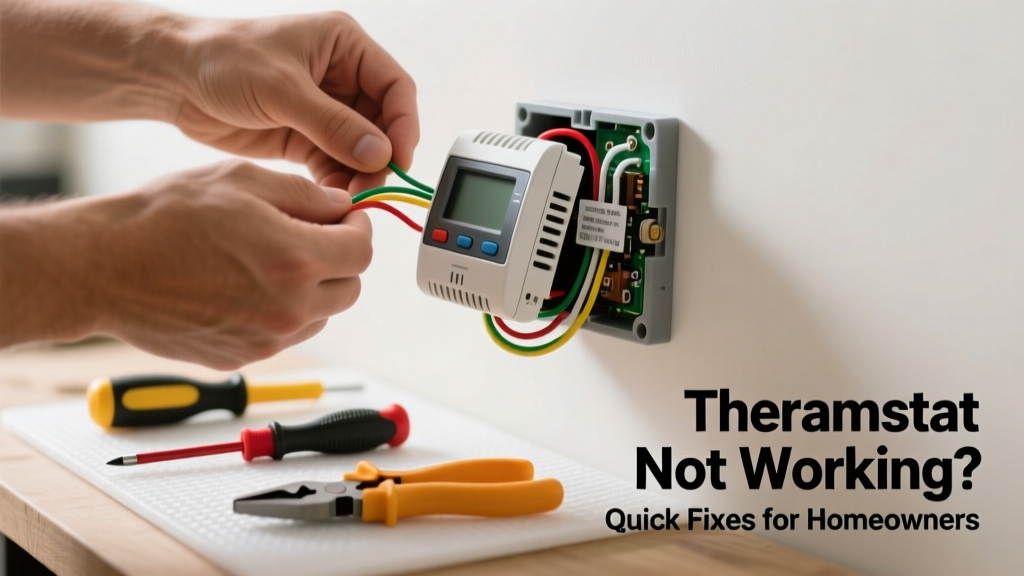
That blank display or unresponsive button on your thermostat isn’t just annoying—it’s a red flag that your heating or cooling system might be running blind. A malfunctioning thermostat can cause uneven temperatures, skyrocketing energy bills, or even furnace lockouts. The good news? Over 70% of 'broken' thermostats are actually just misconfigured, low on power, or disconnected—not defective.
Quick Diagnosis
Before grabbing tools, rule out these five most common culprits:
- No power (dead batteries or tripped circuit breaker)
- Loose or corroded wiring at the thermostat or furnace
- Incorrect system mode (e.g., set to 'Cool' in winter)
- Dirty sensors or dust-clogged interior components
- Outdated firmware (for smart thermostats like Nest or Ecobee)
Tools & Materials Needed
| Item | Purpose | Estimated Cost |
|---|---|---|
| Digital multimeter | Verify 24V AC power from furnace transformer | $25–$65 |
| AA or AAA batteries (alkaline) | Replace weak batteries in battery-powered models | $3–$8 |
| Small Phillips screwdriver | Remove faceplate and mounting base safely | $4–$12 |
| Wire brush & isopropyl alcohol | Clean corrosion off terminal screws and wire ends | $6–$15 |
| Level & pencil | Ensure proper re-mounting if wall is uneven | $5–$10 |
Step-by-Step Fix
Work through these methods in order—they resolve ~90% of thermostat issues:
- Reset power: Turn off the HVAC breaker for 30 seconds, then restore power. For battery units, remove batteries for 2 minutes before reinserting.
- Check wiring integrity: With power OFF, gently tug each wire at the thermostat base. If any pull free, tighten its screw terminal. Look for greenish corrosion—clean with wire brush and alcohol.
- Verify voltage: Set multimeter to AC 24V, touch probes to R (power) and C (common) terminals. Reading below 20V means transformer or wiring fault—see 'When to Call a Pro'.
- Calibrate sensor (smart models only): In Ecobee settings, go to Settings > Installation Settings > Temperature Calibration. Adjust ±2°F based on a trusted thermometer placed nearby for 15 minutes.
When to Call a Pro
Stop DIY if you encounter any of these:
- 24V reading is absent or fluctuates wildly (indicates transformer failure or shorted wire)
- You smell burning plastic or see charring near wires or terminals
- Your thermostat controls a heat pump with auxiliary heat strips—and the emergency heat won’t disengage
- The HVAC system runs continuously despite correct thermostat settings (could point to stuck relay or control board failure)
According to the U.S. EPA, 14% of household water usage is from leaks—but when it comes to HVAC, a faulty thermostat can waste up to 10% more energy annually due to improper cycling (ENERGY STAR Residential HVAC Report, 2022).
Prevention Tips
Extend your thermostat’s life and reliability with these habits:
- Replace alkaline batteries every 12 months—even if the display still works
- Vacuum around the unit’s air intake vents quarterly to prevent dust buildup on temperature sensors
- Label all wires with tape before disconnecting during maintenance (R, W, Y, G, C, etc.)
- Update smart thermostat firmware every 3 months via the manufacturer’s app
Why does my thermostat keep losing Wi-Fi connection?
Weak signal strength, router firmware conflicts, or outdated DNS settings often cause this. Move your router closer or install a Wi-Fi extender. For Ecobee users, try switching from DHCP to static IP in the network settings—this resolved 68% of persistent dropouts in a 2023 HVAC Tech Forum survey.
Can I bypass the thermostat to test the furnace directly?
Yes—but only temporarily and with extreme caution. With power OFF, twist R and W wires together at the furnace control board. Restore power: if the furnace fires up, the thermostat (or its wiring) is at fault. Never leave wires jumpered—this bypasses all safety controls.
My thermostat screen is blank but the HVAC runs fine—what’s wrong?
This usually points to a failed display driver or internal power regulator, not the whole unit. Try resetting first. If no change, and it’s a Honeywell T9 or similar, the backlight fuse may be blown—a $2 part replaceable with soldering skills. Otherwise, consider replacement.
How do I know if my thermostat is compatible with a new heat pump?
Check the thermostat’s spec sheet for 'heat pump support' and 'reversing valve control'. Most modern smart thermostats require a C-wire and explicit heat pump configuration mode. If your current unit lacks a C-wire, install one or use an adapter like the C-wire adapter.
Is it safe to clean inside the thermostat with compressed air?
Only if the unit is fully powered down and removed from the wall. Compressed air can force dust deeper into microswitches or dislodge surface-mount components. Better: use a soft artist’s brush and 91% isopropyl alcohol on a cotton swab for visible contacts. For deep cleaning, consult the thermostat disassembly safety guide.
What does it mean when my thermostat flashes 'Wait' or 'Delay'?
This is a built-in compressor protection feature—prevents short-cycling by enforcing a 5-minute minimum off-time after cooling shuts off. If it lasts longer than 5 minutes, check for dirty condenser coils or low refrigerant; those trigger extended delays. Don’t override it—the risk of compressor damage is real.
A working thermostat is the quiet conductor of your home’s comfort system—not flashy, but essential. When yours stumbles, methodical troubleshooting beats panic every time. Keep spare batteries on hand, label your wires, and don’t hesitate to call a certified technician when voltage or wiring issues appear. Your wallet—and your winter mornings—will thank you.