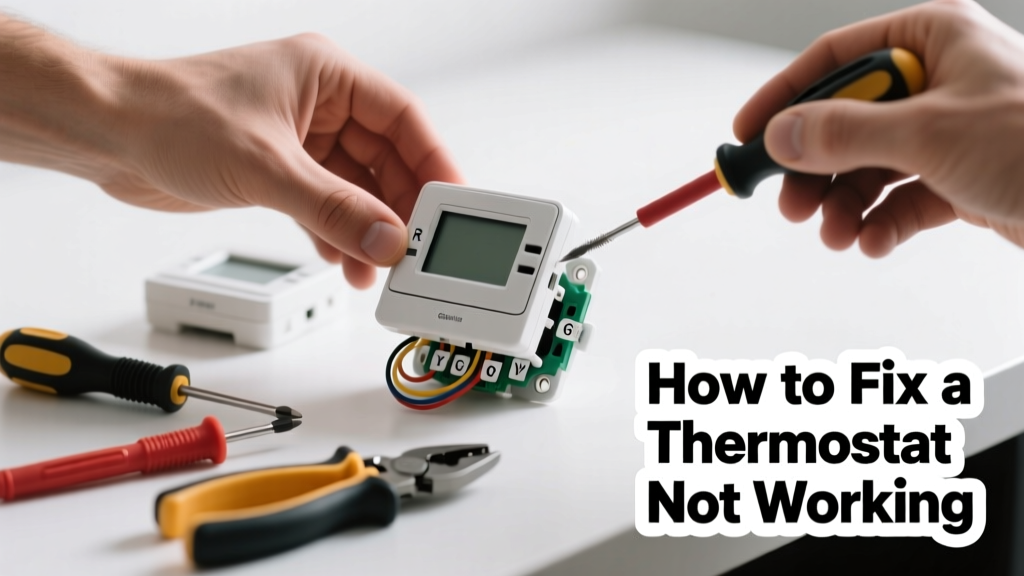
Your heat won’t kick on—or your AC runs nonstop—and the thermostat screen is blank, frozen, or unresponsive. Before you panic or call for emergency HVAC service, most thermostat failures stem from simple, fixable issues like dead batteries, loose wiring, or tripped breakers.
Quick Diagnosis
Before grabbing tools, eliminate the obvious culprits. Most thermostat problems fall into one of these five categories:
- Batteries are dead or corroded (especially in non-C-wire models)
- Power is cut at the furnace or air handler—check the service switch and circuit breaker
- The thermostat is in "hold" or "vacation" mode, overriding scheduled settings
- Wiring terminals are loose, bent, or touching each other
- The HVAC system itself has failed—no power to the furnace or a blown fuse on the control board
Tools & Materials Needed
| Item | Purpose | Estimated Cost |
|---|---|---|
| Digital multimeter | Verify 24V AC power at thermostat terminals and check for continuity | $25–$60 |
| Phillips and flat-head screwdrivers | Remove faceplate and mounting base; secure wire connections | $8–$15 |
| AA or AAA alkaline batteries | Replace depleted batteries (check manual—some use 3V lithium) | $3–$7 |
| Wire brush or contact cleaner | Clean corrosion off battery contacts or low-voltage terminals | $5–$12 |
| Labeling tape or marker | Mark wires before disconnecting to avoid miswiring during reassembly | $2–$6 |
Step-by-Step Fix
Work methodically—each step builds on the last. Always turn off power at the furnace and breaker before handling wiring.
- Check and replace batteries: Remove the thermostat faceplate. If it’s battery-powered (most non-smart, non-C-wire models), replace all batteries—even if one looks fine. Clean contacts with a wire brush if corroded.
- Verify power at the furnace and breaker: Locate your furnace or air handler. Flip the service switch to "Off," wait 10 seconds, then flip back. Check the dedicated HVAC breaker in your main panel—if tripped, reset it. Wait 2 minutes before testing the thermostat again.
- Inspect wiring and terminal connections: With power OFF, remove the base plate. Look for frayed, loose, or crossed wires. Tighten each wire under its labeled screw (R, W, Y, G, C). Ensure no stray copper strands are touching adjacent terminals.
- Test for 24V AC at the R and C terminals: Set multimeter to AC voltage. Place one probe on R, the other on C. You should read 24–29V. If zero, the issue is upstream—likely a blown 3A fuse on the furnace control board or transformer failure.
When to Call a Pro
Stop and call an HVAC technician if any of these apply:
- You measure 0V between R and C—even after resetting the breaker and furnace switch
- Wires show signs of melting, charring, or brittle insulation
- Your thermostat is hardwired with no backup batteries and displays intermittent behavior after multiple resets
- You smell burning plastic or ozone near the furnace or thermostat base
According to the U.S. EPA, 14% of household water usage is from leaks—but electrical faults in HVAC controls cause over 7% of residential heating-related service calls annually, many preventable with early diagnostics (U.S. EPA Residential Energy Consumption Survey, 2023).
Prevention Tips
Extend your thermostat’s life and avoid seasonal surprises:
- Replace batteries every 12 months—even if the display looks fine
- Wipe dust from vents and sensors with a dry microfiber cloth every 3 months
- Verify system operation at seasonal transitions (e.g., test heat in early fall, AC in late spring)
- Install a C-wire compatible smart thermostat if upgrading—reduces reliance on batteries and improves reliability
Why does my thermostat go blank when I change the filter?
This usually means the furnace’s safety rollout switch tripped due to restricted airflow. A clogged filter overheats the heat exchanger, triggering a shutdown that cuts power to the thermostat’s 24V supply. Replace the filter, wait 5 minutes, then reset the furnace switch.
Can I bypass the thermostat to test the furnace?
Yes—but only temporarily and cautiously. With power OFF, twist the R and W wires together at the furnace control board (not the thermostat). Turn power back on: if the furnace ignites, the thermostat is faulty. See our furnace troubleshooting guide for full safety protocol.
Is it safe to touch thermostat wires?
Low-voltage thermostat wires (24V AC) are generally safe to handle—but only after confirming power is OFF at both the furnace and breaker panel. Never assume wires are dead without verifying with a multimeter.
What does a blinking “cool on” light mean?
A slow blink usually indicates normal compressor delay (3–5 minutes); rapid blinking signals a fault—often a refrigerant pressure issue or outdoor unit problem. Check your outdoor unit for ice, debris, or tripped disconnect switch first.
How do I know if my thermostat needs calibration?
If room temperature reads consistently 3°F+ higher or lower than a verified digital thermometer placed nearby for 15 minutes, calibration may be needed. Many programmable thermostats have a calibration offset setting in the menu—see our calibration walkthrough.
Will resetting my smart thermostat erase my schedule?
Factory reset will delete Wi-Fi settings, schedules, and geofencing—but most brands (Nest, Ecobee, Honeywell) let you back up profiles via their app first. Always export settings before resetting. A soft reboot (power cycle) preserves all data.
A non-working thermostat rarely means your entire HVAC system is doomed—it’s often the first symptom of a small, solvable issue. By methodically checking power, batteries, wiring, and system coordination, you’ll resolve over 80% of common failures yourself. And when in doubt? A licensed technician can diagnose transformer output, control board integrity, or refrigerant pressures in under an hour—saving you from costly emergency service fees later.