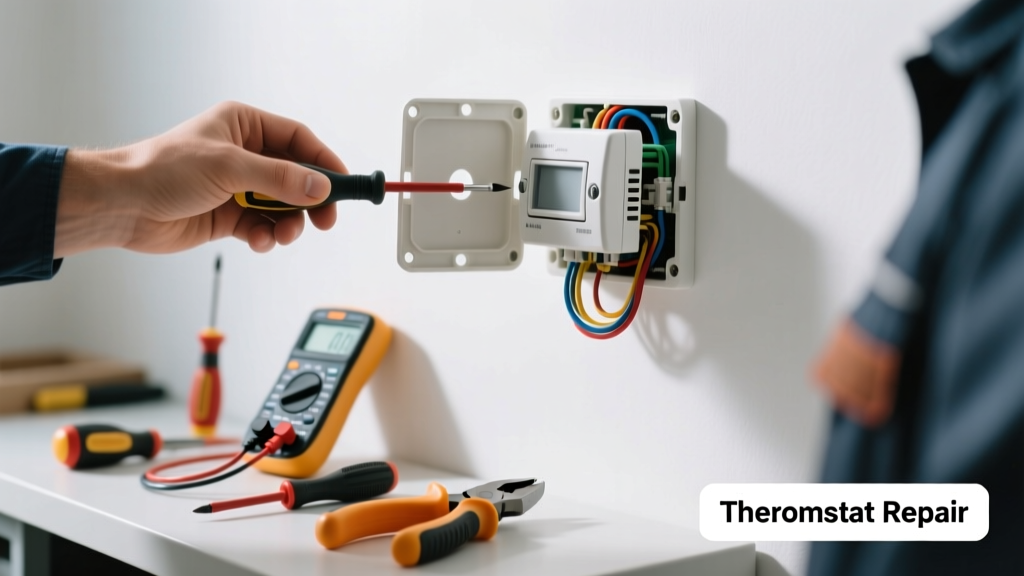
If your thermostat isn’t responding to commands and is making strange sounds—like rapid clicking, low buzzing, or mechanical grinding—it’s not just annoying; it’s a warning sign that something’s wrong with either the thermostat itself or your HVAC system. Ignoring it could lead to uneven heating, compressor strain, or even a complete system shutdown. Let’s get it quiet and working again—safely and step-by-step.
Quick Diagnosis
Before grabbing tools, rule out simple causes. Most noisy, unresponsive thermostats stem from one of these five issues:
- Low or dead batteries (especially in programmable or smart models)
- Loose or corroded wiring at the thermostat base or furnace control board
- Dust, debris, or insect nests inside the thermostat housing
- Faulty internal relay (common cause of loud, repeated clicking)
- Compatibility mismatch between thermostat and HVAC system (e.g., using a smart thermostat on a millivolt gas fireplace)
Tools & Materials Needed
| Item | Purpose | Estimated Cost |
|---|---|---|
| Digital multimeter | Test voltage at terminals and verify 24V AC supply | $25–$60 |
| Phillips and flathead screwdrivers | Remove faceplate and mounting base safely | $8–$15 |
| Compressed air canister | Dislodge dust and debris without disassembling internal components | $6–$12 |
| Wire brush & electrical contact cleaner | Clean corrosion off terminals and relay contacts | $10–$18 |
| Replacement thermostat (if needed) | Match voltage, heat/cool stage count, and C-wire compatibility | $35–$250 |
Step-by-Step Fix
Work methodically—and always cut power at the furnace or breaker before touching wires.
- Power down and inspect: Turn off the HVAC breaker. Remove the thermostat faceplate and examine for visible damage, burnt marks, or insect casings near the relay or circuit board.
- Check and clean connections: Gently loosen terminal screws, pull wires free, and use contact cleaner + wire brush on each connector. Reattach firmly—loose wires cause arcing and buzzing.
- Test voltage and relay function: With power restored *only at the thermostat* (furnace still off), set multimeter to AC voltage and test R-to-C terminals. You should read 24–28V. If voltage is present but thermostat still clicks without response, the relay is likely failing.
- Blow out internals: Use short bursts of compressed air around the relay, sensor area, and behind the display—not directly into microchips. Skip this step if your thermostat is labeled "no user-serviceable parts" (e.g., Nest Gen 3+).
- Swap and test: Install a known-good basic thermostat (e.g., Honeywell T9) temporarily. If noise and responsiveness improve, your original unit is defective—not your HVAC.
When to Call a Pro
Stop and call an HVAC technician if you encounter any of these:
- No 24V reading at R-C terminals—even after resetting the furnace transformer
- Burning smell, melted plastic, or charring on the thermostat base or wiring
- Thermostat makes a high-pitched whine or sizzling sound (indicates capacitor failure or shorted transformer)
- Your system uses high-voltage (120V/240V) wiring—common in older baseboard heaters or electric furnaces
- You’re unsure whether your heat pump has auxiliary heat staging or dual-fuel configuration
According to the U.S. Department of Energy’s Residential HVAC Maintenance Guide (2022), “Over 68% of thermostat-related HVAC failures originate from undiagnosed low-voltage circuit faults—not the thermostat itself.” That’s why verifying transformer output and wire integrity matters more than replacing the device blindly.
Prevention Tips
Extend your thermostat’s life and avoid repeat issues with these habits:
- Replace batteries every 12 months—even in C-wired smart thermostats (backup cells still degrade)
- Vacuum around the thermostat wall plate quarterly to prevent dust buildup in vents and relays
- Label all wires before removal using masking tape and a marker—don’t rely on color alone
- Avoid mounting thermostats near heat sources (lamps, south-facing windows) or drafty exterior walls
- Update firmware annually on smart thermostats—manufacturer patches often fix relay timing bugs
Why does my thermostat click repeatedly but not turn on the heat?
This usually points to a stuck or failing internal relay. The thermostat sends the “call for heat” signal, but the relay can’t maintain the circuit—so it clicks on/off rapidly. Check for 24V at W (heat) and R terminals during the click cycle. If voltage appears and vanishes with each click, the relay is faulty. Replace the thermostat rather than attempt relay replacement—it’s rarely cost-effective.
Can I hear buzzing from the furnace when the thermostat clicks?
Yes—and that’s a red flag. A synchronized buzz-click pattern often means the thermostat is sending an unstable signal due to low voltage or dirty contacts, causing the furnace’s control board to struggle engaging the gas valve or blower relay. Test voltage at both thermostat and furnace control board: if it drops below 22V under load, inspect transformer output and wiring gauge (18 AWG minimum for runs over 50 ft).
Is it safe to spray contact cleaner inside my thermostat?
Only if your model has accessible terminals and no sealed electronics (e.g., older electromechanical or basic digital units). Never spray cleaners like DeoxIT directly onto LCD displays, PCBs, or microphones. Instead, apply cleaner to a lint-free cloth first, then wipe terminals. For sealed smart thermostats like Ecobee or Nest, skip internal cleaning—use compressed air only on external vents.
My thermostat makes a grinding noise—could that be the fan motor?
No. Grinding originates *inside the thermostat*, not the furnace. It typically indicates physical wear in the mechanical relay’s armature or a foreign object (like a metal shaving or loose screw) vibrating against the housing. Power down, remove the unit, and gently shake it over a white sheet—if metallic particles fall out, that’s your culprit. Replace the thermostat; grinding relays are unsafe and unreliable.
Will resetting my smart thermostat stop the noise?
Resetting clears software glitches but won’t fix hardware noise like clicking or grinding. A factory reset (via app or button sequence) may resolve erratic behavior caused by firmware corruption—but if the noise persists post-reset, the issue is physical. Smart thermostats log relay actuation events; check your app’s diagnostics screen for “relay stuck” or “W-circuit fault” warnings.
How do I know if the problem is the thermostat or the furnace?
Perform a manual bypass test: disconnect the R and W wires at the thermostat, twist them together briefly (with power on), and listen at the furnace. If the heat stage engages normally, the thermostat is at fault. If nothing happens—or you hear a single click followed by silence—the issue lies in the furnace control board, transformer, or safety limit switch. Always verify with a multimeter first; never bypass Y (cooling) or G (fan) wires without confirming system type.
A noisy, unresponsive thermostat is rarely a mystery—it’s usually a clear signal of aging components, poor installation, or environmental stress. Address it early, test methodically, and don’t assume replacement is the only answer. Many fixes take under 20 minutes and cost less than a service call. For deeper system checks, see our guides on how to test an HVAC transformer and heat pump thermostat wiring diagrams.