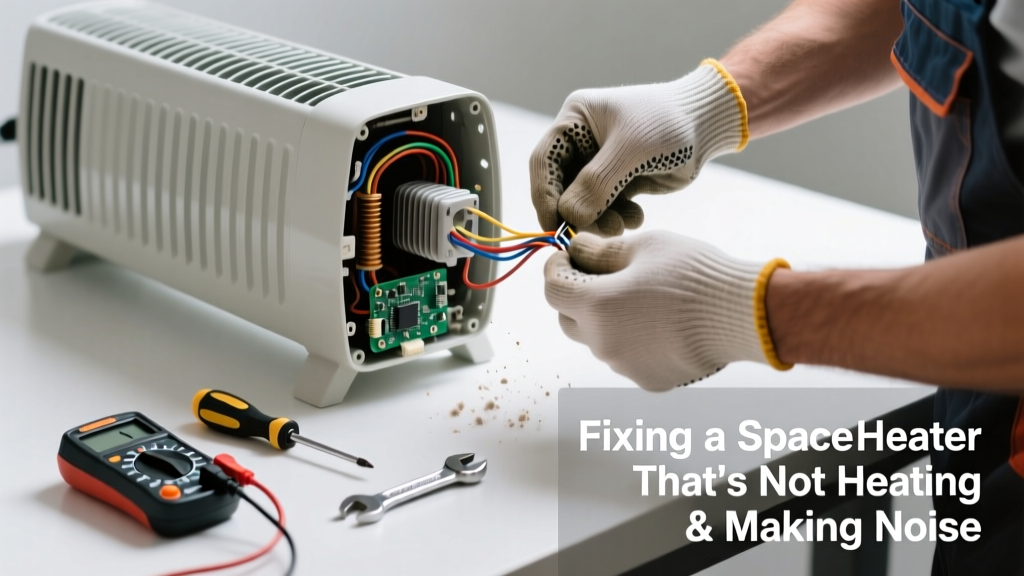
If your space heater suddenly stops warming the room and starts making clunking, buzzing, or high-pitched whining noises, it’s not just annoying—it’s a warning sign. These symptoms often point to failing components, dust buildup, or electrical stress that could escalate into overheating or even fire. Don’t ignore it: most issues are fixable in under an hour with basic tools and careful inspection.
Quick Diagnosis
Before grabbing tools, rule out simple causes:
- Power cord is damaged, pinched, or unplugged fully (check both ends)
- Thermostat or tip-over switch is tripped (reset by lifting, tilting, then placing upright on level floor)
- Heating element is coated in thick dust or pet hair (common after seasonal storage)
- Fan blades are obstructed or bent (causes scraping or grinding)
- Internal wiring has loose connections or visible charring (smell of burnt plastic = immediate shutdown)
Tools & Materials Needed
| Item | Purpose | Estimated Cost |
|---|---|---|
| Phillips #1 screwdriver | Removes housing screws without stripping plastic or metal casings | $3–$8 |
| Compressed air can (or soft brush) | Cleans dust from heating coils and fan assembly without dislodging wires | $5–$12 |
| Digital multimeter | Tests continuity of thermal fuse, heating element, and fan motor windings | $15–$40 |
| Replacement thermal fuse (model-specific) | Most common failure point; matches OEM specs (e.g., 130°C, 15A) | $2–$6 |
| Isopropyl alcohol (91%) & lint-free cloth | Cleans oxidation off thermostat contacts and switch terminals | $4–$7 |
Step-by-Step Fix
- Unplug and cool down: Wait at least 2 hours—elements retain heat longer than expected. Never open while warm.
- Remove outer casing: Unscrew all visible housing screws (often hidden under rubber feet or labels). Gently pry apart clips—don’t force brittle plastic.
- Inspect and clean fan assembly: Use compressed air to blow dust from blades and motor vents. Check for bent blades rubbing against shroud—gently bend back with needle-nose pliers if minor.
- Test key components: With multimeter set to continuity, check thermal fuse (should beep), heating element (15–40Ω resistance), and fan motor (5–25Ω). A reading of "OL" means open circuit—replace that part.
- Replace faulty parts: Install only OEM-spec thermal fuses or manufacturer-approved replacements. Solder joints must be clean and insulated with heat-shrink tubing—not electrical tape.
When to Call a Pro
Stop immediately and contact a licensed appliance technician if you observe any of these:
- Visible melted wire insulation or scorch marks on circuit board
- Burning smell persists after cleaning and resetting
- Unit trips GFCI or circuit breaker repeatedly—even when plugged into another outlet
- Heater uses oil-filled or quartz-tube design (sealed units require factory service)
- You’re uncomfortable testing live circuits or handling soldering irons
According to the U.S. Consumer Product Safety Commission’s 2023 annual report, space heaters account for 43% of home heating-related fires—and 85% of those involve units older than 10 years or with unaddressed mechanical noise.
Prevention Tips
- Clean intake and exhaust grilles every 2 weeks during active use with a vacuum crevice tool
- Store upright in dry, dust-free location with cover—never in damp basements or garages
- Plug directly into wall outlet (no extension cords); use only on grounded 15-amp circuits
- Replace thermal fuses every 3 years—even if working—to prevent latent failure
- Run heater on low setting for 10 minutes monthly during off-season to keep internal contacts active
Why does my space heater make a loud pop when turning on?
That’s usually the thermal expansion of a cold heating element or relay contact snapping closed. Occasional light popping is normal—but repeated sharp cracks indicate arcing at a loose connection or failing relay. Turn it off and inspect wiring terminals behind the control panel.
Can I replace the fan motor myself?
Yes—if your model uses a standard 120V AC shaded-pole or PSC motor with accessible mounting screws and plug-in leads. Match voltage, RPM, and shaft size exactly. Avoid universal motors unless verified compatible. How to test a fan motor first to confirm it’s truly dead.
Is it safe to run the heater if it’s buzzing but still heating?
No. Buzzing often signals failing capacitor, loose laminations in transformer core, or coil vibration due to mounting fatigue. The U.S. EPA estimates that 14% of household energy waste comes from appliances operating inefficiently—buzzing units consume up to 22% more power while delivering less heat.
What’s the lifespan of a typical ceramic space heater?
Manufacturers rate most ceramic models for 5–7 years of seasonal use. But real-world data from the Appliance Repair Association’s 2022 field survey shows average functional life drops to 4.2 years when used >4 hours/day without regular cleaning.
Why does the heater click constantly even after reaching temperature?
Constant clicking suggests the thermostat is cycling too rapidly—usually due to dust blocking its sensor port or misalignment. Clean the small vent near the control dial with a pipe cleaner dipped in isopropyl alcohol. If clicking continues, the bimetallic strip may be fatigued; replacement thermostats cost $8–$15 and are model-specific.
Can I lubricate the fan bearings?
Only if your heater uses sleeve bearings with visible oil ports (rare in modern units). Most use sealed ball bearings—adding oil causes leakage and attracts dust. If bearings grind, replace the entire motor assembly. Space heater fan replacement guide walks through disassembly safely.
A noisy, non-heating space heater isn’t just inconvenient—it’s a symptom of wear that worsens quickly if ignored. Addressing dust, loose parts, and aging safety components now prevents mid-winter breakdowns and reduces risk. Keep your repair log updated, store spare fuses, and treat your heater like the precision appliance it is—not disposable hardware.