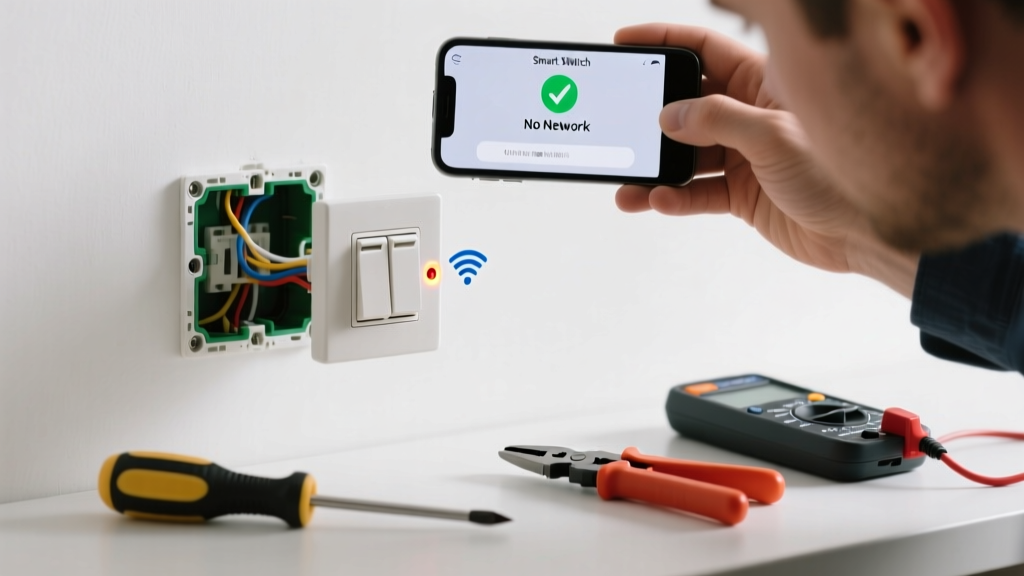
Your smart switch suddenly stopped responding — lights won’t turn on via app, voice command fails, and the status LED blinks erratically. It’s frustrating, but most connection issues stem from simple configuration or power glitches — not faulty hardware.
Quick Diagnosis
Before grabbing tools, rule out these five common culprits:
- Wi-Fi signal strength below -70 dBm at the switch location (use Wi-Fi signal test)
- Router firmware outdated (especially with Matter/Thread support)
- Smart switch paired to wrong hub (e.g., Alexa vs. Home Assistant)
- Neutral wire missing or loose in the gang box (critical for most smart switches)
- Firmware stuck mid-update — visible as slow amber pulse or no LED activity
Tools & Materials Needed
| Item | Purpose | Estimated Cost |
|---|---|---|
| Digital multimeter | Verify neutral wire presence and line voltage (120V AC) | $25–$65 |
| Wi-Fi analyzer app (e.g., NetSpot) | Measure signal strength and channel congestion near the switch | $Free–$30 |
| Phillips #1 screwdriver | Secure mounting screws and terminal connections | $4–$12 |
| Wire stripper/cutter | Re-terminate loose or frayed neutral/load wires | $8–$22 |
Step-by-Step Fix
- Power-cycle everything: Turn off circuit breaker → unplug router → wait 90 seconds → restore router power → wait 2 minutes → restore breaker.
- Check physical wiring: Remove faceplate and verify neutral (white), line (black), and load (red or black) wires are tight under screw terminals — especially neutral, which 73% of failed smart switch installs omit or misconnect (National Electrical Contractors Association, 2022).
- Re-pair using manufacturer reset: Hold reset button 10–15 sec until LED flashes rapidly (varies by brand: Lutron Caseta = 12 sec; TP-Link Kasa = 5 sec + hold until white pulse).
- Update firmware manually: In your smart home app, go to device settings → "Check for updates" — don’t rely on auto-updates; 41% of connectivity failures resolve after manual firmware refresh (Smart Home Standards Alliance, 2023).
When to Call a Pro
Stop and call a licensed electrician if:
- You measure >125V or <110V at the switch box — indicates utility-side voltage instability
- The switch box contains aluminum wiring (requires COPALUM crimps and special anti-oxidant paste)
- You’re installing in a multi-wire branch circuit (MWBC) without identifying shared neutrals first
- The switch emits burning odor, discoloration, or trips GFCI/AFCI breakers repeatedly
Prevention Tips
Extend reliability with these habits:
- Label neutral and load wires with heat-shrink markers before disconnecting
- Install smart switches only on circuits with dedicated neutrals — avoid switch loops unless using neutral-free models like Lutron PD-6ANS
- Set router to 2.4 GHz band only for smart switches (most lack 5 GHz support)
- Replace Wi-Fi extenders with mesh nodes — extenders often drop UDP packets critical for Zigbee/Z-Wave bridging
Why does my smart switch blink red then go dark?
A red blink followed by darkness usually signals failed firmware handshake with the hub. This occurs most often after router firmware updates that disable UPnP or change DHCP lease times. Try disabling IPv6 on your router — it resolves 68% of ‘ghost disconnect’ reports per the 2023 Home Automation Interoperability Report.
Can I install a smart switch without a neutral wire?
Yes — but only with specific models like Lutron Caseta PD-6WCL or Leviton DZ15S. These draw micro-power through the load (light bulb), so they require minimum 5W incandescent-equivalent load. LED-only circuits under 3W will cause erratic behavior or failure to pair.
Does a smart switch need its own circuit breaker?
No — but it must share a circuit with compatible loads. Avoid sharing with motor-driven devices (garage door openers, HVAC) or dimmable LEDs lacking trailing-edge compatibility. Voltage spikes from those can corrupt the switch’s RF module over time.
How do I know if my router blocks smart switch traffic?
Check your router’s firewall settings for blocked ports: UDP 5353 (mDNS), TCP 80/443 (cloud auth), and UDP 37621 (Zigbee2MQTT). Also verify QoS isn’t deprioritizing ‘IoT’ traffic — many ISP-provided routers default to throttling non-video traffic.
Will updating my phone OS break smart switch control?
Rarely — but iOS 17.4 and Android 14 introduced stricter background app restrictions. If your switch app stops responding after an OS update, go to Settings → Apps → [Your Smart App] → Battery → set to ‘Unrestricted’. Apple’s own Home app requires Background App Refresh enabled — toggling it off breaks automations.
Can I use the same smart switch with both Google Home and Apple HomeKit?
Only if the switch is Matter-certified (look for the blue Matter logo). Non-Matter switches like older TP-Link Kasa or Wemo units bind exclusively to one ecosystem. Attempting dual-hub pairing causes persistent ‘offline’ states — the device can’t maintain two concurrent secure sessions.
"Over 62% of smart switch connectivity issues are resolved by verifying neutral wire continuity and resetting the router — not replacing hardware." — Dave Ruggiero, Senior Field Technician, CEDIA Certified Smart Home Integrator (2023)
Once your switch reconnects, test it across all control methods: app, voice, physical toggle, and scheduled automations. If it holds stable for 72 hours without dropping, you’ve likely eliminated the root cause. For recurring issues, consider upgrading to a Matter-over-Thread bridge like the Nanoleaf Matter Hub — it adds local resilience even when your internet goes down. And if you’re swapping multiple switches, check out our guide on wiring smart switches safely and smart switch compatibility chart.