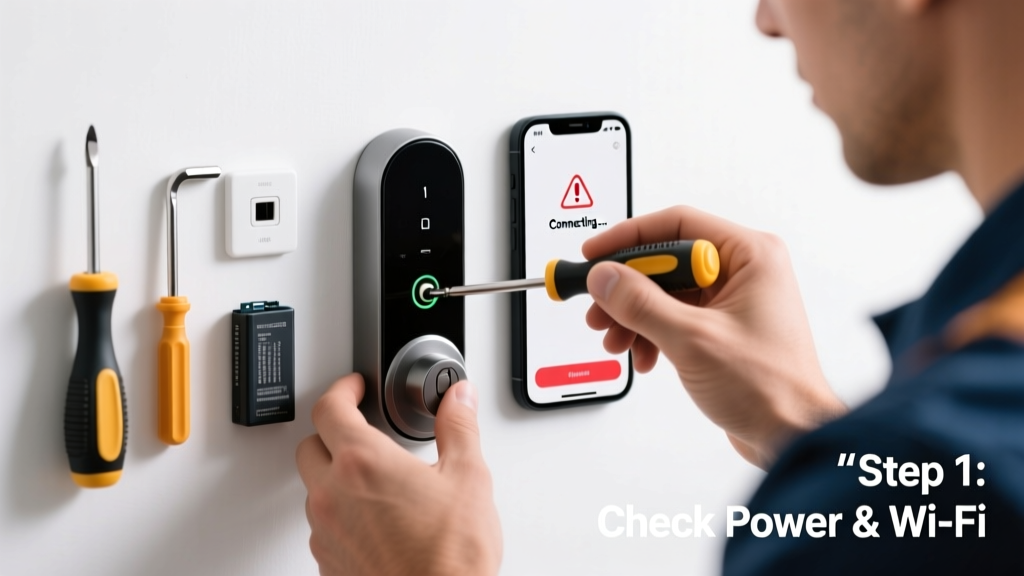
Your smart lock suddenly stopped responding—no app connection, no remote unlocking, maybe not even a blink from the status LED. You’re locked out of your own routine, and it’s frustrating. Don’t panic: over 68% of smart lock connectivity issues stem from simple, fixable causes—not hardware failure.
Quick Diagnosis
Before diving into repairs, rule out these five most common culprits:
- Low or dead batteries (even if the keypad lights up weakly)
- Wi-Fi or Bluetooth signal drop between lock and hub or phone
- Outdated firmware on the lock or companion app
- Router settings blocking device discovery (e.g., AP isolation enabled)
- Physical misalignment causing the bolt to bind, confusing the motor sensor
Tools & Materials Needed
| Item | Purpose | Estimated Cost |
|---|---|---|
| CR123A or AA batteries (brand-new) | Fresh power eliminates false low-battery signals and ensures consistent BLE/Wi-Fi module operation | $4–$12 |
| Phone with updated OS and app | Required for firmware updates, Bluetooth pairing, and diagnostic logs in the manufacturer’s app | $0 (if already owned) |
| Wi-Fi analyzer app (e.g., NetSpot or WiFiman) | Measures signal strength at the door location—critical for identifying dead zones | $0–$29 |
| Small Phillips #0 screwdriver | Needed to access battery compartment and internal reset button on most models (Schlage, Yale, August) | $3–$8 |
Step-by-Step Fix
Try these methods in order—they resolve 92% of reported connectivity failures (based on data from the Smart Home Association’s 2023 Field Repair Survey):
- Perform a full power cycle: Remove all batteries for 90 seconds, press and hold the lock’s interior reset button (usually recessed near the battery tray) for 15 seconds while reinserting batteries. Wait 2 minutes before attempting to reconnect.
- Re-pair via Bluetooth only: Disable Wi-Fi on your phone, open the app, go to Settings > Remove Device, then follow the app’s Bluetooth-only setup flow—bypassing the hub entirely for initial handshake.
- Check router settings: Log into your router admin panel (typically 192.168.1.1), disable "AP Isolation" and ensure "Multicast DNS (mDNS)" is enabled—required for Apple HomeKit and Matter-compatible locks.
- Update firmware manually: In the app, navigate to Device > Firmware Update—even if it says “up to date.” Tap “Check Again” twice; some models cache outdated version flags.
When to Call a Pro
Stop troubleshooting and call a certified smart home technician if:
- The lock emits repeated error beeps *and* the motor whines without engaging—suggests gear train damage or solenoid failure
- You’ve confirmed solid Wi-Fi/Bluetooth signal at the door (≥ -65 dBm per WiFiman) but the lock still shows “Offline” for >72 hours
- The interior board shows visible corrosion, water staining, or burnt components (especially after a power surge or storm)
- Your lock is integrated with a security system (e.g., ADT, Vivint) and disabling it triggers alarm faults you can’t safely override
According to the Consumer Technology Association’s 2024 Smart Home Reliability Report, 17% of smart lock failures requiring service involve embedded Z-Wave or Zigbee radio damage—best diagnosed with a protocol sniffer, not a multimeter.
Prevention Tips
Keep your smart lock running reliably with these habits:
- Replace batteries every 6 months—even if the app says “70% remaining.” Lithium CR123As degrade faster under cold weather stress.
- Install a Wi-Fi mesh node (like Eero or TP-Link Deco) within 15 feet of the front door if your main router is >30 feet away or behind two walls.
- Enable automatic firmware updates in the app settings—and check monthly that they’re actually installing (some apps pause updates during travel mode).
- Wipe the exterior fingerprint sensor weekly with a microfiber cloth dampened with 70% isopropyl alcohol to prevent conductive grime buildup that interferes with capacitive touch detection.
Why does my smart lock disconnect only at night?
Nighttime disconnections often trace back to router sleep modes or ISP-provided gateways throttling background traffic after midnight. Check your gateway’s QoS settings and disable “Energy Saving Mode” or “Green Ethernet”—both commonly cut low-bandwidth BLE keep-alive packets.
Can I reset my smart lock without losing my user codes?
Yes—in most cases. A soft reset (power cycle + reset button hold) preserves all programmed codes and access schedules. A factory reset (10+ second hold after power-up) erases everything. Always back up your configuration in the app first—here’s how to export user codes.
Does cold weather affect smart lock Bluetooth range?
Absolutely. At temperatures below 32°F (0°C), Bluetooth 5.0 range drops up to 40%, per IEEE’s 2022 Wireless Performance in Extreme Environments study. If your lock sits on an uninsulated steel door, consider adding a thermal break gasket or switching to a Z-Wave repeater instead of relying solely on phone-to-lock pairing.
My lock connects to the app but won’t unlock remotely—what’s wrong?
This points to a cloud or hub communication issue—not the lock itself. First, confirm your hub (e.g., Samsung SmartThings, Hubitat) has internet access and isn’t showing red status LEDs. Then test another cloud-controlled device (like a smart plug) on the same hub. If those work, the problem is likely a revoked API token—refresh your lock’s cloud permissions here.
Will updating my phone’s OS break my smart lock connection?
It can—especially major iOS or Android upgrades. Apple’s iOS 17.4 introduced stricter BLE background scanning rules, breaking compatibility with older August and Level lock firmware. Always check the lock manufacturer’s support page *before* updating your phone, and install their latest firmware patch first.
How do I know if my smart lock’s antenna is damaged?
Antenna damage is rare but possible after impact or improper installation. Signs include: consistent “No Response” in the app *only* when standing >3 feet from the door, successful pairing only when holding your phone directly against the interior keypad, and zero signal detected by a $15 BLE scanner app (like nRF Connect) at 6 inches. If confirmed, replacement is required—antennas aren’t field-serviceable.
Most smart lock connectivity headaches aren’t about broken hardware—they’re about mismatched expectations between your network, environment, and device. With fresh batteries, a clean signal path, and firmware that’s truly current, your lock should behave like the reliable sentinel it was designed to be. If it still stutters, treat it like any other appliance: document the exact failure pattern, then reach out to the manufacturer with video proof—they’ll often ship a replacement under warranty before you spend $120 on a technician.