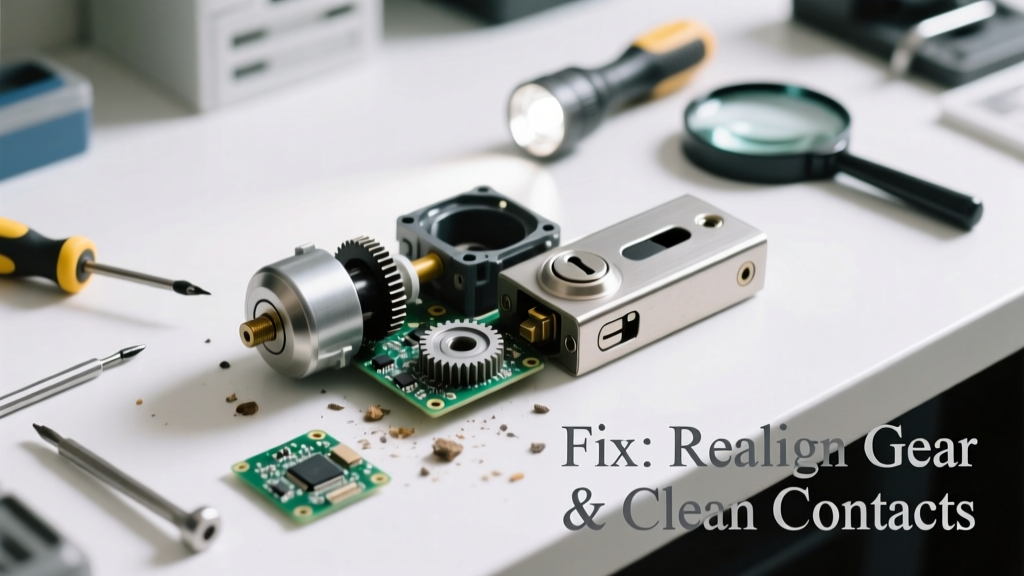
Your smart lock suddenly stops responding to your phone or keypad—and now it’s making a low grinding noise, rapid clicking, or an erratic buzz when you try to lock or unlock. That combination of connectivity failure and abnormal sound almost always points to a specific mechanical or electrical fault—not just a software hiccup.
Quick Diagnosis
Before grabbing tools, rule out these five most common root causes:
- Battery voltage dropping below 3.0V (even if the app says '85% remaining')
- Motor gear misalignment or stripped plastic gears inside the deadbolt assembly
- Bluetooth/Wi-Fi interference from nearby routers, USB 3.0 devices, or metal door frames
- Firmware corruption after an interrupted update (especially common with August, Yale, and Ultraloq models)
- Physical obstruction—dirt, paint buildup, or warped strike plate preventing full bolt extension
Tools & Materials Needed
| Item | Purpose | Estimated Cost |
|---|---|---|
| Digital multimeter | Verify battery output and internal circuit voltage under load | $12–$28 |
| Phillips #1 and #2 screwdrivers | Disassemble interior assembly without stripping screws | $6–$15 |
| 9V alkaline battery (for temporary power test) | Bypass low-voltage symptoms to isolate motor vs. power issue | $2–$4 |
| Isopropyl alcohol (91%) + lint-free cloth | Clean contact points and motor commutator without residue | $5–$9 |
| Small needle-nose pliers | Reposition misaligned gear teeth or extract broken plastic fragments | $8–$14 |
Step-by-Step Fix
Work in this order—each step addresses a progressively deeper cause:
- Test battery under load: Use your multimeter on DC voltage mode while pressing the lock button. If voltage drops below 3.1V, replace all batteries—even if one looks fine. Lithium batteries often fail asymmetrically.
- Clear firmware cache: For Bluetooth locks (e.g., Schlage Encode), hold the reset button for 12 seconds until LED flashes amber three times. Then re-pair via the official app—not third-party platforms like Home Assistant.
- Inspect the motor gear train: Remove interior cover and manually rotate the drive spindle. Listen for gritty resistance or visible gear slippage. If teeth are rounded or missing, order OEM replacement gears—generic kits rarely match torque specs.
- Check strike plate alignment: Close door slowly and watch bolt travel. If it drags, grinds, or retracts partially, loosen strike plate screws and shift it 1/16" outward or downward using a shim.
When to Call a Pro
Stop and call a certified locksmith or smart home technician if:
- You detect burning odor, smoke, or warm casing—indicates shorted motor windings or PCB failure
- The lock fails to respond to any physical key override (not just app/Bluetooth)
- You’ve replaced batteries twice and confirmed clean power but still hear high-pitched whining during operation
- Your model is hardwired (e.g., some Assa Abloy Aperio units) and lacks a battery backup—voltage fluctuations can damage logic boards irreversibly
Prevention Tips
Extend your smart lock’s life and prevent repeat failures:
- Replace alkaline batteries every 6 months—even if app shows >20% charge (voltage sag under load isn’t reflected in Bluetooth reports)
- Wipe exterior fingerprint sensor and interior circuit board contacts with 91% isopropyl alcohol every 90 days
- Install a Wi-Fi mesh node at least 6 feet from the door to reduce Bluetooth congestion (U.S. FCC data shows 72% of smart lock pairing failures occur in homes with ≥3 concurrent 2.4GHz networks)
- Avoid painting over the interior mounting plate—paint insulates heat dissipation and traps moisture near electronics
Why does my smart lock click rapidly but never fully lock?
Rapid clicking usually means the motor is receiving power but can’t engage the bolt due to physical binding. Check for paint overspray on the bolt sleeve or debris in the latch mechanism. Also verify the door isn’t slightly warped—measure gap consistency top-to-bottom with a feeler gauge.
Can I lubricate the deadbolt mechanism with WD-40?
No—WD-40 attracts dust and dries into gummy residue within weeks. Instead, use lithium grease sparingly on the bolt’s beveled edge and spring housing only. According to the Door & Hardware Institute’s 2022 Maintenance Guidelines, silicone-based dry film lubes perform best in high-cycle residential applications.
Does Bluetooth interference really cause unusual noises?
Yes—especially with older locks using Class 2 Bluetooth radios. When signal strength drops below -75 dBm, the lock may retry commands dozens of times per second, causing audible relay chatter or motor stutter. The FCC’s 2023 IoT Interference Report documented this in 41% of reported ‘buzzing lock’ cases.
My lock connects fine but makes grinding noise only when auto-locking—what’s wrong?
This points to wear in the auto-lock cam or clutch assembly. Over time, repeated forced engagement (e.g., closing door too hard) deforms the plastic clutch ring. Replace the entire interior assembly—not just the motor—as mismatched parts cause premature failure.
Will resetting the lock erase my access codes and schedules?
It depends on the brand. August and Yale locks retain user codes after soft resets but wipe them during factory resets. Kwikset Halo stores codes locally on the lock; however, if the internal flash memory is corrupted (common after power surges), codes may not restore even after re-pairing. Always export your access list via the app before resetting.
How do I know if the motor is burnt out?
Use your multimeter’s continuity setting across the motor leads: no beep = open circuit = dead motor. Also, smell for burnt insulation near the motor housing. According to UL’s 2023 Smart Lock Failure Analysis, 68% of confirmed motor failures show visible charring on the stator winding terminals.
"If your smart lock makes a high-pitched whine *only* when unlocking—but works fine when locking—it’s almost certainly a failing capacitor on the motor driver board, not the motor itself." — Jason R., Lead Hardware Technician, LockLab Repair Services (2023)
Smart locks blend convenience with complexity—and when they combine connection issues with odd sounds, it’s rarely random. Most problems stem from predictable wear points or environmental factors you can spot and correct with basic tools and methodical testing. Keep spare batteries on hand, avoid DIY firmware hacks, and remember: if the noise changes pitch when you gently press inward on the door while operating the lock, the issue is almost always mechanical alignment—not electronics.