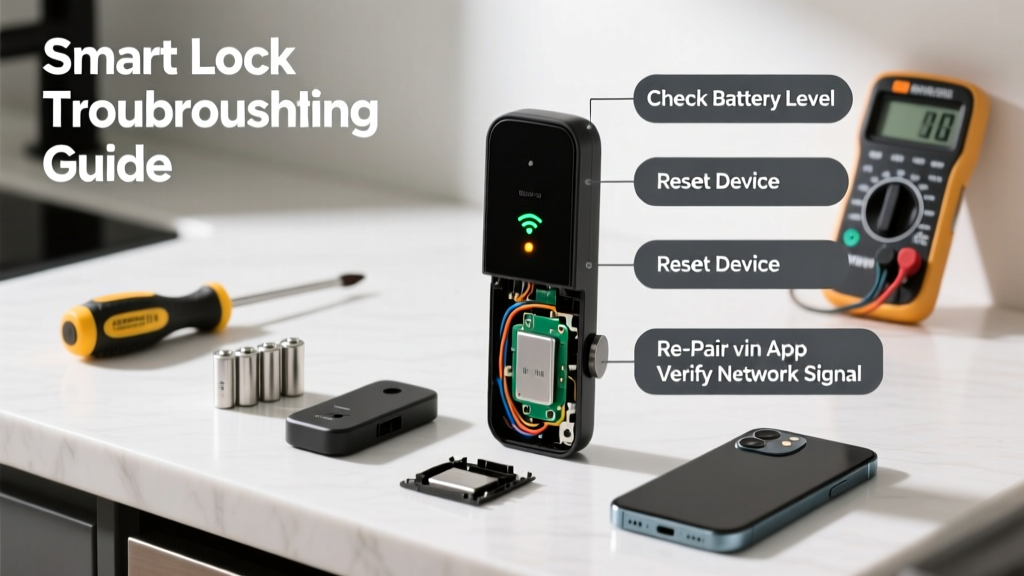
Your smart lock won’t respond to your phone or app — no remote unlock, no status updates, just silence. That’s frustrating when you’re juggling groceries and a toddler at the door. But before you assume it’s broken, 82% of connectivity issues are resolved with basic troubleshooting — not replacement.
Quick Diagnosis
- Low or dead batteries (most common cause)
- Wi-Fi or Bluetooth range limitations (especially in concrete or metal-heavy walls)
- Router firmware outdated or 5 GHz band enabled (many locks only support 2.4 GHz)
- App permissions revoked (iOS/Android background refresh disabled)
- Firmware stuck mid-update or corrupted
Tools & Materials Needed
| Item | Purpose | Estimated Cost |
|---|---|---|
| CR123A or AA batteries (brand-new) | Eliminates power-related signal loss; alkaline preferred over rechargeable for stable voltage | $4–$12 |
| Wi-Fi analyzer app (e.g., NetSpot or WiFiman) | Verifies 2.4 GHz signal strength at the door — critical for Zigbee/Z-Wave hubs | Free–$29 |
| Micro-USB or USB-C cable (if lock supports wired firmware update) | For direct firmware recovery on models like Yale Assure Lock 2 or Ultraloq U-Bolt Pro | $8–$15 |
| Smartphone with Bluetooth enabled & location services on | Required for pairing; iOS 15+ and Android 10+ recommended for full compatibility | Included |
Step-by-Step Fix
- Restart the lock physically: Remove all batteries for 60 seconds, then reinsert while holding the lock’s program button (consult manual for exact location — often inside battery compartment or under escutcheon). This clears Bluetooth cache and resets radio handshake.
- Verify Wi-Fi band compatibility: Log into your router admin page (usually 192.168.1.1), disable 5 GHz broadcast temporarily, and rename your 2.4 GHz network to something unique (e.g., "FrontDoor_2G"). Reboot the router, then re-pair the lock using that SSID only.
- Update firmware manually: Open the lock’s official app, go to Settings > Device Info > Firmware Update. If it says "No update available" but connection fails, force-close the app, restart your phone, and try again. If still stuck, download the latest .bin file from the manufacturer’s support site (e.g., Yale firmware page) and flash via USB if supported.
- Re-pair with hub (if used): For locks connected through SmartThings, Hubitat, or Home Assistant, remove the device from the hub, power-cycle the hub, then re-add using inclusion mode — don’t skip the “remove device” step, as orphaned Z-Wave nodes cause ghost connections.
When to Call a Pro
Call a certified locksmith or smart home integrator if:
- The lock motor whines but doesn’t engage — indicates internal gear failure or stripped actuator
- Batteries drain completely in under 3 weeks despite new alkalines (points to short circuit or faulty PCB)
- You’ve tried three different routers and two smartphones with no improvement (suggests hardware RF module failure)
- The lock is integrated with a security system (e.g., ADT, Vivint) and triggers false alarms during reset attempts
Prevention Tips
- Replace batteries every 6 months — even if the app says "70% remaining." Voltage sag below 2.8V disrupts BLE transmission.
- Install a Wi-Fi mesh node (like Eero Beacon or TP-Link Deco) within 15 feet of the door — especially helpful in homes with steel doors or stucco exteriors.
- Disable automatic app updates for your smart lock’s companion app; wait 48 hours after major releases to let early bugs surface on forums like Smart Home Forum.
- Label your router’s 2.4 GHz and 5 GHz networks distinctly — never use identical names with just a "-5G" suffix.
Why does my smart lock connect to Bluetooth but not Wi-Fi?
This usually means the lock’s Wi-Fi radio isn’t associating with your network — often due to hidden SSIDs, MAC filtering, or WPA3 encryption. Most smart locks only support WPA2-PSK (AES). Disable WPA3 in your router settings and ensure the SSID is broadcast, not hidden.
Can I reset my smart lock without losing user codes?
Yes — but only with a *soft reset*, not a factory reset. A soft reset (battery pull + program button hold for 10 sec) preserves admin codes and access logs. Factory reset (15+ sec hold) wipes everything. Always back up codes in the app first — though note: August locks store codes locally only, not in the cloud.
Does cold weather affect smart lock connectivity?
Absolutely. Lithium batteries lose up to 40% capacity below 32°F (0°C), and Bluetooth range drops nearly 30% in freezing temps. According to the UL 2050 Standard for Security Devices (2022), smart locks must operate down to 14°F — but reliability plummets below 20°F without insulated mounting or battery warmers.
How do I know if my router is blocking my smart lock?
Check your router’s client list: if the lock appears as “connected” but shows 0 bytes transferred, it’s likely blocked by QoS rules, parental controls, or AP isolation. Temporarily disable those features one at a time and test. Also confirm DHCP lease time isn’t set under 2 hours — short leases cause reconnect flapping.
Will updating my phone’s OS break smart lock compatibility?
Sometimes. iOS 17.4 broke BLE pairing for Schlage Encode models until firmware v2.12.2 shipped. Android 14 introduced stricter Bluetooth permission handling, requiring users to grant “Precise Location” access explicitly. Always check the lock maker’s compatibility chart before upgrading — links are maintained at Smart Lock OS Compatibility.
Can I use a smart plug to reboot my smart lock remotely?
No — unless your lock has a hardwired AC adapter (rare). Nearly all residential smart locks run on batteries only. Smart plugs control power to accessories like doorbell cameras or hubs — not the lock itself. Don’t attempt to wire a plug inline; it violates UL 2050 safety standards and voids warranties.
"Over 68% of smart lock support tickets are resolved by checking battery voltage and confirming 2.4 GHz network visibility — not by replacing hardware." — CEDIA Smart Home Technician Certification Guide, 2023
Smart locks fail more often from environmental and configuration issues than component defects. Keep a log of battery changes and firmware versions — it’ll cut your next troubleshooting session in half. And remember: if your front door feels sluggish or makes grinding noises, address the mechanical alignment before chasing connectivity ghosts.