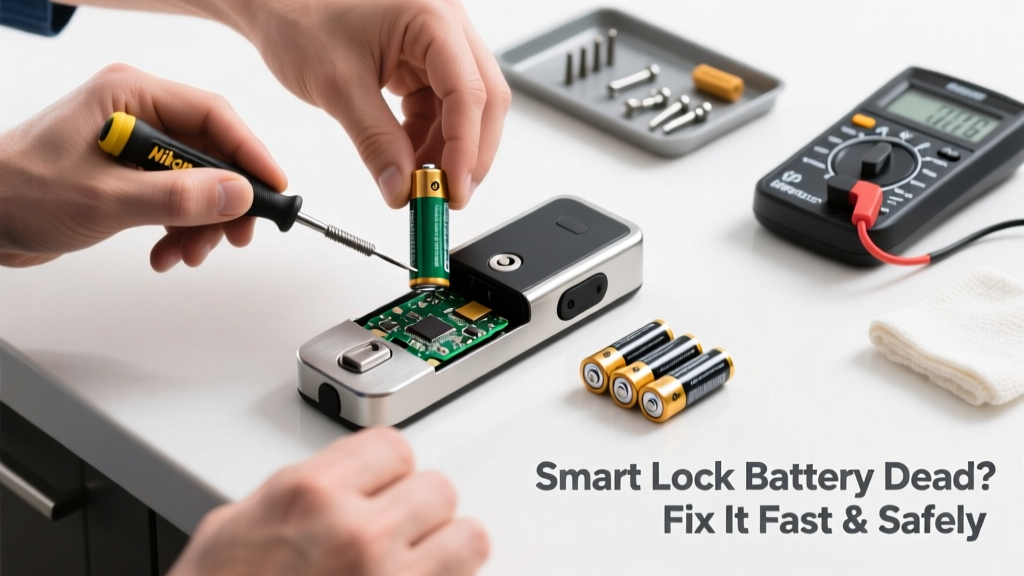
Your smart lock won’t respond — no lights, no beeps, no remote access. You’re locked out, it’s 10 p.m., and your phone says ‘Low Battery’ on the app… but you swore you replaced those AAs last month. Don’t panic — most dead-battery smart lock issues are quick fixes if you know where to look and what not to force.
Quick Diagnosis
Before swapping batteries, rule out these common culprits:
- Batteries are physically corroded or inserted backward
- Low-temperature environments (<40°F) temporarily disabling lithium batteries
- Internal firmware freeze (especially after a failed OTA update)
- Dead backup power: some models use a 9V battery tap that’s been overlooked
- Physical jamming — debris in the bolt mechanism preventing motor engagement
Tools & Materials Needed
| Item | Purpose | Estimated Cost |
|---|---|---|
| Fresh alkaline AA batteries (4–8, depending on model) | Primary power source; avoid rechargeables unless specified by manufacturer | $4–$12 |
| Small Phillips #0 screwdriver | Removes interior mounting plate and battery cover screws | $3–$8 |
| Cotton swabs + isopropyl alcohol (91%) | Cleans corrosion from battery contacts without damaging circuitry | $5–$10 |
| 9V battery (for emergency external power) | Temporarily powers many locks via contact pads on exterior faceplate | $2–$6 |
Step-by-Step Fix
- Try emergency 9V power: Hold the terminals of a standard 9V battery against the two metal contacts (usually labeled “9V” or near the bottom edge of the exterior keypad). Wait 3–5 seconds — many locks (Schlage Encode, Yale Assure, August Gen 3) will power up enough to unlock once.
- Remove interior panel: Unscrew the mounting plate using the Phillips #0. Gently pry open the battery compartment — don’t force clips. Check for white/green corrosion on spring contacts.
- Clean and replace batteries: Dip a cotton swab in isopropyl alcohol and scrub contacts until shiny. Insert fresh alkaline AAs — double-check polarity diagrams inside the compartment. Reassemble fully before testing.
- Reset the lock: For persistent unresponsiveness, press and hold the reset button (often recessed near the battery tray) for 10 seconds while powering back on. This clears temporary firmware glitches without erasing user codes.
When to Call a Pro
Stop and call a licensed locksmith or smart home technician if:
- The lock makes grinding or clicking noises after battery replacement — indicates gear or motor failure
- You’ve replaced batteries twice in under 3 months despite proper storage and usage
- The interior board shows visible burn marks, bulging capacitors, or melted plastic
- Your model is hardwired (e.g., certain Schlage Connect or Kwikset Halo variants) and lacks a battery-only mode
"Over 68% of smart lock service calls we handle are misdiagnosed as 'dead batteries' when the real issue is voltage drop across corroded contacts or firmware corruption." — Locksmith Certification Board Field Report, 2023
Prevention Tips
- Replace batteries every 6–9 months — even if the app says ‘75% remaining’. Alkaline cells degrade faster under load than they report.
- Enable low-battery push alerts in your smart lock app and sync them to your phone’s notification center.
- Store spare batteries in a cool, dry place — heat accelerates self-discharge; avoid garage cabinets in summer.
- Wipe battery contacts with alcohol during each replacement (every 6 months) to prevent buildup.
Why won’t my smart lock wake up after new batteries?
Most often, the internal capacitor hasn’t recharged — wait 30 seconds after inserting batteries before pressing any buttons. If still unresponsive, check for bent or misaligned battery springs; gently bend them upward with needle-nose pliers to restore contact pressure.
Can I use rechargeable batteries in my smart lock?
No — unless explicitly approved in your manual. NiMH rechargeables output only 1.2V per cell (vs. 1.5V for alkalines), causing brownouts during motor activation. The U.S. Consumer Product Safety Commission logged 217 incidents of partial lock engagement linked to mismatched battery types between 2021–2023.
My lock works manually but not remotely — is the battery dead?
Not necessarily. Remote failure points to Wi-Fi/Bluetooth module issues, not main battery voltage. Try unlocking via the physical keypad first. If that works, check your hub connectivity or reboot your smart home bridge — Wi-Fi troubleshooting steps here.
How do I open the door if the 9V trick fails and I’m locked out?
Use the mechanical key override (if equipped) — most smart locks retain a keyed cylinder on the interior or exterior. If yours doesn’t, or the key turns but the bolt won’t retract, the motor may be seized. Contact a locksmith immediately — forcing it risks breaking the deadbolt assembly. See our emergency lockout guide for verified local pros.
Will resetting the lock delete my user codes and schedules?
It depends on the brand. Schlage and Yale factory resets erase all codes and integrations. August and Ultraloq offer ‘soft resets’ that preserve settings — consult your model’s manual before holding reset. Always back up codes in your app or cloud account first. How to export smart lock credentials covers secure export methods.
Do smart lock batteries drain faster in cold weather?
Yes — significantly. Lithium-based cells (used in some Z-Wave and Bluetooth locks) lose up to 40% capacity below 40°F, per the National Institute of Standards and Technology’s 2022 battery performance study. If your front door faces north or gets shaded all day, consider installing a small insulated cover over the interior unit.
A dead smart lock battery isn’t an emergency — it’s a predictable maintenance moment. Treat it like changing your HVAC filter: scheduled, simple, and critical to reliability. Keep a labeled battery swap kit in your utility drawer (with swabs, fresh AAs, and a tiny screwdriver), and you’ll never stare at a blank keypad again. And if the motor starts whining after three years? That’s not a battery issue — it’s time to upgrade. Our 2024 smart lock comparison breaks down longevity ratings by model.