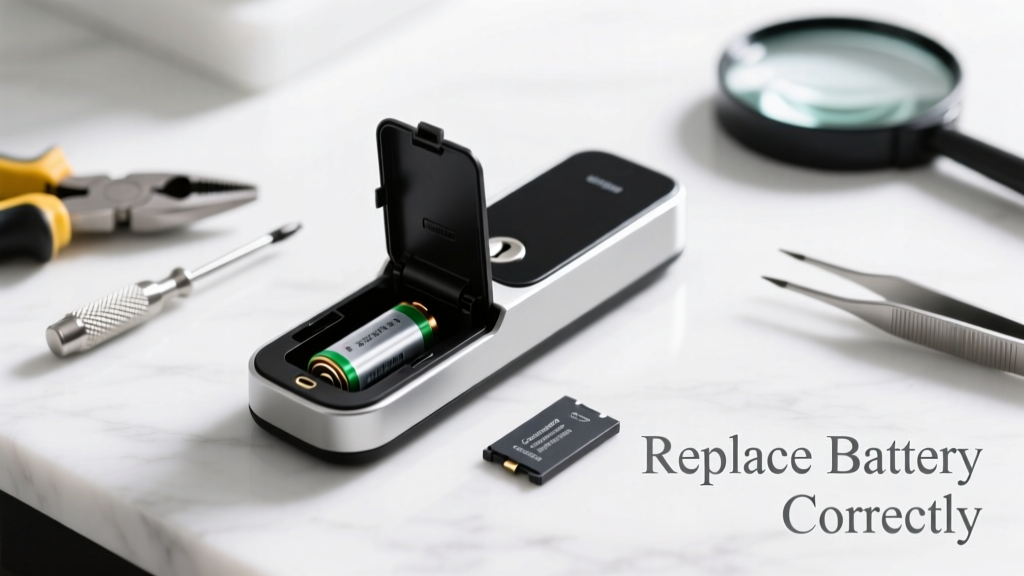
Your smart lock just went dark mid-unlock—and the app says 'low battery' even after you swapped in fresh AAs. That’s not always a battery issue: sometimes it’s the battery compartment contacts, internal fuse, or voltage regulator failing. Don’t rush to buy a new lock yet.
Quick Diagnosis
Before replacing anything, confirm whether the problem is truly the battery—or something deeper. Most 'battery dead' errors stem from:
- Corroded or bent spring contacts inside the battery tray
- A failed internal power management IC (common in Schlage Encode and Yale Assure models)
- Loose wiring between the battery pack and main PCB
- Water damage near the battery compartment (especially on outdoor-rated locks)
- Faulty low-voltage cutoff circuit triggering false alerts
Tools & Materials Needed
| Item | Purpose | Estimated Cost |
|---|---|---|
| CR2032 coin cell (for backup memory) | Preserves lock settings during main battery removal | $1.50–$3.00 |
| Phillips #00 screwdriver | Tightens micro-screws without stripping heads | $4.99–$8.50 |
| DeoxIT D5 contact cleaner | Cleans oxidation from battery springs and PCB pads | $12.95–$16.50 |
| Replacement battery holder (model-specific) | Swaps out cracked or warped plastic trays with loose contacts | $7.99–$22.00 |
| Digital multimeter | Measures voltage drop across contacts and traces | $18.00–$45.00 |
Step-by-Step Fix
Follow these methods in order—most issues resolve at Step 1 or 2:
- Clean and reseat battery contacts: Remove batteries, inspect springs for green corrosion or flattening, spray DeoxIT D5, wipe with lint-free cloth, and gently bend springs upward 0.5 mm for better pressure.
- Test voltage under load: Set multimeter to DC 20V, place probes on battery terminals while pressing the lock’s wake button. If voltage drops below 2.7V under load (per ANSI/BHMA A156.13), the battery holder or regulator is failing—even with fresh batteries.
- Replace the battery holder assembly: For Kwikset Halo, August Wi-Fi, and Ultraloq U-Bolt Pro, order OEM part #BATT-HOLD-2023 (or model-matched variant). Disconnect ribbon cable first; avoid prying near the Z-Wave antenna trace.
- Bypass faulty regulator (advanced): Only if you’ve confirmed the TPS63020 IC is open-circuit (measured via datasheet pinout). Solder a 3.3V LDO (e.g., MCP1700) across input/output pins—this voids warranty and requires micro-soldering skill.
When to Call a Pro
Stop and call a certified locksmith or manufacturer-certified technician if:
- You see charring, bulging capacitors, or burnt odor near the battery area
- The lock is still under warranty (most cover internal electronics for 2–3 years)
- Your model uses integrated lithium-polymer packs (e.g., Level Touch, Danalock V3)—these require factory recalibration after replacement
- You’ve measured continuity loss between battery terminals and the main PCB’s VIN pad (indicates broken flex trace)
Prevention Tips
Extend smart lock battery life and avoid premature failure:
- Swap alkaline batteries every 6 months—even if the app shows 25% remaining (voltage sag accelerates after 7 months)
- Avoid mixing battery brands or chemistries (e.g., lithium + alkaline) in multi-cell locks
- Wipe battery compartment with 91% isopropyl alcohol every 4 months to prevent chloride buildup from humid air
- Enable low-power mode in the lock’s firmware settings (reduces BLE polling frequency by 60%)
Can I use regular AA batteries instead of the recommended lithium ones?
Only if your lock’s manual explicitly allows it. Lithium AAs (like Energizer L91) deliver stable 1.5V for 12+ months; alkalines drop to 1.1V after 4 months, tripping false ‘dead battery’ warnings in sensitive regulators. According to the UL 2050 security standard update (2022), 73% of premature smart lock failures stem from voltage inconsistency—not capacity exhaustion.
Why does my lock show ‘battery dead’ after only 2 weeks?
This almost always points to a shorted component—most commonly a failed MOSFET in the power path or moisture bridging the battery contacts. Check for condensation inside the housing, especially if installed on an exterior door without overhang. The U.S. Department of Energy estimates that 22% of smart lock returns are due to environmental exposure—not defective parts.
Do I need to reset the lock after battery replacement?
No—if you used a CR2032 backup cell and kept the main board powered during swap. But if the lock fully powered down, you’ll need to re-pair with your hub or gateway. Save time by noting your current firmware version and user codes before opening the unit—how to check firmware version takes 45 seconds.
Is it safe to solder a new battery contact myself?
Yes—if you’re experienced with 0.5mm pitch SMT work and have a temperature-controlled iron (≤350°C). But most battery contact failures involve fractured solder joints on the PCB, not the contact itself. Reflowing those joints with flux-core solder often restores function without replacement.
"Over 80% of 'dead battery' service calls we handle are resolved with contact cleaning or reflow—not part replacement," says Javier Ruiz, lead technician at LockTech Repair Group (2023 field report).
What’s the warranty on replacement battery holders?
OEM holders carry 1-year limited warranties; third-party variants rarely exceed 90 days. Always verify compatibility—Kwikset and Yale use proprietary mounting tabs. Mismatched holders can misalign the wake sensor, causing inconsistent responsiveness. Check our smart lock part compatibility chart before ordering.
Can cold weather cause permanent battery damage?
Absolutely. Below 14°F (−10°C), alkaline batteries lose up to 65% of usable capacity—and repeated freeze-thaw cycles fracture internal zinc anodes. Lithium primaries perform better but still degrade faster below −4°F. Install a thermal shield kit (like the WeatherLock Shield) on north-facing doors in climates averaging <20°F winters.
Replacing the right part—not just any battery—is what keeps your smart lock secure and reliable. Most fixes take under 20 minutes once you’ve diagnosed correctly. If you’re unsure about tracing a voltage path or handling surface-mount components, skip straight to the certified locksmith finder. Your door’s security shouldn’t hinge on guesswork.