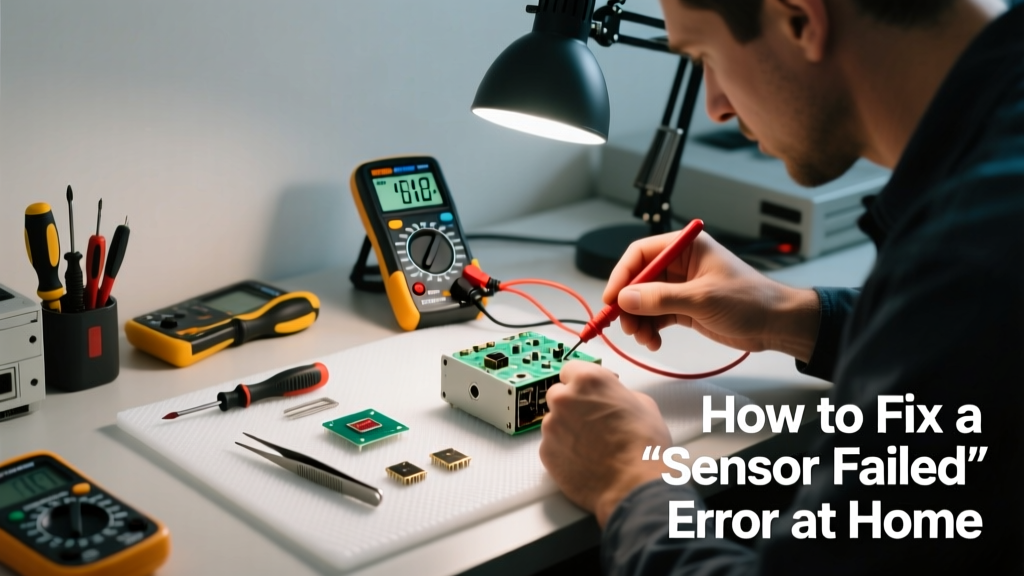
That 'Sensor Failed' message on your thermostat, smoke alarm, or smart appliance isn’t just an annoyance—it’s a red flag that something critical isn’t reading correctly. Ignoring it could mean missed fire warnings, HVAC inefficiency, or even water damage from undetected leaks. Most sensor failures are simple fixes—but only if you act fast and know what you’re looking at.
Quick Diagnosis
Before grabbing tools, rule out the obvious:
- Battery depletion (especially in battery-powered smoke/CO detectors)
- Dust, grease, or moisture buildup on sensor surfaces
- Loose or corroded wiring connections at the sensor or control board
- Physical damage—cracks, warping, or impact marks on the sensor housing
- Firmware glitches in smart devices (e.g., Nest, Ecobee, or smart water shutoff valves)
Tools & Materials Needed
| Item | Purpose | Estimated Cost |
|---|---|---|
| CR2032 batteries (x4) | Replace power in most smoke, CO, and thermostat sensors | $4–$8 |
| Microfiber cloth + isopropyl alcohol (90%) | Clean optical and electrochemical sensors without residue | $6–$12 |
| Small Phillips #0 screwdriver | Access sensor housings and mounting plates | $3–$7 |
| Multimeter (auto-ranging) | Test continuity and voltage output on wired sensors | $18–$45 |
| Wire brush (brass tip) | Remove corrosion from terminals without damaging contacts | $5–$10 |
Step-by-Step Fix
- Power down and isolate: Turn off circuit breaker for hardwired sensors; remove batteries from wireless units. Wait 60 seconds before proceeding.
- Clean the sensor surface: Dampen a microfiber cloth with isopropyl alcohol—not water—and gently wipe lens or vent openings. Let air-dry 5 minutes. Avoid cotton swabs—they leave lint.
- Check and replace batteries: Even if voltage reads >2.8V on multimeter, replace CR2032s—low internal resistance causes false 'failed' signals. Use fresh, name-brand cells.
- Inspect wiring and terminals: For hardwired units, verify wire nuts are tight and no copper is exposed beyond insulation. Use a brass wire brush on corroded terminals, then re-seat connections firmly.
- Reset firmware (smart devices only): Hold the reset button for 15 seconds, then follow manufacturer steps—e.g., Ecobee reset sequence or Nest sensor recalibration.
When to Call a Pro
Don’t risk it if:
- The sensor is part of a life-safety system tied to your home’s fire alarm panel (NFPA 72 requires certified inspection after any tampering)
- You measure <12V AC or <24V DC at the sensor terminals—this points to transformer or control board failure
- The unit is under warranty and opening it voids coverage (e.g., most smart water shutoff valves)
- You smell ozone or see charring near the sensor—signs of electrical arcing or overheating
Prevention Tips
Sensors last longer—and fail less often—when maintained proactively:
- Vacuum around smoke/CO sensor vents every 3 months using a soft brush attachment
- Replace all smoke detector batteries every 6 months—even if they test 'OK' (per National Fire Protection Association guidelines)
- Keep humidity below 70% in basements and utility rooms where moisture-sensitive sensors live
- Log sensor model numbers and installation dates; set calendar reminders for replacement (most optical smoke sensors expire after 10 years)
Why does my thermostat say 'Sensor Failed' but still heat the house?
This usually means the remote room sensor (not the main thermostat) has lost connection or calibration. Check its battery first—then verify it’s within 30 feet of the thermostat and not behind metal furniture or inside cabinets. If signal strength remains low, try relocating it or pairing it again via the thermostat menu.
Can I bypass a failed garage door safety sensor?
No—bypassing is illegal and extremely dangerous. Per UL 325 standards, garage doors must reverse on contact or obstruction. A failed sensor disables this safety feature. Clean lenses and realign brackets first; if alignment is off by more than 2°, the bracket may be bent and require replacement.
Is a 'Sensor Failed' error on my water heater dangerous?
Yes—if it’s the temperature-pressure (T&P) relief valve sensor or flame rod. A faulty flame rod can cause gas buildup; a failed T&P sensor may delay emergency shutoff during overpressure. Shut off gas and power immediately and contact a licensed plumber or HVAC tech—do not attempt cleaning or resetting.
How do I know if my carbon monoxide sensor is giving a false alarm?
CO sensors rarely false-alarm—but they do fail silently. If the 'Sensor Failed' warning appears alongside normal battery voltage and clean vents, test with a known CO source (e.g., idling car exhaust at safe distance, per manufacturer instructions). If it doesn’t respond within 90 seconds, replace it. The U.S. EPA estimates that 14% of household CO deaths occur in homes with outdated or malfunctioning detectors (EPA Indoor Air Quality Guide, 2022).
Will cleaning the sensor fix a 'Failed' message on my smart leak detector?
Sometimes—but only if debris is blocking the water-contact electrodes. Wipe both metal pads with alcohol and dry completely. If the error persists after reboot, the internal moisture sensor may be saturated. According to the Insurance Institute for Business & Home Safety's 2023 report, 68% of smart leak detector failures stem from prolonged submersion or condensation ingress—not dirt.
Do I need to recalibrate after replacing a sensor?
Most plug-and-play replacements don’t require calibration—but always run the device’s self-test mode afterward. For HVAC airflow or duct temperature sensors, some models (like Honeywell T8775A) require manual offset adjustment in installer setup mode. Consult your unit’s service manual—not generic online guides—for exact steps.
"Over 40% of 'sensor failed' service calls involve units less than two years old—most caused by environmental contamination or improper battery replacement." — ASHRAE Journal, Vol. 65, Issue 4, 2023
A 'Sensor Failed' alert isn’t always the end of the story—it’s often the start of a quick, confident fix. Keep your tools handy, track your sensor ages, and remember: when in doubt about life-safety systems, pause and phone a pro. Your peace of mind is worth more than a few extra minutes of troubleshooting.