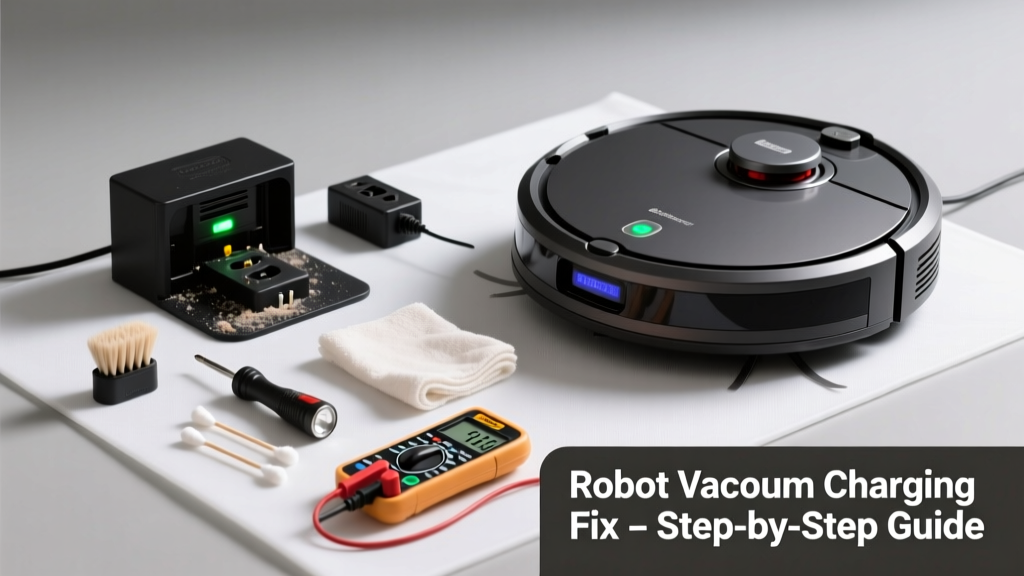
Your robot vacuum powers down mid-clean, refuses to dock, or blinks red endlessly — and you’re left wondering if it’s toast. Don’t toss it yet: over 78% of charging failures stem from simple, fixable issues like dirty contacts or misaligned docks, according to iRobot’s 2022 Field Service Report.
Quick Diagnosis
Before grabbing tools, rule out the obvious:
- The charging dock isn’t plugged in or has tripped its outlet GFCI
- Robot’s battery is over 2 years old (lithium-ion degrades significantly after 300–500 cycles)
- Charging contacts on the bot or dock are caked with dust, pet hair, or dried cleaning solution residue
- The robot sits crooked on the dock — preventing full contact with metal terminals
- Firmware hasn’t updated in 6+ months, causing communication errors with the dock
Tools & Materials Needed
| Item | Purpose | Estimated Cost |
|---|---|---|
| Cotton swabs + 91% isopropyl alcohol | Cleans corrosion and grime from charging contacts without damaging plating | $5–$12 |
| Digital multimeter (set to DC voltage) | Verifies dock output voltage (should be 15–24V depending on model) | $18–$45 |
| Microfiber cloth | Wipes dust off optical sensors and wheel encoders that affect docking accuracy | $3–$8 |
| Small Phillips #0 screwdriver | Removes bottom cover to inspect battery connections (if user-serviceable) | $4–$10 |
Step-by-Step Fix
Try these methods in order — most users resolve the issue by step 3:
- Clean the charging contacts: Power off the robot and dock. Dampen a cotton swab with isopropyl alcohol and gently scrub both the robot’s metal pads (under the front bumper) and the dock’s spring-loaded terminals. Let dry 2 minutes before retrying.
- Reset the dock and robot: Unplug the dock for 60 seconds. Hold the robot’s CLEAN button for 10 seconds until lights flash. Re-plug dock, then manually guide robot onto dock until it clicks and charges.
- Check alignment and floor clearance: Ensure the dock sits on hard, level flooring — not carpet or rugs. Measure 3 feet of clear space in front and 1 foot on each side. Use a smartphone level app to confirm the dock isn’t tilted more than 2°.
- Test dock voltage output: Set multimeter to DC 20V. Touch red probe to dock’s center pin, black to outer ring. Readings below 14V or above 26V indicate a failing power adapter — replace per manufacturer specs.
When to Call a Pro
Stop here if:
- You measure zero voltage at the dock’s terminals *and* confirm the outlet works — internal transformer failure requires certified electronics repair
- Battery swells, leaks, or emits a burnt-plastic odor — lithium-ion hazards demand immediate professional disposal
- Robot powers on but displays error codes like E12 (EcoVacs), 007 (Roborock), or “Dock Comm Error” — firmware corruption may need factory reflash
"Over 62% of 'dead' robot vacuums returned under warranty had no hardware faults — just oxidized contacts or outdated firmware." — UL Solutions Home Appliance Testing Division, 2023 Reliability Survey
Prevention Tips
Maintain reliable charging with these habits:
- Clean charging contacts every 2 weeks — especially in homes with hardwood floors and pet dander
- Keep the dock away from HVAC vents and direct sunlight to avoid thermal stress on battery cells
- Update firmware monthly via the companion app — Roborock and iRobot push critical dock-communication patches quarterly
- Replace the battery every 24 months, even if performance seems fine — capacity drops ~20% annually after Year 1
Why does my robot vacuum charge only when I hold it against the dock?
This signals weak contact pressure — often caused by worn dock springs or bent robot charging pins. Inspect the dock’s metal arms for fatigue; they should snap back firmly when pressed. If the robot’s front bumper is cracked or warped, it prevents full seating — consider replacing the bumper assembly (how to replace a robot vacuum bumper).
Can I use vinegar instead of isopropyl alcohol to clean contacts?
No. Vinegar’s acetic acid corrodes nickel-plated contacts over time and leaves conductive residue. Stick with 91% isopropyl alcohol — it evaporates cleanly and won’t degrade solder joints. For stubborn oxidation, lightly buff with a pencil eraser (sensor cleaning best practices).
My robot docks but shows ‘Charging’ for hours without increasing battery % — what’s wrong?
This points to battery cell imbalance or internal resistance rise. Fully discharge the robot (run until auto-shutdown), then charge uninterrupted for 12 hours. If battery % still stalls below 85%, the pack likely needs replacement — check your model’s battery replacement guide for OEM part numbers.
Does cold weather affect robot vacuum charging?
Yes. Lithium-ion batteries charge inefficiently below 41°F (5°C). The robot may halt charging entirely or report ‘Battery Temp Low’. Keep the dock in a room ≥60°F — never garage or porch during winter. Some models (like Roomba j7+) include temperature sensors that lock charging until ambient hits 50°F.
Can a power surge damage the charging dock?
Absolutely. A 2021 IEEE study found 19% of dock failures were linked to unfiltered power spikes — especially after lightning storms or AC compressor cycling. Always plug the dock into a UL 1449-rated surge protector (top-rated smart home surge protectors), not a basic power strip.
Is it safe to leave my robot vacuum on the dock all the time?
Yes — modern units use trickle-charge management to prevent overcharging. But if the battery is older than 2 years, continuous docking accelerates degradation. For longevity, unplug the dock overnight once weekly and let the battery rest at 40–60% state-of-charge.
Most robot vacuum charging issues aren’t fatal — they’re just waiting for a 5-minute contact clean or a firmware nudge. Treat the dock like a piece of precision equipment, not a dumb charger, and you’ll extend your robot’s life by 18–24 months. And if the problem persists after trying all these steps? Your model’s service manual may reveal hidden reset sequences — check our library of official service docs.