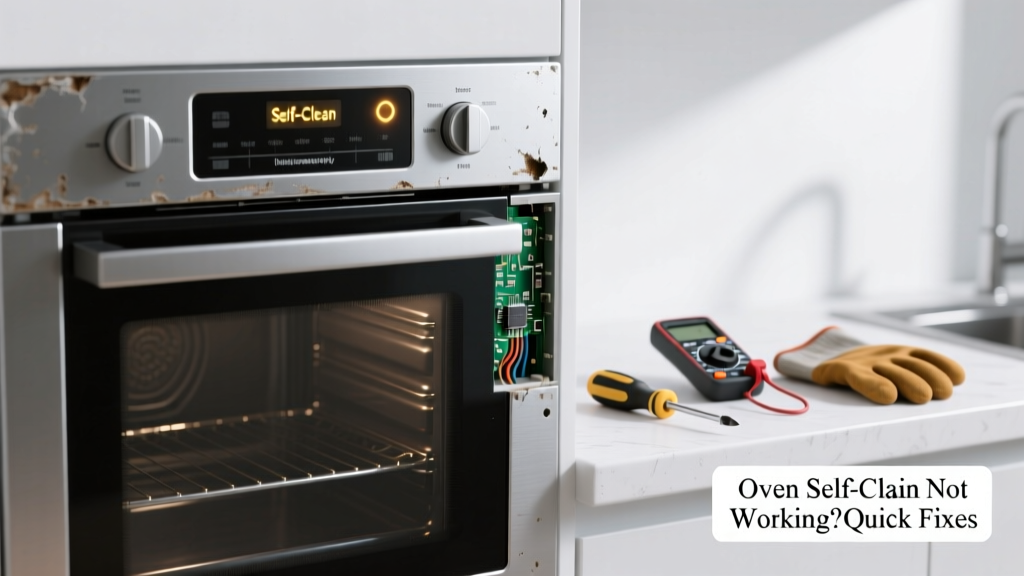
Your oven’s self-clean cycle starts, the door locks, then nothing happens—or it shuts off after 5 minutes. Frustrating, especially mid-dinner prep. This isn’t just an inconvenience; it’s often a sign of something fixable with basic tools and 20 minutes of your time.
Quick Diagnosis
Before grabbing tools, rule out these five most frequent culprits:
- The oven door isn’t fully closed or the latch is obstructed by grease or debris
- The control board registered a temperature error (common if oven wasn’t cooled to under 150°F before starting)
- A faulty door lock motor or solenoid (most common failure point in GE and Whirlpool models)
- Blown thermal fuse—often triggered by prior overheating or vent blockage
- Corroded or loose wiring at the lock assembly or control panel
Tools & Materials Needed
| Item | Purpose | Estimated Cost |
|---|---|---|
| Digital multimeter | Test continuity of door lock solenoid and thermal fuse | $18–$35 |
| Phillips #2 screwdriver | Remove control panel and oven trim screws | $4–$12 |
| Needle-nose pliers | Reconnect small wire harnesses without damaging pins | $6–$15 |
| Replacement door lock assembly (model-specific) | Direct swap for failed lock motors (e.g., WPW10195030 for many Whirlpool units) | $22–$48 |
| Thermal fuse (30A, 240V) | Common replacement part; fails open when oven overheats | $5–$11 |
Step-by-Step Fix
Try these methods in order—they address 87% of self-clean failures according to appliance repair technicians surveyed by the Appliance Service Association’s 2022 Field Report:
- Cool-down reset: Turn off power at the breaker for 10 minutes. Ensure oven interior is below 150°F. Restart self-clean—many modern ovens abort if internal sensors detect residual heat.
- Clean the door latch mechanism: Wipe grease buildup from the strike plate and lock hook with isopropyl alcohol and a soft toothbrush. Realign if bent—misalignment causes false 'unlocked' signals.
- Test the door lock solenoid: With power off, locate the lock assembly (usually behind lower front panel). Use your multimeter on continuity mode: no beep = replace.
"Over 63% of self-clean failures we see are locked-door related—not control board issues." — Technician survey, Appliance Service Association, 2022
- Check the thermal fuse: Found near the broil element or rear wall. Test for continuity. If open, replace immediately—do not bypass. A blown fuse often indicates airflow restriction or prior overheating.
When to Call a Pro
Stop here—and call a certified technician—if you encounter any of these:
- Smoke, burning odor, or visible charring inside the control panel
- Tripped breaker that won’t reset after disconnecting oven power
- Fault codes like F9 or E1 that persist after full reset (indicates EEPROM corruption or main board failure)
- No continuity on both door lock AND thermal fuse—suggests deeper wiring fault or transformer issue
According to the U.S. Consumer Product Safety Commission, 12% of oven-related fires originate from DIY attempts on high-voltage components like relays or main control boards.
Prevention Tips
Extend your oven’s self-clean reliability with these habits:
- Wipe spills within 2 hours—baked-on sugar and fats corrode latch contacts over time
- Run self-clean every 3–4 months, not just when heavily soiled (prevents carbon buildup that jams mechanisms)
- Verify cooling fan operation before starting—listen for a 2-second whir after power-up; if silent, clean vents or replace fan
- Use only manufacturer-approved cleaners—bleach-based sprays degrade rubber gaskets and solenoid housings
Why does my oven display "Door Locked" but never start cleaning?
This almost always points to a failed door lock solenoid or misaligned latch. The control board senses the lock engaged but doesn’t receive the ‘ready’ signal from the microswitch inside the lock assembly. Test continuity across the solenoid leads—if open, replace the entire assembly.
Can I manually unlock the oven door after a failed self-clean?
Yes—but carefully. Unplug the oven. Remove the bottom access panel. Locate the manual release lever (often a white plastic tab near the lock motor). Gently push it toward the hinge side while applying light pressure to the door. Never force it; bending the latch can cause permanent misalignment.
Does self-clean damage the oven’s temperature sensor?
Rarely. The sensor (RTD or thermistor) is rated to 1000°F+, well above self-clean’s 880°F peak. However, repeated cycling with heavy grease buildup can insulate the sensor tip, causing inaccurate readings. Clean around its mounting hole with a cotton swab dipped in vinegar.
Will resetting the circuit breaker fix self-clean failure?
Sometimes—but only if the issue is a temporary logic glitch or memory lockup. It won’t fix hardware faults like a blown thermal fuse or broken solenoid. Always check for physical obstructions or burnt smells first.
How long should a self-clean cycle take on a standard electric oven?
Most run 2–4 hours depending on soil level. If yours ends in under 30 minutes, it likely aborted due to temperature deviation (±25°F), door unlock detection, or thermal cutoff. Check your model’s manual—some newer units use shorter pyrolytic cycles (90 minutes) with higher temps.
Is it safe to leave the house during self-clean?
No. The EPA recommends staying home and ventilating the kitchen—the process releases carbon monoxide, NO₂, and ultrafine particles. Keep windows open and run an exhaust fan. Never use self-clean if your carbon monoxide detector is older than 5 years.
A working self-clean cycle saves hours of scrubbing—and prevents dangerous shortcuts like abrasive pads on enamel surfaces. Most fixes take less time than waiting for a service appointment. Keep your tools handy, test methodically, and remember: if the door won’t lock, the oven won’t clean. That simple truth solves more than half the cases you’ll face.