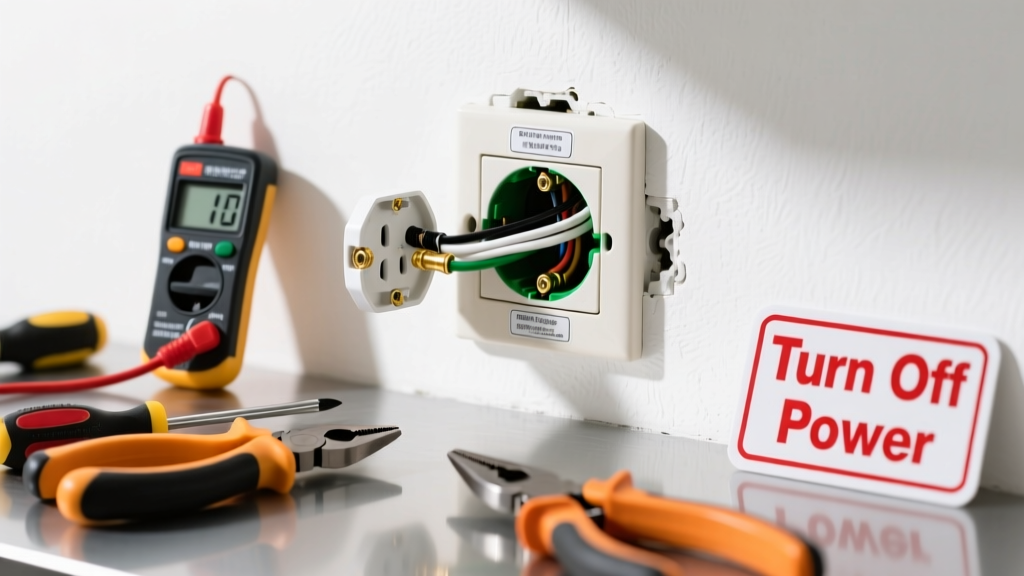
A warm outlet isn’t just odd—it’s a red flag. Electrical outlets should feel neutral to the touch; warmth signals resistance, overload, or failing connections that can lead to arcing, melting, or fire. According to the U.S. Fire Administration, faulty wiring and outlets contribute to over 24,000 home fires annually.
Quick Diagnosis
Before grabbing tools, rule out obvious causes:
- Overloaded circuit—multiple high-wattage devices (space heater + microwave + coffee maker) on same circuit
- Loose or corroded wire connections at the outlet terminals
- Damaged or undersized wiring (e.g., 14-gauge on a 20-amp circuit)
- Faulty outlet—especially older backstabbed receptacles or units past their 15–20 year lifespan
- Dimmer switch or GFCI sharing the same box with poor ventilation
Tools & Materials Needed
| Item | Purpose | Estimated Cost |
|---|---|---|
| Voltage tester (non-contact) | Verifies power is off before working—critical safety step | $12–$25 |
| Insulated screwdrivers (Phillips & flathead) | Tighten terminal screws without risking shock or shorting | $8–$18 |
| Wire strippers | Cleanly strip 3/4" of insulation without nicking copper | $10–$22 |
| New tamper-resistant receptacle (15A or 20A) | Replaces aging or damaged outlet; NEC-compliant for all new installs | $2–$5 |
| Outlet tester (3-light) | Confirms correct wiring post-repair: hot/neutral/ground orientation | $6–$15 |
Step-by-Step Fix
Work only after turning off the correct breaker—and verifying power is dead with your non-contact tester at both the outlet and the breaker panel.
- Remove faceplate and outlet: Unscrew the cover plate, then the mounting screws. Gently pull the outlet from the box while keeping fingers clear of terminals.
- Inspect wires and connections: Look for discoloration, melted insulation, or loose wires. If backstabbed (wires pushed into rear holes), cut them free and re-terminate under screw terminals—backstabs fail 3x more often than screw terminals (Electrical Safety Foundation International, 2022).
- Tighten all terminal screws: Ensure bare copper wraps clockwise around each screw and is fully covered when tightened—not pinched or exposed.
- Replace if damaged: If the outlet shows scorch marks, cracked housing, or wobbly slots, install a new TR (tamper-resistant) receptacle rated for your circuit’s amperage.
- Reassemble and test: Secure outlet, replace faceplate, restore power, and verify operation with your outlet tester and load test (plug in lamp + hair dryer simultaneously).
When to Call a Pro
Stop immediately and call a licensed electrician if you observe any of these:
- Burning smell, buzzing, or visible sparks—even once
- Aluminum wiring (silver-colored, soft, easily bent) in pre-1970s homes
- Warmth persists across multiple outlets on the same circuit
- Breaker trips repeatedly or feels hot to the touch
- You’re unsure which breaker controls the outlet—or the panel lacks labeling
"If an outlet is warm and you’ve confirmed it’s not overloaded, assume there’s a hidden fault in the junction box, wall cavity, or panel. That’s not a DIY zone." — Mike Ruggiero, Master Electrician & IAEI instructor, 2023
Prevention Tips
Extend outlet life and reduce risk with these habits:
- Never daisy-chain power strips or surge protectors—this masks underlying circuit strain
- Use LED bulbs instead of incandescent in nearby fixtures to lower heat buildup in the box
- Label your breaker panel clearly—use a label maker or color-coded stickers
- Replace outlets every 15 years, even if they seem fine; internal contacts fatigue over time
- Install AFCI breakers if your panel supports them—they detect dangerous arcing before heat builds
Can a warm outlet cause a fire?
Yes—consistently warm outlets indicate resistive heating, where energy converts to heat instead of flow. At 90°F+, insulation degrades faster; at 140°F+, PVC sheathing begins to soften. The National Fire Protection Association reports that 46% of electrical fires start at outlets or switches.
Is it safe to keep using the outlet while it’s warm?
No. Even mild warmth suggests abnormal resistance—like a slow fuse. Unplug everything and shut off the circuit until inspected. Continuing use accelerates damage and raises fire risk exponentially.
Why does only one outlet feel warm while others on the same circuit don’t?
This usually points to a localized issue: a loose connection *at that specific outlet*, damaged terminal, or internal failure in the receptacle itself—not the circuit as a whole. It’s a classic sign the device needs replacement, not rewiring.
Can I fix this with a smart plug or USB outlet replacement?
Only if the smart outlet meets the same amperage rating and is installed correctly. Many smart outlets bypass grounding or have tighter thermal tolerances—so if the original was warm, a poorly designed smart unit may overheat faster. Stick with UL-listed, tamper-resistant models like those found in our receptacle replacement guide.
Do GFCI outlets run warmer than standard ones?
They can—by 5–10°F—due to internal electronics, but should never feel noticeably warm to the touch. If a GFCI is warm, suspect failed internal components or shared neutrals. Test its trip function monthly; replace if it fails or heats up. See our GFCI troubleshooting page for diagnostics.
What’s the difference between warm and hot?
Warm means ~95–105°F—slightly above body temperature. Hot starts at ~115°F and feels distinctly uncomfortable after 2 seconds of contact. Anything above 125°F requires immediate shutdown and professional evaluation. Infrared thermometers help track trends; aim for ≤90°F during normal operation.
Don’t ignore that subtle warmth—it’s your wiring’s early warning system. Most warm-outlet cases stem from simple fixes like tightening screws or swapping an aged receptacle, but skipping verification steps or misdiagnosing the root cause can turn a $5 repair into a $10,000 rebuild. When in doubt, pause, test twice, and reach out to a qualified electrician—your safety isn’t worth the shortcut. For related issues like flickering lights or tripping breakers, check our breaker troubleshooting guide.