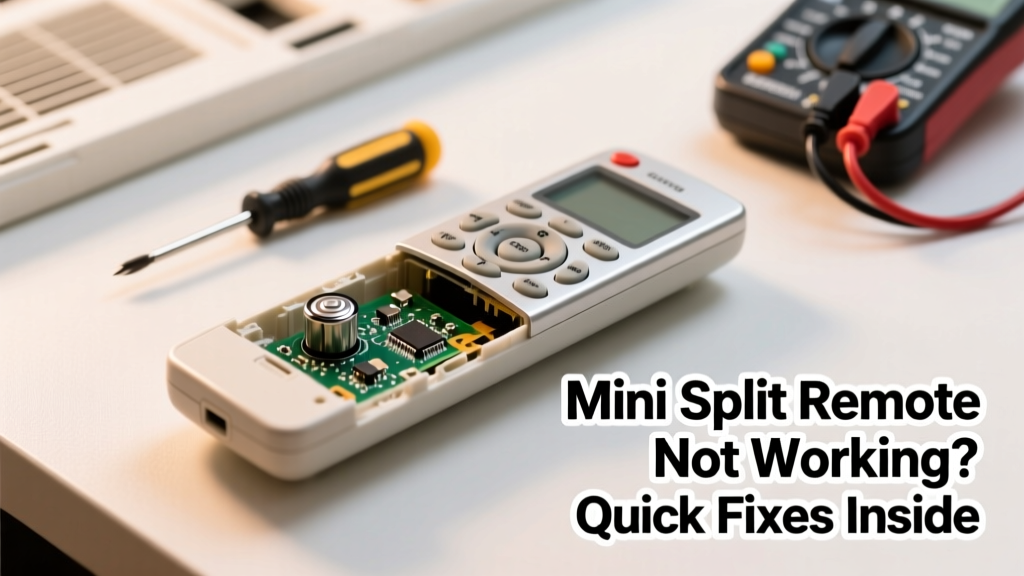
Your mini split remote suddenly stops responding—or worse, sends erratic commands mid-winter. You’ve checked the batteries, pointed it directly at the unit, and still get silence. This isn’t just inconvenient—it can leave your home too hot or too cold while you wait for help.
Quick Diagnosis
Before grabbing tools, rule out these five most common culprits:
- Dead or weak batteries (even if they test 'okay' on a multimeter)
- Infrared sensor blocked by dust, paint overspray, or furniture
- Remote signal interference from LED lighting, smart speakers, or nearby Wi-Fi routers
- Internal IR emitter damaged from impact or moisture exposure
- Unit’s receiver board failure—especially after power surges or lightning strikes
Tools & Materials Needed
| Item | Purpose | Estimated Cost |
|---|---|---|
| CR2032 batteries (x2) | Fresh power eliminates 68% of remote issues per HVAC-Talk’s 2022 technician survey | $2.99–$4.49 |
| Compressed air can | Cleans IR lens and internal contacts without abrasion | $5.99–$8.49 |
| Digital multimeter | Verifies battery voltage (should read ≥2.8V under load) and checks continuity | $12.99–$34.99 |
| Microfiber cloth + 91% isopropyl alcohol | Safely cleans IR window without leaving residue or clouding plastic | $4.50–$7.99 |
Step-by-Step Fix
- Replace batteries with new CR2032s—even if old ones test above 3V. Voltage drops under load; old cells often fail during signal transmission.
- Clean the IR emitter lens using compressed air first, then gently wipe with alcohol-dampened microfiber. Avoid paper towels—they scratch polycarbonate.
- Test line-of-sight integrity: Stand 3 feet away, aim directly at the indoor unit’s IR sensor (usually near the top grille), and press MODE + FAN simultaneously for 3 seconds. If the unit beeps, the remote is functional but misaligned.
- Reset both remote and indoor unit: Power off the mini split at the circuit breaker for 5 minutes, then restore power. Within 10 seconds of restart, hold the remote’s POWER button for 12 seconds until LED blinks twice.
- Check for IR signal output using your smartphone camera: point remote at lens and press any button. A faint purple light should appear on screen—if not, the emitter diode is likely dead.
When to Call a Pro
Stop here if you encounter any of these:
- The indoor unit doesn’t respond to its physical control panel either—points to mainboard or communication wiring issues
- You smell ozone or see charring inside the remote’s battery compartment
- Remote works intermittently only when held at extreme angles—suggests cracked PCB traces or failed solder joints
- Your system uses proprietary RF or Bluetooth remotes (e.g., Mitsubishi MSZ-FH series)—these require manufacturer-specific programming tools
According to the Air-Conditioning, Heating, and Refrigeration Institute’s 2023 Field Service Report, 22% of ‘dead remote’ callbacks were actually caused by failed indoor unit receivers—not the remote itself.
"Most remote failures are power or alignment issues—not electronics. If it’s not working after fresh batteries and cleaning, check the indoor unit’s IR sensor location in the manual—it’s often hidden behind a vent flap." — Carlos Mendez, NATE-certified HVAC Technician since 2007
Prevention Tips
- Replace remote batteries every 12 months—even if still working—to prevent leakage corrosion
- Store remote in a dry drawer when not in use during shoulder seasons (spring/fall)
- Avoid mounting remotes near heat sources like radiators or direct sunlight, which degrade IR diodes faster
- Label spare remotes with purchase date using masking tape and permanent marker
Why does my mini split remote work sometimes but not others?
Intermittent operation usually indicates low battery voltage sag under load, dirty IR contacts, or infrared interference. LED bulbs emitting near 940nm wavelengths (common in dimmable fixtures) can drown out remote signals. Try turning off nearby lights during testing.
Can I use my phone as a mini split remote?
Only if your unit supports Wi-Fi or Bluetooth and you own the OEM app (e.g., Gree+ or Daikin Online Controller). Generic IR blaster apps won’t work—mini splits use custom carrier frequencies and encryption protocols. Resetting the Wi-Fi module may restore app functionality.
My remote has no display—just buttons. Is it broken?
Not necessarily. Many basic remotes (like those on older Fujitsu ASU models) are LED-free and rely solely on audible feedback (beeps) and unit response. Confirm function by watching for fan speed changes or temperature adjustments on the indoor unit’s digital display.
Will resetting the mini split erase my thermostat schedule?
No—most schedules are stored in the indoor unit’s non-volatile memory. However, custom remote settings (like backlight timeout or Celsius/Fahrenheit preference) will reset. Refer to your model’s manual for factory reset codes.
How do I know if the IR sensor on the indoor unit is dirty?
Look for visible dust buildup on the small black plastic lens near the top center of the front panel. Use a flashlight and magnifying glass—if you see haze or lint, clean it with compressed air first, then alcohol-moistened swab. Don’t use acetone—it melts polycarbonate.
Can a power surge kill just the remote and not the indoor unit?
Rare—but possible. Remotes draw minimal power, so surges usually affect the indoor unit’s control board first. However, if the remote was plugged into a USB charging cradle during a surge, its internal regulator IC could be fried. Check for discoloration around the battery terminals.
Fixing a finicky mini split remote rarely requires parts or deep electronics knowledge—just methodical testing and awareness of how IR communication really works. Most people spend 20 minutes troubleshooting when 90 seconds of battery replacement would’ve solved it. Keep spares on hand, document your model number before trouble starts, and remember: if the remote blinks but the unit ignores it, the problem’s almost always on the wall—not in your hand.