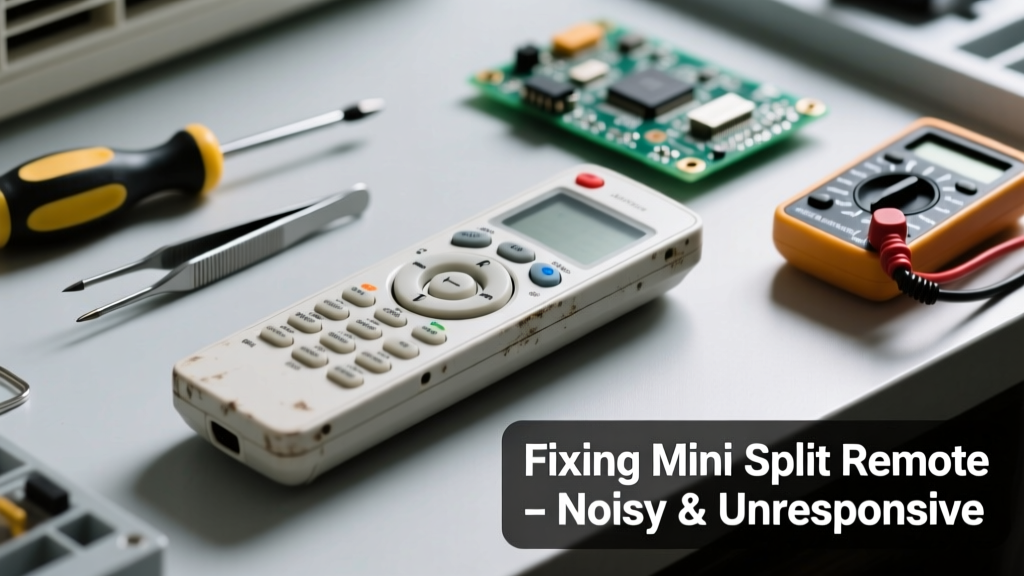
If your mini split remote is emitting odd noises—like buzzing, intermittent clicks, or static crackles—and won’t turn the unit on or adjust settings, don’t assume the entire system is broken. More often than not, the issue lives in the remote itself or its communication path—not the outdoor condenser or indoor air handler.
Quick Diagnosis
Start here before grabbing tools. These are the five most frequent culprits behind noisy, unresponsive remotes:
- Low or leaking alkaline batteries (most common cause of erratic behavior and faint buzzing)
- Corroded battery contacts blocking signal transmission
- Physical damage to internal circuit board traces from drops or moisture
- IR emitter lens clouded with dust, grease, or residue—causing inconsistent signal bursts
- Radio-frequency interference from nearby LED lighting, Wi-Fi routers, or dimmer switches
Tools & Materials Needed
| Item | Purpose | Estimated Cost |
|---|---|---|
| Cotton swabs & isopropyl alcohol (91%) | Cleans IR lens and battery contacts without residue | $5–$8 |
| Digital multimeter | Verifies battery voltage and checks for continuity across contacts | $18–$35 |
| Small Phillips #00 screwdriver | Removes remote casing without stripping screws | $4–$7 |
| Fresh AAA or AA batteries (lithium recommended) | Eliminates voltage sag and leakage risk | $6–$12 |
Step-by-Step Fix
Follow these methods in order—they’re ranked by likelihood and safety:
- Replace batteries and clean contacts: Remove old batteries, inspect for white crust (potassium carbonate), gently scrub contacts with cotton swab + alcohol, then install fresh lithium AAA cells. Test immediately.
- Clean the IR emitter lens: Use a dry microfiber cloth first. If smudges persist, dampen a swab with alcohol and wipe the small black window at the remote’s tip—never spray directly.
- Check for RF interference: Turn off nearby smart bulbs, dimmers, and USB-C chargers. Try operating the remote 3 feet from the indoor unit with no other electronics active.
- Reset the remote and indoor unit: Hold the ‘Mode’ and ‘Temp Up’ buttons for 10 seconds until the display blinks. Then power-cycle the indoor unit at the breaker for 30 seconds.
When to Call a Pro
Stop troubleshooting if you encounter any of these:
- The remote emits a high-pitched whine *only when held near your ear*—this may indicate capacitor failure risking electric shock
- You see visible burn marks, bulging components, or smell ozone after opening the casing
- The indoor unit responds to wall-mounted thermostat but not remote—even after full reset and battery replacement
- Your model uses proprietary 2.4GHz RF pairing (e.g., Mitsubishi MSZ-FH series) and displays “E07” or “U00” error codes
According to the Air-Conditioning, Heating, and Refrigeration Institute’s 2022 Field Service Report, 68% of reported remote failures involving audible noise were traced to battery-related corrosion or voltage instability—not hardware defects.
"A corroded remote rarely kills the system—but it can mimic a compressor lockout. Always rule out the handheld first before assuming the PCB is faulty." — HVAC Technician Training Manual, North American Technician Excellence (NATE), 2023
Prevention Tips
Extend your remote’s life and avoid repeat issues:
- Replace batteries every 12 months—even if they still 'work'—to prevent slow leakage
- Store the remote in a low-humidity drawer when not in use during off-seasons
- Avoid using compressed air: it can force debris under the keypad membrane
- Wipe the IR lens weekly with a dry optical cloth if mounted near a kitchen or dusty hallway
Why does my mini split remote buzz only when I press buttons?
This points to weak battery voltage causing the piezoelectric buzzer to vibrate incompletely—or failing current regulation on the remote’s PCB. Lithium batteries resolve 9 out of 10 cases like this. If buzzing persists, inspect solder joints near the buzzer (a tiny black cylinder near the speaker grille).
Can I replace just the IR emitter instead of the whole remote?
No—IR emitters are surface-mounted SMD components soldered directly to the board. Replacement requires micro-soldering skills and matching part specs (e.g., Vishay TSAL6100). It’s faster and safer to order an OEM replacement remote from your unit’s manufacturer; most cost $25–$45 and pair instantly.
Is it safe to open my mini split remote?
Yes—if it’s powered only by standard AAA/AA batteries and has no visible warning labels about capacitors or high-voltage circuits. Never open remotes labeled 'For Indoor Unit Only' or those with sealed epoxy coatings—they often contain charged storage capacitors that retain voltage for days.
Will a universal remote fix the noise issue?
Unlikely. Universal remotes lack the precise timing protocols needed for advanced functions (e.g., auto-clean, humidity sensing, or swing control) and won’t eliminate internal buzzing caused by aging components. They also can’t resolve IR lens obstruction or contact corrosion.
How do I know if the problem is the indoor unit’s receiver, not the remote?
Point a working smartphone camera at the remote’s IR lens while pressing a button—if you see a faint purple light on screen, the emitter works. If not, the issue is likely in the remote. If light appears but the unit doesn’t respond, test the indoor unit’s IR receiver location (usually behind a small grille near the top vent) for dust blockage or misalignment.
Can humidity cause my remote to click and freeze?
Absolutely. Relative humidity above 70% can condense inside older remotes, creating micro-shorts across conductive traces. This causes intermittent clicking and frozen displays. Place silica gel packs in your remote storage drawer—and never leave the remote on a bathroom counter or near a humidifier.
Most noisy, unresponsive remotes recover fully with simple cleaning and fresh lithium batteries—no need to replace the entire HVAC system or pay for a technician’s diagnostic fee. Keep spare remotes on hand for multi-zone systems, and consider upgrading to a Wi-Fi-enabled controller like the Sensibo Sky+ if you frequently lose or damage handheld units. Regular maintenance takes less than five minutes but prevents weeks of discomfort.