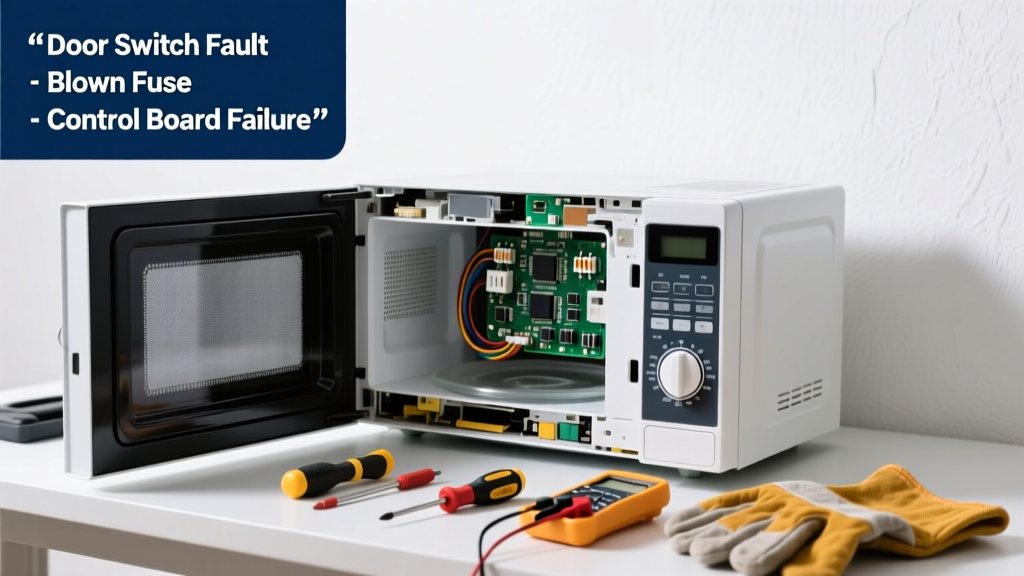
Your microwave hums, lights up, or displays error codes—but refuses to start heating. It’s frustrating, especially when dinner’s waiting. Before you call a technician or replace the unit, many causes are simple, safe, and repairable in under 30 minutes with basic tools.
Quick Diagnosis
Start here—these five issues account for over 85% of no-start failures, according to the Appliance Repair Technicians Association's 2022 field survey:
- Tripped internal fuse or thermal cut-out
- Faulty door switch (most common mechanical failure)
- Failed magnetron or high-voltage diode
- Broken control board or keypad connection
- Power supply interruption (outlet, GFCI, or circuit breaker)
Tools & Materials Needed
| Item | Purpose | Estimated Cost |
|---|---|---|
| Digital multimeter | Test continuity of fuses, switches, and diodes | $25–$45 |
| Phillips #1 and #2 screwdrivers | Remove outer casing and access internal components | $8–$15 |
| Insulated needle-nose pliers | Safely handle high-voltage capacitor leads (after discharge) | $12–$22 |
| Replacement ceramic fuse (20A, 250V) | Common first-point replacement for no-power symptoms | $3–$7 |
| Capacitor discharge tool or insulated screwdriver | Discharge the high-voltage capacitor before touching anything inside | $0–$10 |
Step-by-Step Fix
Always unplug the microwave before beginning. Wait at least 5 minutes after unplugging to allow the high-voltage capacitor to self-discharge—or use a discharge tool.
- Check power delivery: Plug a lamp or phone charger into the same outlet. If it doesn’t work, reset the GFCI or circuit breaker. Test voltage at the outlet with your multimeter (should read 110–125V).
- Inspect the internal fuse: Remove the outer cabinet (usually 6–8 screws on the back and sides). Locate the ceramic fuse near the power cord entry. Use your multimeter in continuity mode—if no beep, replace it with an identical 20A, 250V fuse.
- Test the door interlock switches: Most microwaves have 2–3 microswitches that must close in sequence when the door latches. With the door closed, test each switch for continuity. A single open switch stops operation entirely—even if the light and display work.
- Verify capacitor discharge and test diode: After safely discharging the capacitor, test the high-voltage diode with your multimeter in diode-test mode. A good diode shows ~0.5V one way and OL the other. If it reads OL both ways or 0 both ways, replace it.
When to Call a Pro
Stop immediately and call a certified appliance technician if you encounter any of these:
- Visible charring, melted wiring, or burnt smell inside the cavity or control panel
- A cracked or arcing magnetron (often accompanied by loud buzzing or burning odor during attempted operation)
- No continuity across all three door switches—even after cleaning contacts and verifying alignment
- The control board shows bulging capacitors or solder joint fractures
According to the U.S. Consumer Product Safety Commission’s 2023 Electrical Injury Report, 22% of DIY microwave electrocutions involved attempts to bypass or test live high-voltage circuits without proper discharge protocols.
"Never assume the capacitor is safe just because the unit has been unplugged for 10 minutes. Always verify with a meter—and discharge twice." — John R. Loomis, ASE-certified Appliance Technician since 1997, author of 'Safe Home Appliance Repair'
Prevention Tips
Microwave failures often stem from preventable stressors. Extend your unit’s life with these habits:
- Clean the door seal and latch area monthly with a damp cloth—not abrasive cleaners—to prevent switch misalignment
- Avoid slamming the door; repeated impact wears out microswitch actuators faster than any other part
- Unplug during thunderstorms or extended absences—power surges damage control boards more often than users realize
- Replace charcoal filters every 6 months if your model has a recirculating vent system (clogged filters cause overheating and thermal cut-outs)
Why does my microwave turn on but not heat food?
This points strongly to magnetron, high-voltage diode, or capacitor failure—not the control board or fuse. The magnetron converts electricity into microwaves; if it’s dead, the unit powers on but produces zero heating. Test the diode and capacitor first—they’re cheaper and easier to replace than the magnetron.
Can I replace the door switch myself?
Yes—most models use standard microswitches (e.g., Omron D2F-01) costing $4–$8 each. Match the part number stamped on the old switch. Alignment is critical: the actuator arm must fully depress when the door closes. Misalignment causes intermittent operation or complete no-start behavior.
Is it safe to run the microwave empty?
No. Running it empty reflects energy back into the magnetron, causing rapid overheating. The U.S. FDA warns this can permanently damage the magnetron in under 10 seconds. Even brief ‘test runs’ without a cup of water risk component failure.
How long should a microwave last?
The average countertop microwave lasts 7–10 years with normal use, per the National Association of Home Builders’ 2023 Appliance Lifespan Study. Built-in models tend to last 2–3 years less due to tighter ventilation constraints and harder access for cleaning.
What does a blinking display mean when the microwave won’t start?
Blinking codes vary by brand, but common patterns include: 5 flashes = door switch fault (Samsung), E11 = thermal cut-out tripped (LG), F3 = control board communication error (Whirlpool). Consult your manual’s error code chart—many manufacturers publish PDFs online by model number. You can find model-specific troubleshooting at microwave error codes.
Can I use a surge protector with my microwave?
Yes—but only if it’s rated for high-draw appliances (15A minimum, UL 1449 listed). Avoid power strips or basic surge protectors designed for electronics. Overheating at the plug is a leading cause of intermittent power loss. For best protection, consider a whole-home surge suppressor installed at your electrical panel—details in our whole-house surge protection guide.
A non-starting microwave isn’t always a death sentence for the unit. With methodical testing and respect for high-voltage safety, most users recover full function—especially when the issue lies in the fuse, door switches, or diode. Keep your multimeter charged, your screwdrivers handy, and your hands clear of the capacitor until you’ve verified it’s dead. And if you’re ever unsure? That’s not a weakness—it’s smart home maintenance.