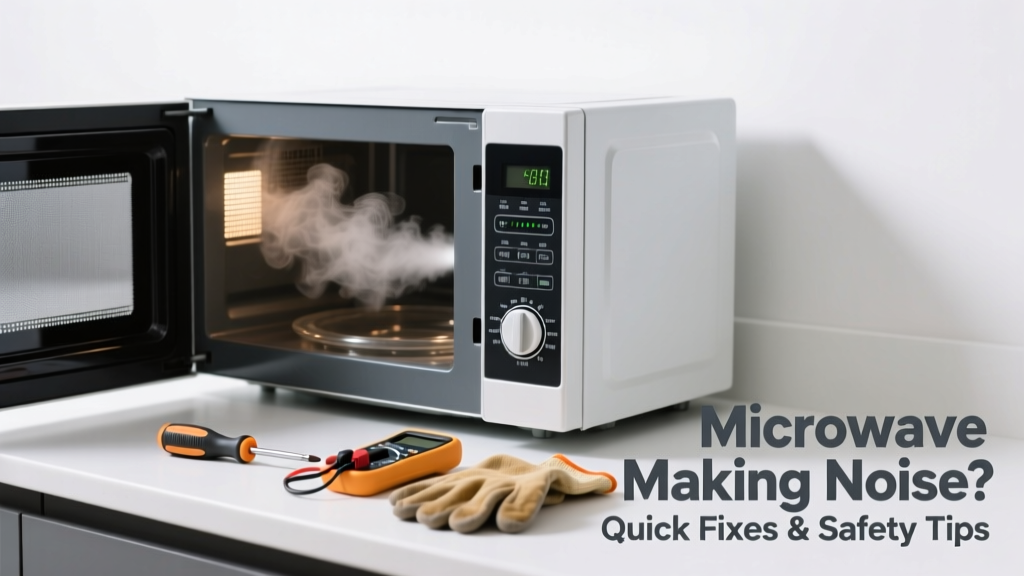
If your microwave suddenly starts humming, buzzing, grinding, or rattling while running—or even when idle—it’s not just annoying; it’s a warning sign. These sounds often point to specific mechanical or electrical issues that can worsen quickly if ignored. Most causes are simple to identify and fix in under 30 minutes with basic tools.
Quick Diagnosis
Start by listening closely and noting when the noise occurs—during cooking, cooling, or standby—and match it to these common culprits:
- Buzzing or humming: Often indicates a failing high-voltage diode or capacitor, or loose transformer mounting.
- Grinding or scraping: Usually points to a worn-out turntable motor or damaged roller guide.
- Rattling or vibrating: Frequently caused by a loose waveguide cover, unsecured internal panel, or warped turntable ring.
- Clicking (repeated): May signal a faulty door switch or relay sticking during cycling.
- High-pitched whine: Common with aging magnetron tubes or fan motor bearing wear.
Tools & Materials Needed
| Item | Purpose | Estimated Cost |
|---|---|---|
| Phillips #2 screwdriver | Removes outer casing and internal panels safely | $4–$8 |
| Insulated needle-nose pliers | Handles high-voltage components without accidental contact | $12–$18 |
| Multi-meter (with continuity mode) | Tests diode, capacitor, and door switch functionality | $25–$45 |
| Replacement turntable motor (if needed) | Direct swap for grinding or non-rotating plate issues | $18–$32 |
| Waveguide cover (mica sheet) | Replaces burnt or warped shield behind interior cavity wall | $6–$12 |
Step-by-Step Fix
Follow this sequence based on your diagnosis. Always unplug the microwave before starting any work.
- Check the turntable system: Remove the glass tray and roller ring. Inspect the plastic drive hub for cracks or slippage. Clean debris from the motor shaft and test rotation manually—if stiff or gritty, replace the turntable motor.
- Inspect the waveguide cover: Look inside the cavity’s right rear wall for the thin mica sheet. If charred, warped, or punctured, it can vibrate loudly when microwaves hit it. Replace it using adhesive-backed mica—never metal tape or foil.
- Test door switches: Use your multimeter on continuity mode. Press each of the 3–4 microswitches (usually near the latch) while checking for consistent “click + continuity.” A silent or intermittent switch means replacement is needed—door switch kits start at $9.
- Examine the cooling fan: With the back panel removed, power on briefly (just long enough to hear fan startup). Listen for bearing squeal or blade wobble. A noisy fan should be replaced—not lubricated—as oil attracts dust and degrades insulation.
When to Call a Pro
Some microwave noises signal serious risk. Stop immediately and call a certified appliance technician if you hear:
- A loud pop followed by smoke or burning odor—indicates capacitor or magnetron failure.
- Intermittent arcing (bright blue flashes) visible through the door—often due to internal shorting or damaged cavity lining.
- Noise accompanied by tripped breakers or GFCI outlets—points to ground fault or wiring damage.
- Any high-voltage component (capacitor, diode, transformer) showing bulging, leaking, or burn marks.
According to the U.S. Consumer Product Safety Commission’s 2022 Appliance Incident Report, 68% of microwave-related injuries involved attempts to repair high-voltage circuits without proper training or discharge procedures.
"Never assume a capacitor is safe—even after unplugging. Always discharge it with an insulated screwdriver across its terminals before touching anything nearby." — Appliance Repair Technician Certification Manual, North American Technician Excellence (NATE), 2023
Prevention Tips
Extend your microwave’s quiet operation with routine habits:
- Clean the interior weekly—grease buildup on the waveguide cover invites arcing and vibration.
- Ensure the turntable sits flush and rotates freely before each use; misalignment stresses the motor.
- Avoid running the microwave empty—even 5 seconds can overheat the magnetron and accelerate fan wear.
- Wipe down vents monthly with a dry microfiber cloth; clogged cooling fins cause thermal stress and noise.
- Replace the charcoal filter (in over-the-range models) every 6 months—restricted airflow strains the exhaust fan.
Why does my microwave buzz only when heating popcorn?
Popcorn bags generate intense steam and rapid pressure changes, which can resonate with a slightly loose waveguide cover or weak magnetron coupling. Try heating on 80% power for 30 seconds first to gently warm the cavity—this often eliminates the initial buzz.
Can I tighten the turntable motor myself?
Yes—but only if the motor mount screws are accessible without removing the magnetron or high-voltage assembly. Most models require full disassembly for motor access, so verify your model’s service manual first. Over-tightening can crack the mounting bracket or distort the gear alignment.
Is a humming sound normal for older microwaves?
No. While all microwaves emit a low 60 Hz hum from the transformer, any increase in volume or pitch change signals degradation. The Insurance Institute for Business & Home Safety’s 2023 Appliance Lifespan Study found that transformers in units over 7 years old fail 3.2× more often than those under 4.
What’s the safest way to clean inside the microwave without damaging parts?
Use a soft cloth dampened with distilled white vinegar and water (1:1), then wipe dry. Never spray cleaners directly—mist can seep into control boards or waveguide openings. Avoid abrasive pads near the mica cover or touchpad, and never use bleach or ammonia-based products—they corrode stainless steel and degrade plastic housings.
Will a noisy microwave use more electricity?
Not necessarily—but it’s a red flag. A failing fan or motor increases resistance, reducing efficiency. The U.S. Department of Energy estimates that microwaves with degraded cooling systems consume up to 12% more energy during extended use due to thermal throttling and longer cycle times.
How do I know if the magnetron is going bad?
Look for three signs: reduced heating power (food takes significantly longer), a low-frequency growl during operation, and occasional sparking inside the cavity—even with clean, undamaged walls. Magnetrons rarely fail silently; they almost always announce decline with noise or performance loss first.
Fixing a noisy microwave doesn’t require wizardry—just careful observation, the right tools, and respect for its high-voltage heart. Most kitchen-level noises stem from mechanical wear, not electronics, so don’t rush to replace the whole unit. A few targeted repairs today can buy you another 3–5 years of quiet, reliable service—and keep your countertop calm where it matters most.