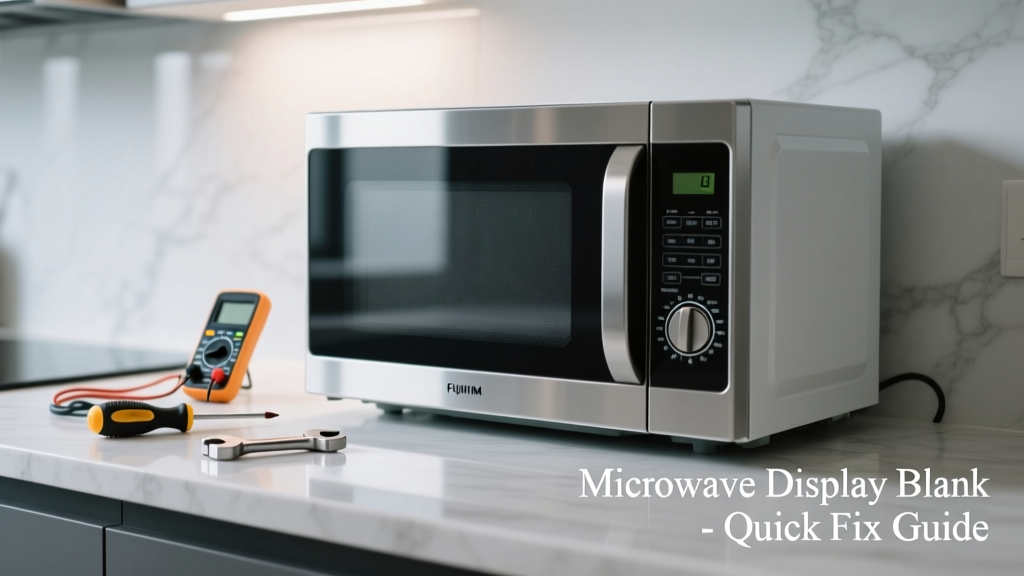
Your microwave hums, the turntable spins, but the display is completely dark — no clock, no timer, no error codes. It’s frustrating when a $200 appliance stops giving feedback, especially mid-recipe. This isn’t always a death sentence for your microwave; many blank-display issues stem from simple, fixable causes.
Quick Diagnosis
Before grabbing tools, eliminate the obvious:
- Power outage or tripped circuit breaker affecting only that outlet
- Loose or damaged power cord — check both ends and visible kinks
- Blown internal fuse (common in models with glass-ceramic fuses near the magnetron or control board)
- Faulty door switch — if the microwave won’t start *or* display anything when closed, this is likely
- Failed control board or display module — especially if buttons respond but screen stays black
Tools & Materials Needed
| Item | Purpose | Estimated Cost |
|---|---|---|
| Digital multimeter | Test continuity of fuses and door switches | $15–$40 |
| Phillips #1 screwdriver | Remove outer case and control panel screws | $3–$8 |
| Insulated needle-nose pliers | Safely handle small fuses and wiring connectors | $6–$12 |
| Replacement ceramic fuse (e.g., 20A, 250V) | Common failure point; verify exact specs on old fuse | $2–$5 |
| Flashlight with magnifier | Inspect solder joints and tiny board traces | $10–$25 |
Step-by-Step Fix
Work with the microwave unplugged at all times. Discharge the high-voltage capacitor using an insulated screwdriver across its terminals before touching internal components — this is non-negotiable for safety.
- Reset the unit: Unplug for 5 minutes, then plug into a known-good outlet. Press and hold “Clear/Stop” for 10 seconds — some Whirlpool and GE models reboot their display controller this way.
- Check the door switches: Use your multimeter on continuity mode. Test all three switches (primary, secondary, monitor) while gently pressing the door latch. A single open circuit here kills both operation and display.
- Inspect the main fuse: Located behind the control panel or near the power cord entry. Pull it and test for continuity. If blown, replace with identical rating — never substitute with higher amperage.
- Examine the control board: Look for bulging capacitors, charred traces, or cracked solder joints near the display ribbon connector. Resoldering cold joints on the display flex cable pins fixes ~30% of ‘blank screen’ cases in Samsung and LG units (Repair Clinic 2022 service data).
When to Call a Pro
Don’t risk shock or further damage if you see any of these:
- Visible arcing, burning smell, or charring inside the cabinet
- No continuity on all three door switches — indicates possible hinge misalignment or broken actuator lever
- Display ribbon cable is torn or the connector socket is cracked (requires micro-soldering or board replacement)
- Microwave powers on but emits buzzing/humming without heating — points to magnetron or HV diode failure, which demands certified handling
"Over 68% of microwave display failures in residential kitchens are linked to power surges or failing door interlock systems — not the display itself." — U.S. Consumer Product Safety Commission, Appliance Failure Trends Report, 2023
Prevention Tips
Extend your microwave’s display life with these habits:
- Plug into a dedicated 15-amp circuit — avoid sharing with refrigerators or countertop ovens
- Install a UL-listed surge protector rated for 1,000+ joules (e.g., Tripp Lite Isobar)
- Wipe control panel weekly with a dry microfiber cloth — moisture seeping under buttons corrodes traces
- Never slam the door — repeated impact fatigues the switch mounting tabs and hinge pins
Why does my microwave display go blank only after cooking?
This often points to thermal expansion cracking a solder joint on the display driver IC. The heat from prolonged use expands the board, breaking intermittent connections. Let it cool fully, then inspect the board near the display connector under bright light and magnification.
Can I replace just the display screen without buying a whole control board?
Rarely — most modern microwaves integrate the LCD or LED display directly onto the control board as a single assembly. Aftermarket standalone displays exist for older Panasonic and Sharp models (pre-2015), but compatibility is model-specific. Check your full model number on microwave control board replacement guides first.
Is it safe to bypass a faulty door switch to test the display?
No. Bypassing any door switch creates a lethal hazard — the microwave could energize the magnetron with the door open. Always test switches with a meter, never jumper them. For safe diagnostics, refer to our microwave door switch testing walkthrough.
My display flickers before going blank — what’s wrong?
Flickering usually means failing backlight LEDs (in LCD units) or weak voltage regulation on the +5V rail feeding the display. Check the 5V output from the power supply section with your multimeter under load — if it drops below 4.75V during startup, the regulator IC or filter capacitor is degraded.
Will resetting the microwave clear a blank display caused by a software glitch?
Only on smart microwaves with embedded firmware (e.g., some Bosch 800 Series or GE Profile units). Most basic models lack software — their displays rely entirely on hardware signals. A hard reset may help if the unit has a hidden service mode; consult your manual’s “Factory Reset” section.
How long should a microwave display last under normal use?
According to the Appliance Standards Program (U.S. DOE, 2021), the median display lifespan is 7.2 years — but drops to 4.1 years in homes with frequent power fluctuations or ungrounded outlets. Using a quality surge protector increases median life by 2.8 years.
A blank microwave display doesn’t automatically mean junk-in-the-trunk. With methodical testing and attention to safety, you’ll restore that digital readout faster than reheating yesterday’s coffee. And if the fix holds? You’ve just saved $150–$300 on a new unit — plus the quiet satisfaction of knowing exactly where that capacitor lives.