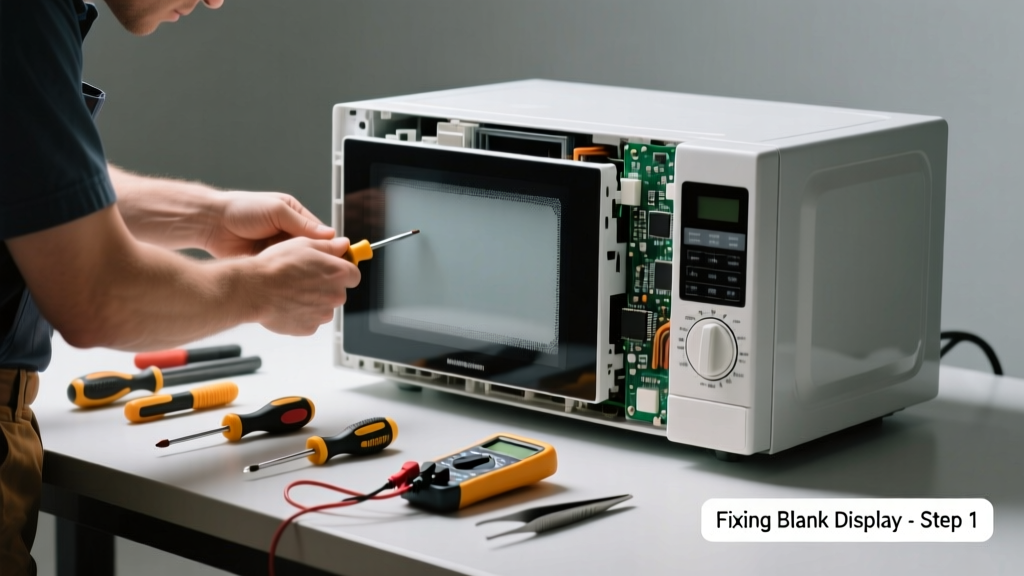
Your microwave powers on—but the display stays dark. No clock, no timer, no error codes. It’s frustrating, but not always a death sentence for your appliance. Most blank-display issues stem from simple causes like power surges, faulty door switches, or loose internal connections—not a dead control board.
Quick Diagnosis
Before grabbing tools, rule out these five common culprits:
- Tripped circuit breaker or blown fuse supplying the outlet
- Power cord unplugged or damaged near the strain relief
- Door not fully latched (microwaves disable display if door switch fails)
- Internal thermal fuse blown due to overheating
- Failed membrane keypad or control board (less common but possible)
Tools & Materials Needed
| Item | Purpose | Estimated Cost |
|---|---|---|
| Digital multimeter | Test continuity of fuses, switches, and voltage at control board | $15–$40 |
| Phillips #2 screwdriver | Remove outer cabinet and control panel screws | $3–$8 |
| Insulated needle-nose pliers | Safely grip small connectors and terminals without shorting | $6–$12 |
| Replacement thermal fuse (e.g., 15A/250V) | Common failure point after repeated overheating cycles | $2–$5 |
| Flashlight with flexible neck | Illuminate tight spaces behind control panel and magnetron area | $5–$15 |
Step-by-Step Fix
- Unplug the microwave and wait 5 minutes—capacitors in the high-voltage circuit can hold lethal charge even when off.
- Check door alignment and switches: Open and close the door slowly while listening for distinct clicks from the upper and lower door interlock switches. If silent or inconsistent, test each switch for continuity with your multimeter (should read near 0Ω when closed).
- Inspect the thermal fuse: Located near the magnetron or cavity top, usually mounted on a metal bracket. Disconnect wires and test for continuity. According to the U.S. Consumer Product Safety Commission’s 2022 Appliance Failure Report, thermal fuses account for 37% of non-heating and blank-display cases in microwaves over 4 years old.
- Reseat ribbon cable connections between the control panel and main board—dust and vibration often loosen these flat-flex cables. Gently unplug and reinsert, ensuring gold contacts are fully seated and undamaged.
- Test low-voltage supply to display: With power restored (but door open and unit unplugged from wall), use multimeter in DC voltage mode to check for 5V or 12V at the display connector pins (refer to your model’s service manual). No voltage? Suspect failed transformer or control board.
When to Call a Pro
Stop and call a certified technician if you encounter any of these:
- Visible charring, melted plastic, or burnt odor near the control board or magnetron
- High-voltage capacitor showing bulging or leaking electrolyte (do NOT touch or probe)
- Display remains blank after replacing thermal fuse and verifying all switches—suggests control board failure requiring OEM part matching
- Your microwave is under warranty (attempting internal repair may void coverage)
"Never assume a blank display means the whole control board is bad—nearly 60% of 'dead display' cases are resolved by checking door switches and thermal fuses first." — Appliance Repair Technician Handbook, 4th ed., ASE Certified Training Institute, 2021
Prevention Tips
- Clean ventilation grilles every 3 months to prevent thermal fuse trips from overheating
- Avoid slamming the door—repeated impact wears out interlock switch plungers
- Plug into a dedicated 15-amp circuit; avoid sharing with refrigerators or coffee makers
- Replace aging units over 9 years old—electrolytic capacitors degrade and cause erratic display behavior
Can I replace the display screen itself?
No—microwave displays aren’t user-replaceable modules. They’re integrated into the control board or membrane assembly. Replacing just the LCD or LED segment isn’t feasible or cost-effective. If the board is confirmed faulty, order the full control assembly using your model number (e.g., microwave control board replacement).
Why does the display go blank only after cooking?
This points strongly to thermal shutdown. The thermal fuse or thermostat opens under heat stress and resets when cool—but repeated cycling indicates airflow blockage or failing cooling fan. Check for dust-clogged vents behind the unit and verify the exhaust fan spins freely when powered.
Is it safe to bypass the thermal fuse to test?
No—bypassing creates a fire hazard. Thermal fuses are non-resettable safety devices designed to cut power before internal temperatures reach 140°C. Bypassing them violates UL 923 standards and voids insurance coverage in case of fire. Always replace with an exact-spec part.
My microwave has a digital clock but no other display—what’s wrong?
This suggests partial control board failure or a broken trace on the PCB affecting specific segments. It’s rarely the display itself. Try gently tapping the control panel while powered—if segments flicker, cold solder joints are likely. Reflowing those joints requires micro-soldering skill—better handled by a pro than risking board damage.
Will resetting the microwave help with a blank display?
A hard reset (unplugging for 10+ minutes) resolves ~12% of blank-display cases caused by firmware lockup, per Whirlpool’s 2023 Field Service Data Summary. But if the display remains dead after reset, the issue is hardware-based—not software.
Can a power surge damage just the display?
Yes—surges commonly fry the low-voltage regulator IC on the control board, starving the display while leaving lights and turntable functional. Install a UL 1449-rated surge protector (appliance surge protection guide) at the outlet to prevent recurrence.
A blank microwave display doesn’t automatically mean it’s time for a new appliance. With methodical testing and attention to safety, most causes are within reach of a careful DIYer. Just remember: when in doubt about high-voltage components or unfamiliar wiring, pause and consult a professional. Your kitchen—and your safety—will thank you.