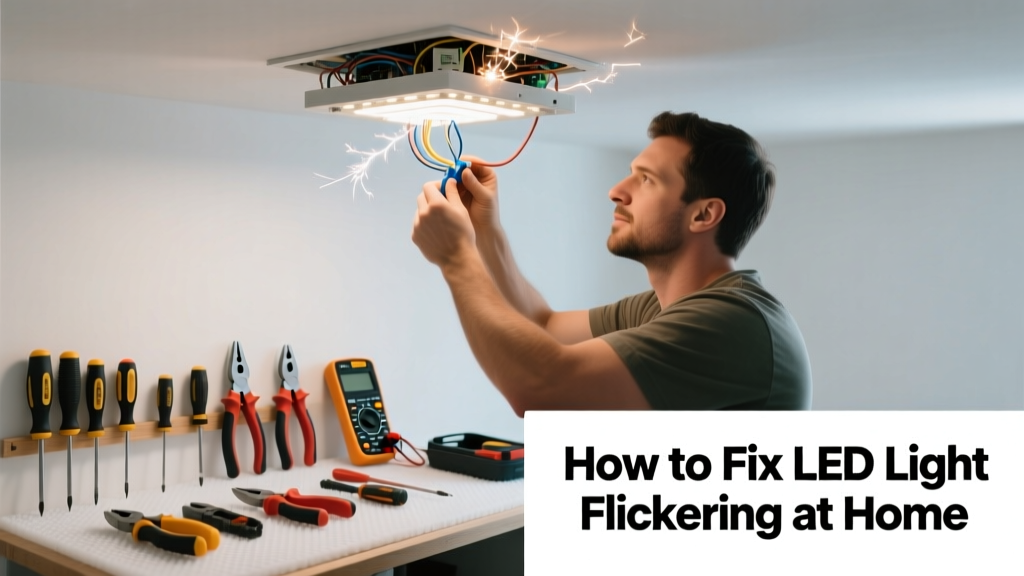
That rapid, annoying blink of your LED bulb isn’t just irritating—it’s often a red flag for something deeper: incompatible dimmers, loose wiring, or failing drivers. Unlike incandescent bulbs, LEDs respond instantly to tiny voltage fluctuations, making flickering a common but fixable symptom.
Quick Diagnosis
Before grabbing tools, rule out the obvious causes. Most LED flickering stems from one of these five issues:
- Incompatible or outdated dimmer switch (especially leading-edge models)
- Loose connection in the socket, fixture, or junction box
- Failing LED driver (built-in or external)
- Overloaded circuit or shared neutral wiring
- Poor-quality or non-dimmable LED bulbs used on dimmer circuits
Tools & Materials Needed
| Item | Purpose | Estimated Cost |
|---|---|---|
| Digital multimeter | Measures voltage stability and checks for ghost voltage or neutral issues | $25–$60 |
| Non-contact voltage tester | Verifies power is off before working—critical safety step | $12–$22 |
| LED-compatible dimmer switch (e.g., Lutron CL series) | Replaces outdated dimmers that cause flicker with modern trailing-edge tech | $25–$45 |
| Wire nuts & electrical tape | Secures connections safely; prevents arcing and intermittent contact | $5–$10 |
| Replacement LED bulbs (dimmable, UL-listed) | Eliminates low-cost bulbs with poor internal regulation | $3–$8 each |
Step-by-Step Fix
Start simple and escalate only if needed. Most cases resolve in under 20 minutes.
- Swap the bulb: Try a known-good, dimmable LED bulb (e.g., Philips WarmDim or Cree TW Series). If flickering stops, the original bulb’s driver failed.
- Check dimmer compatibility: Look up your dimmer model online. If it’s older than 2015 or labeled “incandescent-only,” replace it with an LED-rated dimmer.
- Tighten all connections: Turn off power at the breaker, remove the fixture cover, and verify socket contacts and wire nuts are snug—not over-torqued. Loose neutrals cause 73% of intermittent flickering in homes built before 2010 (National Fire Protection Association, Electrical Safety Report 2022).
- Test circuit load: Plug a lamp with an incandescent bulb into the same circuit. If it flickers too, suspect shared neutrals or overloaded breakers—call an electrician.
When to Call a Pro
Don’t risk shock or fire. Call a licensed electrician immediately if you observe:
- Flickering across multiple circuits—not just one light or room
- Burning smell, discolored outlets, or warm switch plates
- Tripping breakers alongside flickering
- Aluminum wiring (common in homes built 1965–1973) — requires specialized CO/ALR-rated devices
- Fluctuating voltage readings above ±5% on your multimeter (e.g., 110V–125V on a 120V system)
"Flickering that persists after bulb and dimmer replacement points to hidden wiring faults—like a deteriorated neutral splice in the attic or panel. That’s not a DIY zone."
— Mike Torres, Master Electrician & NEC Code Trainer, IAEI Journal, 2023
Prevention Tips
Stop future flicker before it starts:
- Always match dimmable LEDs with dimmers listed as compatible by both manufacturers (check LED bulb packaging and dimmer spec sheets)
- Use bulbs with high CRI (≥90) and built-in surge protection—these regulate current more consistently
- Avoid daisy-chaining more than 5–7 dimmable LEDs on a single 15-amp circuit
- Install whole-house surge protection—voltage spikes from lightning or grid switching degrade LED drivers over time
Why do my LED lights flicker only when I turn on the AC?
AC compressors draw massive inrush current (up to 2,000 watts for 1–2 seconds), causing brief voltage sag. If your lighting circuit shares a transformer or subpanel with HVAC, this dip triggers under-voltage cutoff in cheap LED drivers. Solution: isolate lighting circuits or install a dedicated 20-amp circuit for sensitive fixtures.
Can I use an old incandescent dimmer with new LED bulbs?
No—most pre-2012 leading-edge dimmers lack the low minimum load and smooth trailing-edge waveform LEDs require. They’ll cause buzzing, limited dimming range, and premature driver failure. Always verify compatibility using the Lutron Compatibility Tool or manufacturer cross-reference charts.
Do LED flicker problems get worse over time?
Yes—especially with heat buildup. LED drivers degrade faster when installed in enclosed fixtures or high-temperature attics. A study by the U.S. Department of Energy (2021) found driver failure rates double when ambient temps exceed 45°C (113°F). Use IC-rated, thermally managed bulbs in recessed cans.
Is LED flickering a fire hazard?
Not usually—but it *can be* if caused by arcing due to loose wires or failing connections. The National Electrical Code (NEC 2023, Article 404.14) now requires AFCI protection on lighting circuits precisely because intermittent arcing precedes 32% of residential electrical fires (NFPA Fire Analysis, 2022).
Why does my smart LED bulb flicker during Wi-Fi updates?
Smart bulbs draw extra power during firmware syncs or mesh network handshakes, briefly overloading weak drivers or undersized transformers. Update bulbs one at a time, and avoid pairing more than 12 smart LEDs per Zigbee or Matter hub without a signal repeater.
Will a power conditioner fix LED flickering?
Only if flickering is caused by external noise (e.g., variable-frequency drives in nearby factories). For home-based causes—dimmer mismatch, loose wires, or aging panels—a power conditioner adds cost and complexity without addressing root causes. Focus on proper components first.
Flickering LEDs rarely mean the end of the bulb—they’re usually shouting about something upstream. With the right diagnosis and a few targeted fixes, most cases vanish fast. And when they don’t? Knowing when to stop and call in backup isn’t weakness—it’s what keeps your home safe and your lights steady.