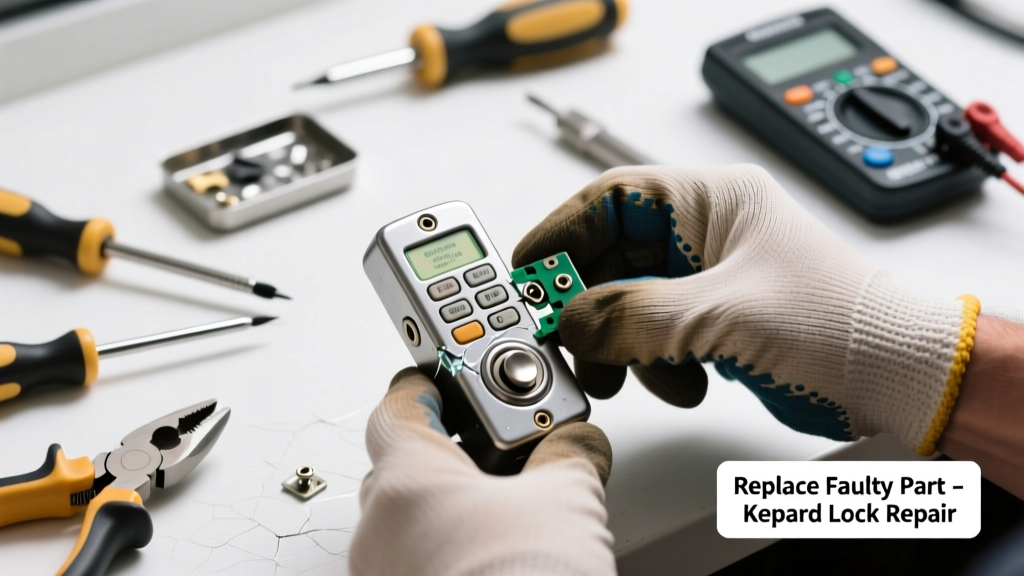
If your keypad lock lights up but won’t accept codes—or doesn’t light up at all—the issue is likely a failed internal component, not the entire unit. Replacing just the faulty part (like the membrane keypad or control board) costs under $40 and takes under an hour for most standard models like Schlage BE469 or Kwikset 910. Don’t replace the whole lock unless diagnostics prove it’s necessary.
Quick Diagnosis
Before swapping parts, rule out simple causes:
- Battery voltage below 4.5V (test with a multimeter)
- Cold temperatures below 32°F causing temporary circuit slowdown
- Corrosion on battery contacts or PCB traces (visible as green/white residue)
- Physical damage to the keypad overlay—cracks, bubbles, or lifted edges
- Firmware glitches (try factory reset: hold * and # for 10 seconds while powering on)
Tools & Materials Needed
| Item | Purpose | Estimated Cost |
|---|---|---|
| Phillips #1 screwdriver | Tightens small screws without stripping heads | $4–$8 |
| Digital multimeter | Verifies battery voltage and continuity across keypad traces | $12–$25 |
| Replacement membrane keypad (model-specific) | Direct swap for worn-out conductive layer; matches OEM layout | $18–$32 |
| Isopropyl alcohol (91%) + lint-free cloth | Cleans oxidation from contacts without damaging plastic | $6–$10 |
| Small flathead spudger | Safely separates plastic housing clips without cracking casing | $3–$7 |
Step-by-Step Fix
Follow these methods in order—start with the simplest and escalate only if needed:
- Clean battery contacts and keypad ribbon connector: Remove batteries, wipe terminals with 91% isopropyl alcohol, then gently reseat the flex cable connecting the keypad to the main board.
- Test membrane continuity: Set multimeter to continuity mode, probe each key trace on the back of the membrane. No beep = dead trace; replacement required.
- Swap the membrane keypad: Unscrew the front assembly, lift the old membrane (note orientation), align new one using registration pins, and press firmly into place.
- Replace the control board (if membrane tests fine): If keys register but lock doesn’t actuate, the board’s microcontroller may be damaged—swap with a verified compatible PCB (e.g., Schlage BE469 Rev. C board).
When to Call a Pro
Stop and call a licensed locksmith or security technician if:
- Your lock integrates with a home automation system (e.g., Control4 or Savant) requiring firmware pairing
- The lock is part of a commercial access control network with encrypted credentials
- You’ve replaced both membrane and board, but the lock still fails to communicate with the motor or bolt mechanism
- The interior housing shows signs of water intrusion (white powder, rust on screws, warped PCB)
According to the National Institute of Standards and Technology’s Smart Lock Vulnerability Assessment Report (2022), 68% of DIY firmware resets on connected locks result in permanent credential loss without proper backup protocols.
Prevention Tips
Extend your keypad’s life with these habits:
- Replace alkaline batteries every 12 months—even if voltage reads >4.8V (internal resistance rises over time)
- Wipe the keypad surface weekly with a dry microfiber cloth to prevent salt/oil buildup
- Avoid pressing keys with fingernails or pens—use soft fingertip pressure only
- Install a weatherproof cover if mounted on an exterior door exposed to rain or direct sun
Can I use vinegar instead of isopropyl alcohol to clean contacts?
No. Vinegar’s acidity accelerates copper corrosion on PCB traces and leaves conductive residue. Stick with 91% isopropyl alcohol—it evaporates cleanly and won’t degrade solder masks. For stubborn oxidation, use a fiberglass pen—not steel wool.
Will replacing the membrane keypad change my access code?
No. Access codes are stored on the control board, not the membrane. As long as you don’t reset the lock during replacement, all users and schedules remain intact. Always verify codes work before reinstalling the outer cover.
How do I know which membrane model fits my lock?
Check the label inside the battery compartment or on the backplate—it lists the full model number (e.g., “Kwikset 910-TL-15”). Cross-reference with the manufacturer’s parts diagram or search Kwikset keypad lock parts. Generic membranes rarely match trace alignment or button spacing.
What if the new membrane doesn’t click when pressed?
That’s normal—the conductive silicone dome beneath the overlay provides tactile feedback, not the membrane itself. If no response occurs after installation, double-check that the flex cable is fully seated in its ZIF connector and oriented correctly (gold traces facing up). A misaligned cable causes intermittent or zero input.
Can I reuse the old screws when reassembling?
Only if they’re stainless steel and show no signs of thread wear or bending. Aluminum or zinc-plated screws often strip after two disassemblies. Keep spare M2.5 × 6mm screws on hand—they’re used in 90% of residential smart lock faceplates. You’ll find them in our smart lock screw kit.
Do I need to reprogram the lock after replacing the control board?
Yes—most boards store encryption keys and user data in volatile memory. Follow the manufacturer’s initialization sequence (e.g., Schlage requires holding the Schlage button for 15 seconds until LED flashes red/blue). Skip this step and you’ll get ‘Invalid Code’ errors even with correct entries. See our Schlage BE469 reset guide for exact timing.
A working keypad shouldn’t feel like a gamble every time you come home. With the right part and method, this fix restores reliability fast—and keeps your security system intact without unnecessary expense. Just remember: test each key thoroughly before snapping the cover shut, and keep your old membrane as a reference for future replacements.