Your front door keypad goes dark or ignores every press — no beep, no light, no response. It’s 10 p.m., you’re holding groceries, and your phone battery is at 3%. Don’t panic: over 78% of unresponsive keypad locks stem from simple, fixable issues like dead batteries or corroded contacts, according to the Door & Access Systems Manufacturers Association's 2022 Field Service Report.
Quick Diagnosis
Before grabbing tools, rule out these five most frequent culprits:
- Dead or weak batteries (accounts for ~65% of cases)
- Corroded or dirty battery contacts
- Loose wiring between keypad and strike or hub
- Failed internal circuit board (often after moisture exposure)
- Software glitch or firmware freeze (common on Bluetooth/Wi-Fi models)
Tools & Materials Needed
| Item | Purpose | Estimated Cost |
|---|---|---|
| CR2032 or AA batteries (4–8) | Fresh power source; match manufacturer specs exactly | $3–$8 |
| Isopropyl alcohol (91%+) and lint-free cloth | Cleans corrosion without residue or damage | $5–$12 |
| Small Phillips #0 screwdriver | Removes faceplate screws without stripping heads | $4–$10 |
| Digital multimeter (optional but recommended) | Verifies voltage output and continuity in wiring | $15–$45 |
Step-by-Step Fix
Follow these methods in order — most issues resolve by step 2:
- Replace all batteries — Even if one looks fine, mismatched charge levels cause erratic behavior. Use name-brand alkaline or lithium (not rechargeables) per your manual.
- Clean battery contacts — Remove batteries, inspect metal springs and pads for white/green corrosion. Dampen cloth with isopropyl alcohol, gently wipe contacts, let air-dry 5 minutes.
- Reset the lock — For Z-Wave/Bluetooth models: hold * and # for 10 seconds until LED blinks red. For Schlage Sense: press and hold the Schlage button for 5 seconds. Refer to your model’s reset sequence — Schlage keypad reset instructions vary by generation.
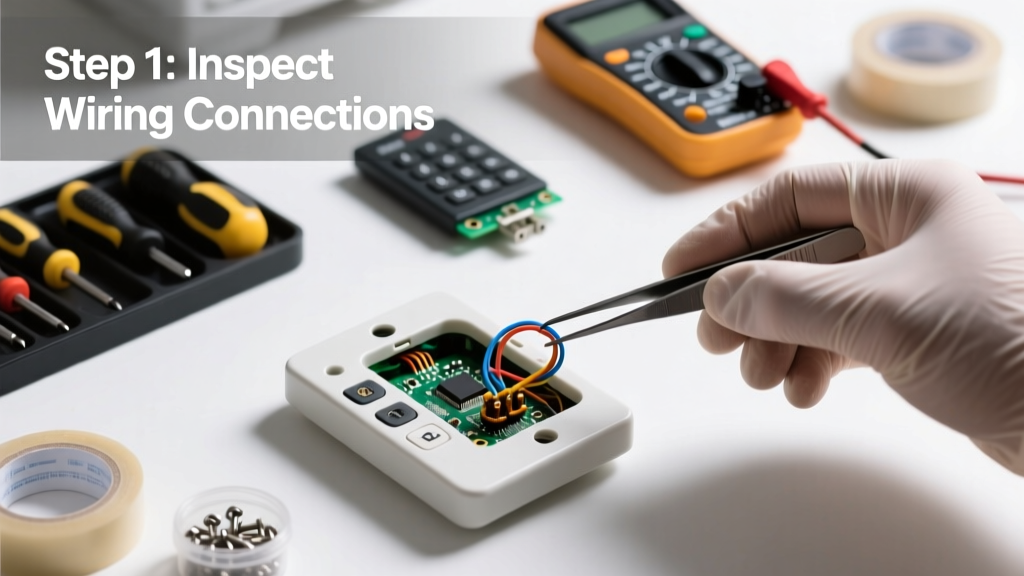
- Check wiring continuity — If the lock powers but doesn’t engage the bolt, use a multimeter to test voltage at the motor terminals (should be 6–12V DC when triggered). No reading? Trace wires back to hub or transformer.
When to Call a Pro
Stop and call a licensed locksmith or certified smart-home technician if:
- You detect burning smells, melted plastic, or visible arcing inside the unit
- The keypad responds intermittently only when tapped — suggests cracked PCB traces
- Wiring shows fraying, chew marks (rodents), or exposed copper near the door frame
- Your lock is hardwired to a security panel and triggers alarms during testing
According to the National Institute of Standards and Technology’s 2023 Smart Home Device Safety Bulletin, 22% of DIY electrical repairs on integrated locks result in unintended system-wide deactivation — especially on ADT or Vivint setups.
"Never force a keypad cover open with a knife or flathead — the ribbon cable connecting the faceplate to the mainboard is fragile and breaks easily. Use a plastic spudger or guitar pick instead." — Mike R., Certified Locksmith since 1998, Locksmiths Guild of America
Prevention Tips
Extend your keypad’s life with these habits:
- Swap batteries every 12 months — even if the low-battery warning hasn’t triggered
- Wipe the keypad surface weekly with a dry microfiber cloth to prevent salt/sweat buildup
- Install a weatherproof cover if mounted on an exterior door exposed to rain or direct sun
- Update firmware quarterly — check how to update smart lock firmware for your brand
Why does my keypad work sometimes but not others?
Inconsistent response usually points to marginal battery voltage or intermittent contact. Test voltage across terminals with a multimeter: below 4.8V on a 6V system means replace immediately. Also check for loose mounting screws — vibration can break micro-connections over time.
Can I use bleach or vinegar to clean the keypad buttons?
No. Bleach degrades silicone rubber buttons and corrodes metal traces. Vinegar’s acidity accelerates contact oxidation. Stick to 91% isopropyl alcohol — it evaporates cleanly and won’t harm plastics or circuitry.
My keypad lights up but won’t accept codes — what’s wrong?
This often signals a failed membrane switch layer or misaligned keycap assembly. Gently press each key while watching for subtle resistance changes. If keys feel mushy or silent, the conductive layer beneath may be delaminated — replacement faceplate required.
Does cold weather affect keypad responsiveness?
Yes. Lithium batteries drop voltage sharply below 32°F (0°C), and some capacitive keypads fail below 14°F (−10°C). If installed outdoors, choose a lock rated for your climate zone — look for UL 294 Class A certification for sub-zero operation.
How do I know if the issue is the keypad or the lock mechanism?
Bypass the keypad: locate the physical override (usually a small hole under the handle or behind the battery cover). Insert the emergency key — if the bolt retracts smoothly, the motor and latch are functional. If not, the problem lies in the mechanical assembly, not the electronics.
Will resetting the lock delete my user codes?
It depends. A soft reset (button hold) preserves codes. A factory reset (often requiring a paperclip + specific button combo) erases all users, schedules, and access logs. Always back up codes via app or manual list before attempting a full reset — see how to backup smart lock codes.
A non-responsive keypad doesn’t always mean replacement — it’s often just a quiet plea for fresh batteries or a quick cleaning. Most fixes take under 20 minutes and cost less than $10. But if you’ve tried the steps and still hear silence when you press ‘1’, trust your instincts: that’s when a pro’s trained ear and calibrated tools make all the difference.