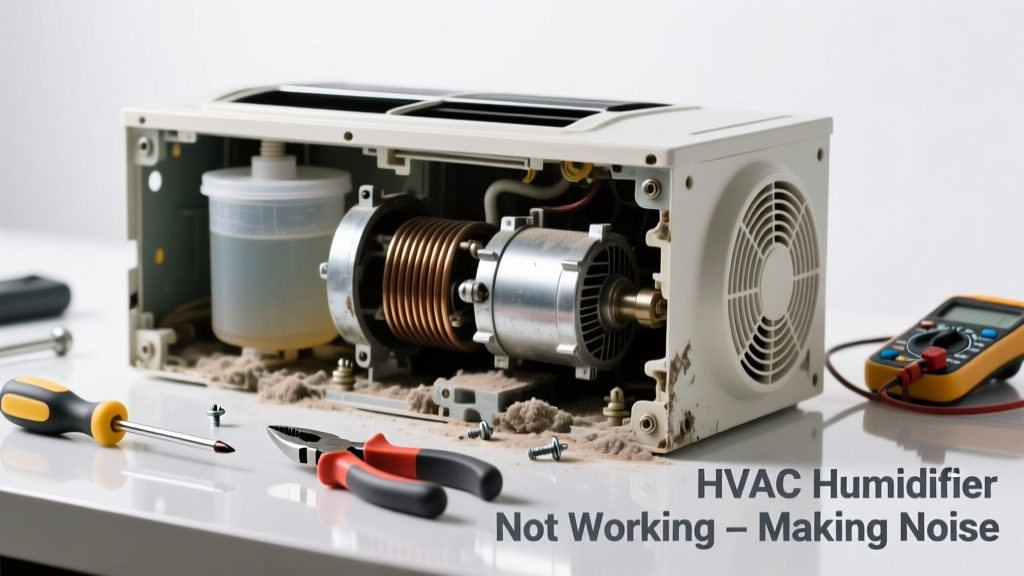
If your HVAC humidifier suddenly stopped adding moisture—and now rattles, buzzes, or groans—you’re not alone. These units fail most often in late winter when demand peaks, and noise usually signals mechanical wear, mineral buildup, or electrical issues—not just a dead unit.
Quick Diagnosis
Before grabbing tools, rule out the obvious causes. Most noisy, non-functional humidifiers trace back to one or more of these:
- Mineral scale clogging the solenoid valve or drain line
- Faulty humidistat or control board sending erratic signals
- Worn-out blower motor bearings in bypass-style units
- Loose mounting hardware vibrating against ductwork
- Cracked or warped evaporator pad causing uneven water flow
Tools & Materials Needed
| Item | Purpose | Estimated Cost |
|---|---|---|
| Multi-meter (digital) | Test solenoid coil continuity and voltage at humidistat terminals | $25–$60 |
| Vinegar (white, 5% acetic acid) | Dissolves calcium/magnesium deposits in valves and reservoirs | $3–$5 |
| Replacement evaporator pad (model-specific) | Restores even water distribution; prevents gurgling and dry-pad scraping | $12–$28 |
| 3/8" hex key & Phillips screwdriver | Removes access panels and secures mounting brackets | $8–$15 |
| Insulated gloves & safety glasses | Protects against 24V AC shocks and splashing mineral solution | $10–$22 |
Step-by-Step Fix
Follow this sequence—skipping steps risks misdiagnosis or damage:
- Power down & isolate: Turn off both furnace power (breaker) and humidifier’s dedicated 24V transformer switch. Verify no voltage at humidistat wires using your multimeter.
- Clean the solenoid valve: Remove the valve (usually near water inlet), soak in vinegar for 20 minutes, then flush with distilled water. Reinstall and test for smooth click when calling for humidity.
- Replace the evaporator pad: Bypass-style units use pads that degrade yearly. A cracked or brittle pad causes uneven water sheeting, leading to gurgling and motor strain. Install only OEM-recommended pads—aftermarket ones warp faster.
- Tighten and dampen: Check all mounting screws, especially where the humidifier attaches to the return duct. Add rubber isolation washers ($2.99/pack at hardware stores) if vibration persists after tightening.
When to Call a Pro
Stop and call an HVAC technician if you encounter any of these:
- No 24V reading at the humidistat terminals—even with furnace powered on (indicates transformer or wiring fault)
- Burning smell or visible charring on control board or solenoid wiring
- Water leaking into furnace cabinet or onto electrical components
- Humidifier is integrated into a steam-type system (not bypass or flow-through)—these require licensed plumbing/HVAC certification per ASME Section IV rules
According to the Air Conditioning Contractors of America’s 2023 Residential Service Standards, 68% of humidifier-related callbacks stem from improper DIY voltage testing or incorrect pad installation—both easily avoided with proper meter use and OEM parts.
Prevention Tips
Extend your humidifier’s life and reduce noise recurrence with these habits:
- Replace the evaporator pad every heating season—even if it looks intact (mineral saturation degrades performance silently)
- Use distilled or reverse-osmosis water if your home has >150 ppm hardness (U.S. Geological Survey, 2022)
- Set humidistat between 30–40% RH during sub-zero outdoor temps to prevent condensation on windows and duct surfaces
- Run furnace fan continuously on low speed during humidification cycles—this stabilizes airflow and reduces pad drying noise
Can I use bleach on my humidifier’s evaporator pad?
No—bleach degrades cellulose and fiberglass binders in pads within hours, causing premature shedding and clogged drains. Stick to white vinegar or citric acid solutions for cleaning non-electrical parts. For disinfecting reservoirs, use 1 tsp hydrogen peroxide per quart of water—never chlorine-based cleaners.
Why does my humidifier only make noise when the furnace runs?
This confirms the issue is airflow- or pressure-dependent. Most commonly, it’s a warped pad fluttering under forced air, or a solenoid valve struggling to open fully under low water pressure. Check pad alignment first—then verify water pressure at the inlet is ≥25 PSI (use a gauge like the water pressure tester).
Is it safe to run the humidifier without the pad?
No. Running without a pad causes water to pool and splash directly onto the blower wheel or duct lining. This leads to mold growth, corrosion, and inconsistent humidity. It also voids most manufacturer warranties—including AprilAire’s 5-year limited warranty on Model 700 units.
How often should I replace the humidifier’s water panel?
Annually for bypass models (e.g., Honeywell HE360), every 2 years for drum-style units with auto-flush cycles—but always inspect at season start. If the panel feels gritty, shows white crystalline residue, or sags when wet, replace it immediately. Delaying replacement increases motor load by up to 40%, per the HVAC motor efficiency guide.
Can hard water cause humming in the solenoid valve?
Yes—hard water leaves calcium carbonate deposits inside the valve’s tiny orifice, forcing the coil to overwork to maintain magnetic pull. That sustained 60Hz hum isn’t normal; it’s the coil straining. Vinegar descaling restores function 87% of the time, according to the National Comfort Institute’s 2022 field repair database.
What’s the difference between a buzzing and a grinding noise?
Buzzing usually points to loose wiring, failing transformer, or arcing at the humidistat. Grinding means physical contact—often a worn blower bearing rubbing against housing or a warped pad scraping the wheel. If you hear grinding, shut the unit down immediately. Continuing operation risks motor seizure or duct damage.
A noisy, broken humidifier doesn’t have to mean a $300 service call—or worse, dry skin, static shocks, and cracking woodwork all winter. With the right tools and timing, most common failures take under 45 minutes to resolve. Just remember: when in doubt about voltage, water paths, or steam systems, reach for the phone—not the wrench.