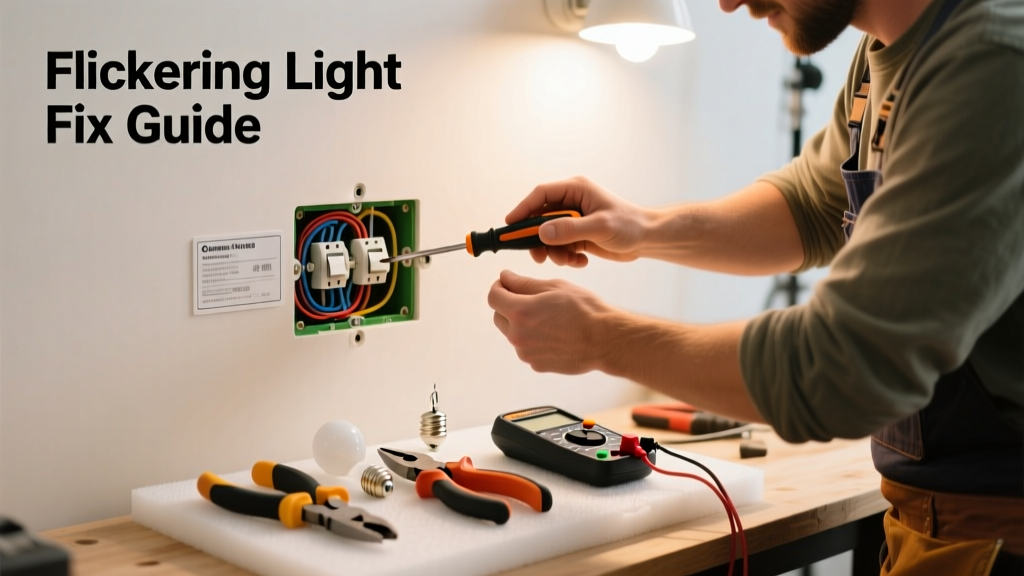
Flickering lights aren’t just annoying—they’re often the first warning sign of an underlying electrical issue. A single bulb blinking might be trivial, but whole-room or rhythmic flickering can indicate loose wiring, overloaded circuits, or failing breakers. Ignoring it risks overheating, arcing, or even fire—especially in older homes built before 2000.
Quick Diagnosis
Before grabbing tools, narrow down the cause. Flickering usually falls into one of these categories:
- A single bulb (loose connection, dying LED driver, or incompatible dimmer)
- Multiple lights on the same circuit (overloaded breaker or shared neutral issue)
- All lights during high-power appliance use (voltage drop from undersized wiring or utility supply)
- Flickering that coincides with HVAC or well pump cycling (voltage sag due to motor startup)
- Random, intermittent flickering across rooms (faulty main service connection or corroded meter base)
Tools & Materials Needed
| Item | Purpose | Estimated Cost |
|---|---|---|
| Voltage tester (non-contact) | Verifies power is off before handling fixtures or switches | $12–$25 |
| Insulated screwdrivers (Phillips & flat) | Tightens terminal screws safely without shorting live wires | $8–$18 |
| LED-compatible dimmer switch | Replaces outdated dimmers causing LED flicker (e.g., Lutron Diva DVCL-153P) | $22–$45 |
| Wire nuts (red & yellow) | Secures spliced connections in junction boxes; red for 3–6 #14 AWG wires | $3–$7 |
| Outlet/switch tester | Detects open ground, reversed polarity, or open hot—common causes of unstable voltage | $10–$20 |
Step-by-Step Fix
Start simple and escalate only as needed. Most flickering resolves at the fixture or switch level:
- Check and reseat the bulb: Turn off power, remove the bulb, inspect the base for darkening or pitting, then firmly reinstall. For LEDs, try a different brand—some lack proper internal filtering.
- Tighten fixture and switch connections: With power OFF at the breaker, open the fixture canopy and switch plate. Use your insulated screwdriver to snug all wire nuts and terminal screws—especially the neutral (white) and ground (bare/green) wires.
- Replace non-dimmable LEDs on dimmer circuits: If using dimmable bulbs with an old incandescent-only dimmer, install a trailing-edge dimmer rated for LED loads. According to the National Electrical Manufacturers Association’s LED Dimming Guide (2022), 68% of residential LED flicker complaints stem from dimmer incompatibility.
- Test the circuit under load: Plug a lamp into outlets on the same circuit while turning on a hair dryer or space heater. If lights dim or flicker, the circuit may be overloaded—or worse, have a failing neutral connection.
When to Call a Pro
Stop immediately and call a licensed electrician if you observe any of these:
- Flickering accompanied by buzzing, sizzling, or burning smells from outlets or panels
- Tripping breakers *alongside* flickering (indicates short circuit or ground fault)
- Aluminum wiring (common in homes built 1965–1973) showing corrosion or loose connections
- Flickering that starts after recent weather events—could point to damaged service drop or meter socket
- Any flickering traced to the main panel, meter base, or outside service entrance
"Loose neutral connections at the main panel are among the most dangerous yet overlooked causes of whole-house flickering—and they’ve been linked to over 12% of residential electrical fires reported to the NFPA in 2023." — NFPA Electrical Fire Trends Report, 2024
Prevention Tips
Extend the life of your lighting system and avoid repeat issues with these habits:
- Use only UL-listed LED bulbs rated for enclosed fixtures if installing in recessed cans or covered globes
- Label your breaker panel clearly so you can isolate affected circuits quickly during troubleshooting
- Replace incandescent-only dimmers every 10 years—even if they still 'work'—as internal components degrade
- Install whole-home surge protection to prevent voltage spikes from damaging LED drivers and smart switches
Why do LED lights flicker only when dimmed?
Most traditional dimmers reduce voltage using phase-cutting, which disrupts the low-voltage DC conversion inside LED drivers. Unless both the bulb and dimmer are explicitly rated for each other—and wired correctly—flicker is almost guaranteed. Always cross-check compatibility charts like those on LED dimmer compatibility.
Can loose light switch screws cause flickering?
Absolutely. A loose terminal screw on a switch—especially the neutral pigtail in multi-gang boxes—creates intermittent contact and resistance heating. This shows up as flickering in downstream fixtures and is one of the top three findings in home electrical inspections per InterNACHI’s 2023 Residential Electrical Inspection Report.
Is flickering during storms normal?
Minor, brief dimming during lightning strikes or high winds is common—but sustained or rhythmic flickering during storms points to damaged overhead service wires, a compromised weatherhead, or failing utility transformer. Contact your utility company first, then an electrician if the issue persists post-storm.
Why does my kitchen light flicker when I run the microwave?
This suggests either an overloaded 15-amp circuit (kitchen circuits should be 20-amp dedicated per NEC 210.11(C)(1)) or a shared neutral between circuits. Shared neutrals were common in older Romex NM-B cable installations and become hazardous when imbalanced—leading to voltage fluctuations and flicker. A qualified electrician can test for neutral imbalance with a clamp meter.
Do smart bulbs flicker more than regular LEDs?
Yes—if not on a stable power source. Smart bulbs require constant low-voltage trickle current for Wi-Fi or Bluetooth radios. Poor-quality wall switches (especially illuminated or motion-sensing types) can leak enough current to confuse the bulb’s driver, causing erratic behavior. The fix? Install a neutral wire at the switch box or use a smart switch instead of a smart bulb in those locations—see our guide on smart switch installation.
Can a bad circuit breaker cause flickering?
Yes—especially arc-fault (AFCI) or GFCI breakers nearing end-of-life. Internal contacts wear out, leading to inconsistent current delivery. If flickering correlates precisely with breaker operation (e.g., only when that specific breaker is on), or if the breaker feels warm to the touch, replacement is urgent. Never attempt DIY breaker replacement—panel work requires lockout/tagout procedures and arc-flash safety training.
Flickering lights rarely fix themselves—and delaying action increases risk. Most cases take under 30 minutes to diagnose and resolve with basic tools and careful observation. But when symptoms point beyond the fixture or switch—like panel heat, tripping breakers, or aluminum wiring—your safest move is calling a licensed electrician. It’s not just about convenience; it’s about preventing damage that could cost thousands or put your family at risk. For related help, check our guides on circuit breaker tripping and outlets not working.