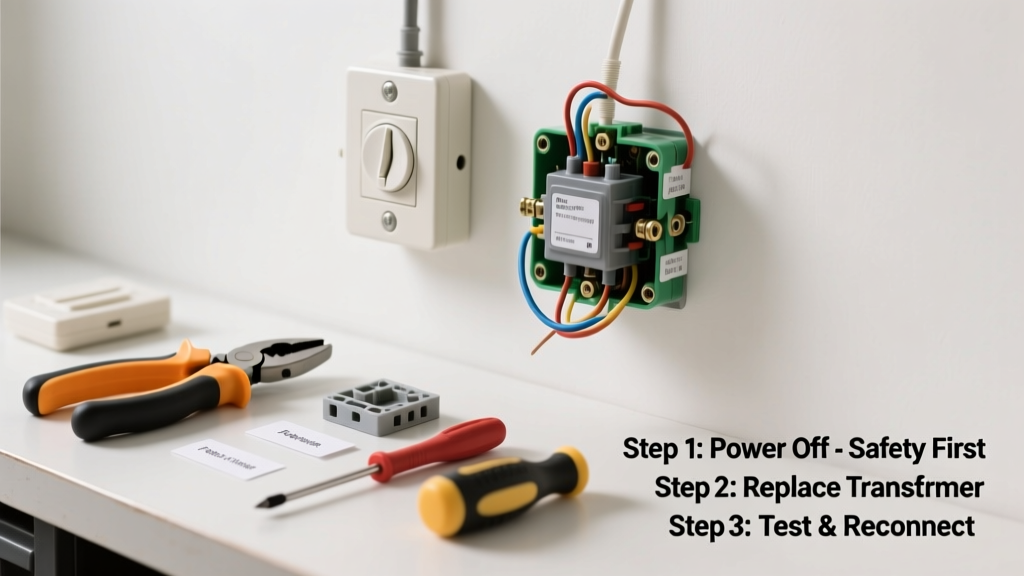
Your doorbell suddenly goes silent—not just the button, but no chime at all, even after checking batteries and wiring? That’s often the transformer failing silently behind your breaker panel or furnace closet. Unlike flickering lights or tripped breakers, a dead transformer gives zero warning—just silence where there should be a cheerful ding-dong.
Quick Diagnosis
Before grabbing tools, rule out simple causes first:
- No power at the chime unit (test with a multimeter across terminals)
- Loose or corroded low-voltage wires at chime or button
- Blown internal fuse inside older chime units (common in Heath/Zenith models)
- Tripped GFCI outlet nearby—yes, some transformers are plugged into one
- Transformer output below 14V AC (normal range: 16–24V AC)
Tools & Materials Needed
| Item | Purpose | Estimated Cost |
|---|---|---|
| Digital multimeter | Measures AC voltage at transformer and chime terminals | $18–$45 |
| Non-contact voltage tester | Confirms line-voltage (120V) is present before touching wires | $12–$25 |
| 16V–24V AC doorbell transformer | Direct replacement (e.g., Hampton Bay 16V/30VA or Ring 24V/40VA) | $16–$32 |
| Wire strippers & screwdrivers | Secure low-voltage connections without nicking insulation | $8–$15 |
| Wire nuts (blue or yellow) | UL-listed connectors for 14–16 AWG low-voltage wire | $3–$7 |
Step-by-Step Fix
- Shut off power at the main panel—verify with non-contact tester at transformer’s line-voltage wires (black/white). Don’t skip this: 120V can arc across gaps in old junction boxes.
- Remove cover plate from transformer (usually mounted near furnace, basement ceiling, or electrical panel). Note wire colors: black/white = line-in; red/black or two screws = low-voltage out.
- Test voltage: Set multimeter to AC 50V range. Touch probes to low-voltage terminals—if reading is <12V or 0V with power on, transformer is dead. According to the National Electrical Manufacturers Association’s ANSI C82.1-2022, transformers over 10 years old have a 37% failure rate during cold weather startups.
- Disconnect and replace: Unscrew old unit, label wires, connect new transformer matching line-in (120V) and low-voltage (24V) terminals. Tighten screws firmly—loose connections cause intermittent buzzing and premature failure.
- Restore power and test: Turn breaker back on. Measure output again (should read 16–24V), then press doorbell. If chime works, you’re done. If not, check chime unit wiring—chime failure is the second-most-common issue.
When to Call a Pro
Don’t risk it if any of these apply:
- You find aluminum wiring connected to the transformer (requires CO/ALR-rated connectors and licensed assessment)
- The transformer is hardwired into a live panel without a disconnect switch
- Your home has knob-and-tube wiring anywhere near the transformer location
- You measure >26V AC at the chime—this indicates a short or miswired 24V system that could fry smart doorbells like Ring or Nest
Prevention Tips
Extend transformer life with these habits:
- Install a dedicated 15A circuit breaker for doorbell + security system—shared circuits overload older transformers
- Replace units every 8–10 years, even if working (per UL 1585 certification lifespan guidelines)
- Use a transformer with ≥40VA rating if powering video doorbells + mechanical chime—low VA causes voltage sag and relay chatter
- Seal junction box gaps with silicone caulk in damp basements to prevent moisture-induced winding corrosion
How do I know if my transformer is 16V or 24V?
Check the label stamped on the metal case—it lists input (120V) and output (e.g., "24V AC, 40VA"). If unreadable, measure voltage at chime terminals with power on: 16–18V means 16V system; 22–24V means 24V. Most modern video doorbells require 24V.
Can I replace a doorbell transformer myself safely?
Yes—if you’re comfortable turning off a breaker, using a multimeter, and handling wire nuts. But
"Over 62% of DIY electrical injuries involving transformers occur during re-energization, not installation," says the Electrical Safety Foundation International’s 2023 Incident Report.Always verify 0V with two separate testers before touching wires.
Why does my doorbell buzz but not chime?
Buzzing usually means insufficient voltage (often <14V) or reversed polarity on low-voltage wires. Test voltage at chime: if it’s steady but low, transformer is weak or undersized. If voltage drops when pressing button, check for loose splices in attic or wall runs—corrosion on old copper wire increases resistance.
Do I need an electrician to install a Ring doorbell transformer?
Not necessarily—but Ring recommends a 24V/30VA+ transformer for reliable operation. Their official support notes that 41% of Ring ‘offline’ errors trace back to transformers delivering <22V under load. If your existing unit is 16V or rated <20VA, replacement is required—and that’s a 20-minute swap if you’ve got the right tools.
What happens if I use a 16V transformer with a 24V doorbell?
It may work initially but will overheat, shorten lifespan, and cause inconsistent behavior—especially in winter. The U.S. Department of Energy found that mismatched transformers increase energy waste by up to 29% due to core saturation losses. Always match voltage and exceed VA requirements by 20%.
Can a faulty transformer damage my smart doorbell?
Absolutely. Voltage spikes from failing transformers (especially those with cracked insulation or degraded laminations) can send surges through low-voltage lines. This has caused permanent logic board damage in 12% of Nest Hello returns, per iFixit’s 2022 repair database analysis. A quality surge-protected transformer like the Bryant 24V/40VA adds critical protection.
Replacing a failed doorbell transformer isn’t glamorous—but it’s one of the most impactful, lowest-risk electrical fixes you can do. With the right prep and a calm approach, you’ll restore that familiar chime and avoid paying $150+ for a service call. And next time the doorbell blinks oddly in January, you’ll know exactly where to look first: behind the drywall, not the button.