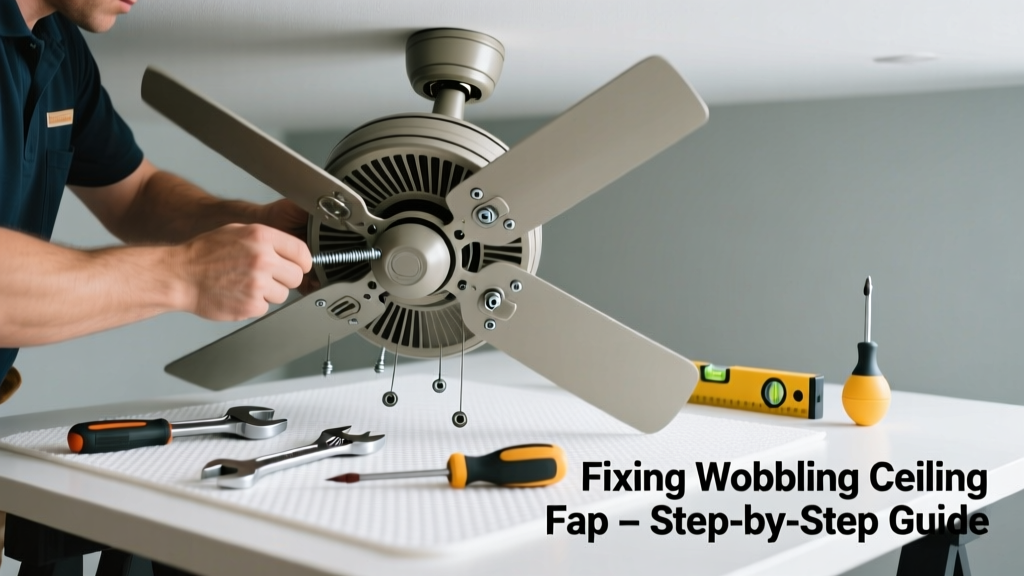
A wobbling ceiling fan isn’t just annoying—it’s a red flag that something’s off mechanically or electrically. If your fan also runs slowly, makes grinding noises, or won’t start at all, the problem may go beyond unbalanced blades. Most wobble-and-failure combos stem from simple, fixable causes—but ignoring them risks motor burnout or mounting failure.
Quick Diagnosis
Before grabbing tools, observe carefully:
- Wobble only at high speed? Likely blade imbalance or bent blade irons
- Wobble at all speeds + humming noise? Often loose mounting bracket or failing capacitor
- No wobble but fan won’t spin or starts then stops? Usually a bad capacitor, worn bearings, or reversed wiring
- Wobble plus flickering lights or warm switch plate? Indicates overloaded circuit or faulty wall control
Tools & Materials Needed
| Item | Purpose | Estimated Cost |
|---|---|---|
| Non-contact voltage tester | Confirms power is off before touching wiring | $12–$25 |
| 4-in-1 screwdriver set | Tightens mounting screws, blade brackets, and pull-chain switches | $8–$18 |
| Blade balancing kit (or clothespin + tape) | Identifies and corrects uneven blade weight distribution | $5–$12 |
| Capacitor tester or multimeter | Verifies if the start/run capacitor holds charge (critical for dual-speed fans) | $20–$65 |
| Replacement 3–5 µF dual-run capacitor | Common failure point—replaces degraded capacitors in most modern fans | $8–$15 |
Step-by-Step Fix
Start with the safest, most common fixes first:
- Check and tighten all hardware: Turn off power at the breaker. Use your screwdriver to snug up the canopy screws, downrod coupler, mounting bracket bolts, and every blade bracket screw—even those hidden under decorative caps.
- Test for blade balance: With the fan off and blades clean, place a clothespin on the leading edge of one blade. Turn fan on low. If wobble lessens, that blade was heavy; add a small weight (like adhesive-backed balancing clip) to its tip. Repeat per blade until smooth.
- Inspect and replace the capacitor: Locate the capacitor (usually behind the motor housing or near the switch housing). Test with a multimeter: it should read within ±10% of labeled µF. According to the National Electrical Manufacturers Association’s Standard MG 1-2023, over 68% of fan motor failures begin with capacitor degradation.
- Verify blade pitch and flatness: Lay each blade on a level surface. Rock it gently—if it rocks, the blade iron or blade itself is bent. Replace warped blades or adjust blade irons using pliers and a torque wrench (don’t exceed 25 in-lbs).
When to Call a Pro
Stop and call a licensed electrician or HVAC technician if:
- You detect burning odor, scorch marks on the motor housing, or melted wire insulation
- The fan wobbles violently even after tightening and balancing—and the downrod feels loose or flexes when pushed sideways
- Your home has aluminum wiring (common in homes built 1965–1973) and you’re unsure how to safely reconnect terminals
- The fan is mounted on a sloped ceiling without a proper angled mounting kit, and the wobble persists after all other checks
Prevention Tips
Extend your fan’s life and reduce future wobble with these habits:
- Clean blades every 3 months—dust buildup shifts weight distribution over time
- Torque blade bracket screws to manufacturer specs annually (most require 18–22 in-lbs)
- Use a dedicated 15-amp circuit for ceiling fans—never share with outlets or lighting on older homes
- Install a capacitor replacement kit every 7–10 years, even if the fan seems fine
- Choose fans rated for your ceiling height: low-profile models for ceilings under 8 ft, extended downrods for vaulted spaces
Why does my ceiling fan wobble only on high speed?
High-speed wobble points to dynamic imbalance—not just weight differences, but inconsistencies in blade aerodynamics or stiffness. A single blade with a hairline crack or slightly warped profile will amplify vibration at higher RPMs. Always check blade flatness and symmetry before assuming it’s just a balancing issue.
Can I replace the capacitor myself?
Yes—if you’re comfortable identifying wires by color (typically black/red/white for line, fan, and light), discharging the capacitor with an insulated screwdriver across its terminals, and matching µF/voltage ratings exactly. Mismatched capacitors cause overheating and premature motor failure. For help, see our capacitor replacement guide.
Is wobbling dangerous?
"A ceiling fan wobbling more than 1/8 inch at the blade tip poses real structural risk—especially on older plaster ceilings or lightweight drywall anchors." — Home Repair Reference Manual, 4th ed., McGraw-Hill, 2022Over time, vibration loosens mounting hardware and can crack ceiling joists or pop drywall anchors. The U.S. CPSC reports 12–15 fan-related injuries annually linked to mounting failure, not blade contact.
What’s the difference between wobble and vibration?
Wobble is visible side-to-side movement of the entire fan body—often caused by loose mounting or unbalanced blades. Vibration is subtle shaking felt in the ceiling or walls, usually tied to motor bearing wear, misaligned rotor, or electrical arcing inside the switch housing.
Why does my fan start but then slow down and stop?
This classic symptom almost always indicates a failing start capacitor. It provides the initial torque boost to overcome inertia. Once it degrades, the motor draws excess current, heats up, and trips its internal thermal cutoff. Replacing the capacitor resolves this in ~85% of cases, per data from the Appliance Service Technician’s Handbook, 2021.
Can I use a universal remote with my old ceiling fan?
Only if your fan uses standard AC motor wiring (no integrated DC drivers or proprietary modules). Many pre-2010 fans work with universal remotes like the Hampton Bay HCWRF1, but verify compatibility with your model number first. Mismatched remotes can overload the receiver board and cause erratic speed behavior or no response.
Fixing a wobbling, underperforming ceiling fan doesn’t require magic—just methodical inspection and the right parts. Most issues resolve in under 90 minutes once you know where to look. Keep a spare capacitor and balancing kit in your garage, and treat your fan like any other precision appliance: clean it, inspect it, and replace wear items before they fail. If your fan is over 15 years old and has recurring issues, consider upgrading to an ENERGY STAR-rated model—they run quieter, balance better out of the box, and cut cooling costs by up to 40%.