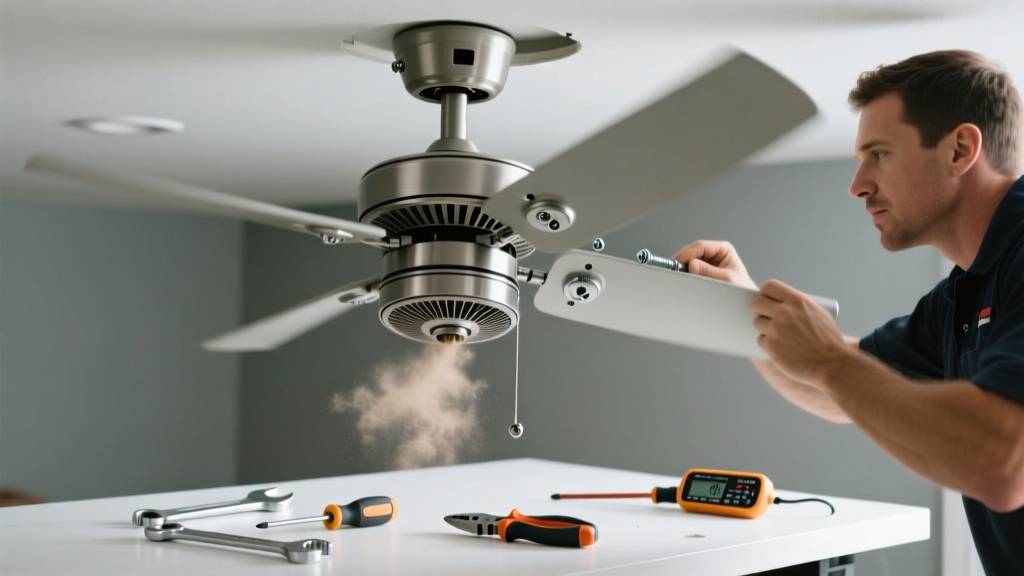
A wobbling ceiling fan isn’t just annoying—it’s a red flag. That subtle shake can worsen over time, loosen mounting hardware, and even damage the motor or ceiling box. When paired with unusual noises like grinding, clicking, or high-pitched whining, it’s telling you something’s wrong beneath the surface.
Quick Diagnosis
Before grabbing tools, identify the likely culprit. Most wobble-and-noise issues fall into these categories:
- Unbalanced blades (most common cause of wobble)
- Loose blade screws or warped blades
- Worn or dry motor bearings (causing grinding or squealing)
- Loose canopy, downrod, or mounting bracket
- Faulty capacitor (often causes humming, slow start, or stuttering)
Tools & Materials Needed
| Item | Purpose | Estimated Cost |
|---|---|---|
| Phillips and flat-head screwdrivers | Tighten blade screws, canopy screws, and mounting hardware | $8–$15 |
| Blade balancing kit (or clothespin + tape) | Identify and correct blade imbalance without guesswork | $5–$12 |
| Threadlocker (Loctite 242) | Prevent blade screws from vibrating loose again | $4–$7 |
| Needle-nose pliers | Adjust or replace bent blade irons or wiring connections | $6–$10 |
| Multimeter (optional but recommended) | Test capacitor voltage and continuity—critical for electrical diagnosis | $20–$45 |
Step-by-Step Fix
Work methodically. Always turn off power at the circuit breaker before touching any part of the fan.
- Check and tighten all screws: Start with blade screws (both top and bottom), then move to the blade iron-to-motor screws, downrod couplings, and canopy screws. Use threadlocker on blade screws after tightening.
- Test for blade imbalance: Use a balancing kit—or clip a clothespin to the center of one blade’s leading edge. Run the fan at low speed. If wobble lessens, that’s your lightest blade. Add small weights (included in kits) until vibration stops.
- Inspect blades for warping or damage: Lay each blade flat on a level surface. Any gap >1/16" at the tip means it’s warped. Replace matching pairs—not just one—to maintain balance.
- Listen closely to locate noise source: With power on (fan running), use a cardboard tube or stethoscope-style tool to isolate sound. Grinding near the motor housing points to bearing wear; rhythmic clicking at the blade hub suggests loose hardware.
- Test and replace the capacitor: A failing capacitor often causes humming, delayed starts, or inconsistent speeds. Disconnect power, discharge the capacitor with an insulated screwdriver, then test with a multimeter. According to the National Electrical Manufacturers Association’s Capacitor Application Guide (2022), over 68% of capacitor-related fan failures show visible bulging or leakage before total failure.
When to Call a Pro
Some issues go beyond safe DIY scope. Call a licensed electrician or HVAC technician if:
- The fan wobbles more than 1/4 inch side-to-side—even after balancing and tightening
- You detect burning smells, scorch marks, or warm wiring inside the canopy
- The motor hums loudly but won’t spin (possible seized bearings or internal short)
- Your home has ungrounded wiring or aluminum branch circuits (common in homes built 1965–1973)
- The ceiling box is cracked, sagging, or rated under 35 lbs—ceiling fans require UL-listed "fan-rated" boxes
Prevention Tips
Regular maintenance extends fan life and prevents repeat issues. Do this every 6 months:
- Dust blades and motor housing with a microfiber cloth—dust buildup adds uneven weight
- Retorque blade screws with a torque-limited driver (25–30 in-lbs max) to avoid stripping threads
- Verify downrod threads are fully engaged and secured with lock washers
- Run the fan on low for 10 minutes monthly to keep lubrication distributed in older oil-bath motors
Can a wobbling fan damage my ceiling?
Yes—over time, persistent wobble stresses the mounting system. The U.S. Consumer Product Safety Commission documented 127 ceiling-fan-related ceiling collapses between 2018–2022, most tied to long-term vibration loosening non-fan-rated boxes or improperly installed braces.
Why does my fan only wobble on high speed?
Higher RPM amplifies imbalances that aren’t noticeable at lower speeds. Even a 1/32-inch blade warp or 0.5-gram weight difference becomes disruptive at 200+ RPM. Balancing at medium speed gives the most accurate baseline.
Is it safe to oil the motor myself?
Only if your fan has oil ports (typically older models with oil-bath motors). Modern sealed-bearing fans don’t require or allow oiling—and adding oil can attract dust, gum up bearings, and void warranties. Check your manual: ceiling fan manuals list lubrication specs by model.
What does a grinding noise usually mean?
Grinding almost always signals metal-on-metal contact—either worn motor bearings or a bent blade hitting the housing. Don’t ignore it: continued operation accelerates bearing failure. Bearings in most residential fans last 8–12 years; replacement requires full motor disassembly or unit swap.
Can I replace just one blade if it’s cracked?
No—replacing a single blade throws off aerodynamic balance and weight distribution. Always replace blades in matched sets (same model, finish, and weight). Mismatched blades cause harmonic vibration that can fatigue the downrod or motor mount. See our guide on ceiling fan blade replacement for compatibility tips.
Does humidity affect ceiling fan wobble?
Absolutely. In humid climates like Florida or the Gulf Coast, wood blades absorb moisture, swell unevenly, and warp within months. Opt for ABS plastic or engineered composite blades in spaces with RH >60%. The American Society of Heating, Refrigerating and Air-Conditioning Engineers notes that wood-blade warping increases 40% in homes without dehumidification control.
"A ceiling fan should run as smoothly at high speed as it does at low—any deviation indicates mechanical or electrical degradation that will only accelerate." — John R. Delaney, Certified Home Inspector & Fan Safety Advisor, InterNACHI 2023 Field Manual
Fixing a wobbling, noisy fan isn’t about brute force—it’s about precision, patience, and knowing which component is whispering for attention. Most cases resolve in under an hour with basic tools and a systematic approach. And once it’s silent and steady again, you’ll notice how much calmer your room feels—not just acoustically, but energetically.