Your ceiling fan spins—but won’t slow down or speed up when you flip the switch or press the remote. That’s frustrating, especially in summer heat or winter drafts. Most often, it’s not the motor failing—it’s a simple, fixable issue hiding in plain sight.
Quick Diagnosis
Before grabbing tools, rule out these five common culprits:
- The wall switch or pull chain is stuck or worn out
- The remote control batteries are dead or the receiver module is faulty
- The capacitor is swollen, leaking, or degraded (common after 5+ years)
- Wiring connections at the fan canopy or switch box are loose or corroded
- The fan’s internal speed control switch (in older models) has failed mechanically
Tools & Materials Needed
| Item | Purpose | Estimated Cost |
|---|---|---|
| Non-contact voltage tester | Confirms power is off before working—critical for safety | $12–$25 |
| Phillips and flat-head screwdrivers | Removes canopy covers, switch plates, and mounting hardware | $8–$18 |
| Wire nuts (red and yellow) | Secures repaired or reconnected wires safely | $3–$7 |
| Replacement capacitor (match µF and VAC rating) | Restores proper motor timing and speed regulation | $6–$15 |
| Replacement wall control or remote kit | Swaps out outdated or damaged controls (e.g., Hunter® or Hampton Bay® compatible) | $18–$45 |
Step-by-Step Fix
Work methodically—and always cut power at the circuit breaker first. Verify with your voltage tester.
- Test the remote and wall control: Replace remote batteries; try the pull chain or wall switch alone. If speed changes only one way (e.g., only high), the control is likely defective.
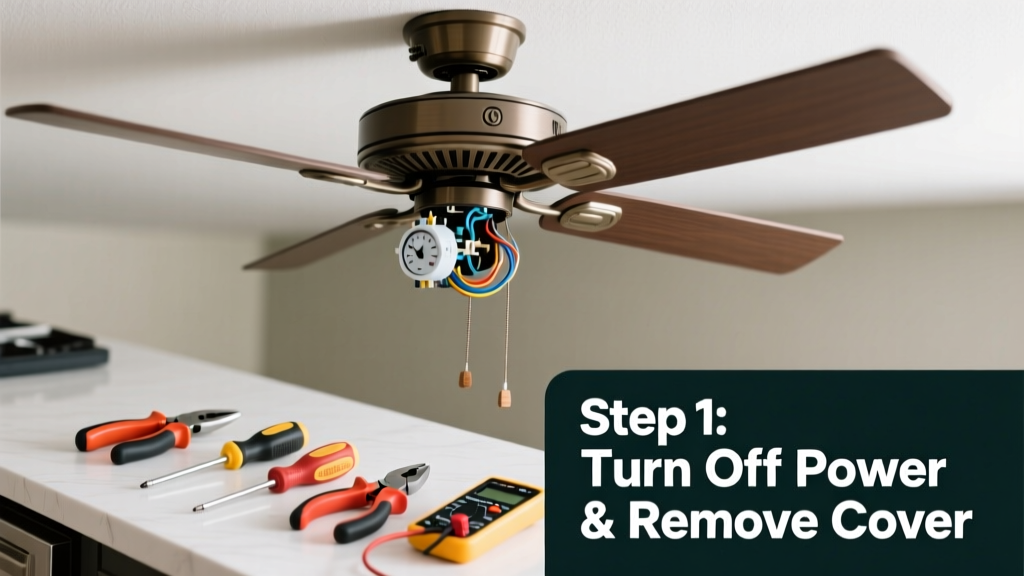
- Inspect the capacitor: Turn off power, remove the fan’s light kit or motor housing cover, and locate the cylindrical capacitor (usually near the motor windings). Look for bulging, oil residue, or burnt smell. A failed capacitor causes erratic or single-speed operation.
- Check wiring connections: At both the ceiling junction box and inside the fan’s canopy, tighten all wire nuts. Pay special attention to the blue (speed control) and black (hot) wires—loose splices here break the speed signal path.
- Swap the speed control switch (if applicable): On older fans with mechanical 3-speed switches inside the housing, disassemble carefully and replace with an exact-match part (e.g., Minka-Aire #SW-301 or Casablanca #99021).
When to Call a Pro
Stop and call a licensed electrician if you encounter any of these:
- Sparking, burning odor, or warm wiring during inspection
- Aluminum wiring in your home’s ceiling box (requires CO/ALR-rated connectors and expertise)
- The fan hums loudly but won’t start on any speed—suggesting winding failure or bearing seizure
- You’ve replaced the capacitor and controls, but speeds still won’t change
According to the Electrical Safety Foundation International’s 2023 Home Electrical Safety Report, 21% of residential electrical fires originate from improperly repaired or overloaded fan circuits—never bypass grounding or force-fit mismatched parts.
Prevention Tips
Extend your fan’s lifespan and avoid repeat issues:
- Clean dust from the motor housing and capacitor vents every 12 months using a dry brush—dust traps heat and degrades capacitors faster
- Use only manufacturer-recommended remotes or wall controls; third-party IR/RF units often lack proper signal encoding for multi-speed logic
- Install a dedicated 15-amp circuit for fans with integrated lights—voltage drops from shared circuits cause inconsistent speed control
Why does my ceiling fan only run on high speed?
This almost always points to a failed capacitor or open circuit in the low- and medium-speed windings. The motor defaults to high because that winding remains intact. Test continuity across each speed tap with a multimeter—if medium or low shows infinite resistance, the capacitor or internal coil is compromised.
Can I replace the capacitor myself?
Yes—if you’re comfortable identifying wire leads and matching microfarad (µF) and voltage (VAC) ratings. Capacitors store charge even when powered off: discharge terminals with an insulated screwdriver across the leads before handling. Use only AC-rated motor run capacitors—not start capacitors or DC types.
My remote works for lights but not fan speed—what’s wrong?
The fan receiver module (usually mounted inside the canopy) likely has separate channels for light and fan control. A failed RF receiver or misaligned DIP switches can mute speed commands while leaving lighting functional. Reset the remote pairing per your model’s manual—or replace the receiver (e.g., Harbor Breeze #RCR-100 or Lutron® Maestro-compatible units).
Is it safe to bypass the wall control and use only the pull chain?
Yes—temporarily—but only if the wall control is confirmed faulty. Wire the fan’s black (hot) directly to the supply hot (capping the wall switch wires separately). However, this eliminates dimming or smart-home integration. For long-term use, install a basic 3-speed wall switch like Leviton 5605-2 instead of jury-rigging.
How long do ceiling fan capacitors last?
Typically 5–8 years under normal use, but heat exposure shortens life. The U.S. Department of Energy notes that fans installed in unventilated attics or above stoves fail capacitors 40% sooner due to thermal cycling. Replace proactively at year six if your fan runs constantly or cycles through temperatures above 100°F.
Will a smart switch fix my speed issue?
Only if the fan has a compatible AC motor and no built-in electronic controller. Most modern ‘smart’ fans require their own app-based control—adding a Lutron Caseta or Inovelli switch may interfere or provide no speed adjustment. Check your fan’s manual for “dual-control compatibility” before purchasing. For non-smart fans, a fan-rated dimmer like the Leviton LZW36 offers reliable multi-speed control via app or wall paddle.
A non-responsive speed control doesn’t mean your fan is doomed—it’s usually a $12 capacitor or a $20 remote kit away from full function. Take your time, verify power is off, and document wire positions before disconnecting anything. When in doubt, consult a pro rather than risk a short or shock. With regular maintenance and the right parts, most ceiling fans deliver quiet, adjustable airflow for a decade or more.