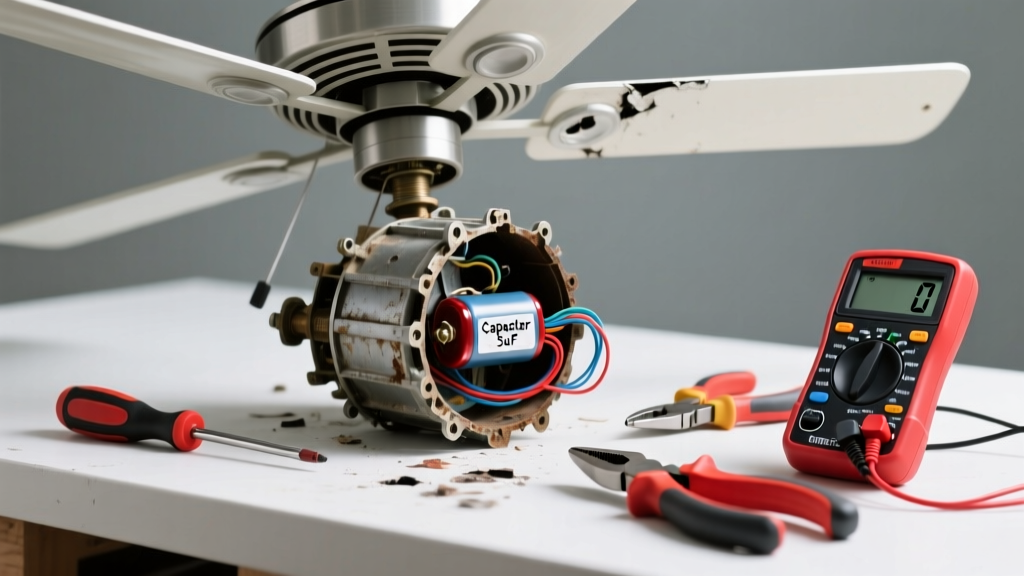
If your ceiling fan suddenly stops spinning, makes a grinding noise, or won’t respond to the remote or wall switch, the issue is likely a single failed component—not the whole unit. Most fans last 10–15 years, but capacitors, pull chains, and receiver modules fail far earlier, especially in humid or dusty environments like bathrooms or sunrooms.
Quick Diagnosis
Before grabbing tools, rule out simple causes:
- No power at the circuit breaker or wall switch
- Loose wiring connections inside the canopy or switch housing
- Frayed or disconnected wires near the motor housing
- Failed capacitor (most common cause of no-start or slow spin)
- Broken pull-chain switch or faulty remote receiver module
Tools & Materials Needed
| Item | Purpose | Estimated Cost |
|---|---|---|
| Non-contact voltage tester | Confirms power is off before touching wires—critical for safety | $12–$25 |
| Phillips and flat-head screwdrivers | Removes canopy screws, blade brackets, and switch housings | $8–$18 |
| Capacitor tester or multimeter | Verifies capacitor failure (fan capacitors typically range 2–6 µF) | $25–$65 |
| Replacement capacitor (match µF & VAC rating) | Direct swap for most single- or dual-capacitor fans | $4–$12 |
| Wire nuts (blue and yellow) | Securely reconnects 14–12 AWG fan wiring | $3–$7 |
Step-by-Step Fix
Follow these methods in order—start with the most common failure point first:
- Test and replace the capacitor: Turn off power at the breaker. Remove the fan’s light kit or lower housing to access the capacitor (usually a silver or black cylinder wired near the motor). Use a multimeter to test capacitance; if reading is below 90% of labeled value, replace it with an exact match (e.g., 4.5 µF ±5%, 250 VAC).
- Swap the pull-chain switch: If the fan only works on certain speeds or not at all when pulled, remove the switch housing (often behind the fan’s downrod). Disconnect old switch wires and attach new 3-speed or 4-speed switch using matching wire colors (black = line, blue/red/gray = speed taps).
- Replace the remote receiver module: For fans with remotes that no longer respond: locate the receiver (typically in the canopy), unplug its harness, and install a compatible replacement (e.g., Hunter model #99115 or Minka-Aire #RC212) following wiring diagram labels (L, N, BL, R, B).
When to Call a Pro
Stop and call a licensed electrician if:
- You measure voltage at the ceiling box but zero at the fan terminals—suggesting hidden cable damage
- The fan wobbles violently even after balancing, indicating bent motor shaft or internal bearing failure
- You find burn marks, melted insulation, or a persistent ozone smell—signs of arcing or overheating
- Your home has aluminum wiring (common in homes built 1965–1973); improper splicing risks fire
According to the Electrical Safety Foundation International’s 2022 report, 38% of residential electrical fires linked to ceiling fans involved DIY repairs without proper torque specs or anti-oxidant paste on aluminum connections.
Prevention Tips
Extend your fan’s life with routine care:
- Clean blades and motor housing every 3 months—dust buildup strains bearings and insulators
- Tighten mounting screws and blade irons annually—vibration loosens them over time
- Use a dedicated 15-amp circuit for fans with lights—overloaded circuits degrade capacitors faster
- Install a whole-house dehumidifier if RH regularly exceeds 60%—moisture corrodes switch contacts
How do I know if my capacitor is bad?
A failing capacitor often causes the fan to hum but not spin, start slowly, or run only on high speed. Visually inspect for bulging, leaking oil, or burnt odor. Test with a multimeter set to capacitance mode—if reading is more than 10% below rated µF, replace it immediately.
Can I replace just the remote receiver without changing the remote?
Yes—but only if the new receiver supports the same protocol (e.g., 315 MHz RF or infrared). Check the remote’s FCC ID (printed on battery compartment) and match it to the receiver’s spec sheet. Minka-Aire and Hunter receivers are rarely cross-compatible—even models from the same brand may use different coding.
Why does my fan work with the wall switch but not the pull chain?
This points to a broken pull-chain switch or severed internal wire between the switch and motor windings. The wall switch bypasses the chain entirely by sending power directly to the motor’s main lead. Disassemble the switch housing and check continuity across terminals while pulling the chain.
Is it safe to replace a 3-wire capacitor with a 4-wire one?
No—wiring mismatch risks short circuits or motor burnout. A 3-wire capacitor serves fans with separate light and fan windings; a 4-wire version adds a third speed tap. Always match wire count, µF rating, voltage, and terminal labeling (e.g., C, F, L, H). Refer to your fan’s manual or ceiling fan wiring diagram before installing.
What’s the average lifespan of a ceiling fan capacitor?
Most electrolytic fan capacitors last 3–7 years under normal use, but drop to 1–2 years in garages or covered patios where temperatures exceed 104°F (40°C) regularly. The U.S. Department of Energy notes that capacitor failure accounts for 62% of all reported ceiling fan service calls in warm climates (DOE Appliance Repair Data, 2021).
Do I need an electrician to replace a pull-chain switch?
Not usually—you’re only swapping a low-voltage mechanical switch with identical wiring. But if you’re uncomfortable verifying power is off with a voltage tester or identifying wire functions (line vs. speed taps), hire a pro. One miswired connection can send full voltage to the wrong winding and fry the motor. See our guide on how to test ceiling fan wiring for step-by-step verification.
Replacing a single faulty part restores function faster and cheaper than buying a new fan—especially if your current model is still under warranty or matches your room’s decor. Keep spare capacitors and switches on hand if you own multiple fans; they cost less than $10 each and take under 20 minutes to install. Just remember: when in doubt about live wires or unfamiliar components, turn off the breaker and consult a professional—your safety is worth more than any savings.