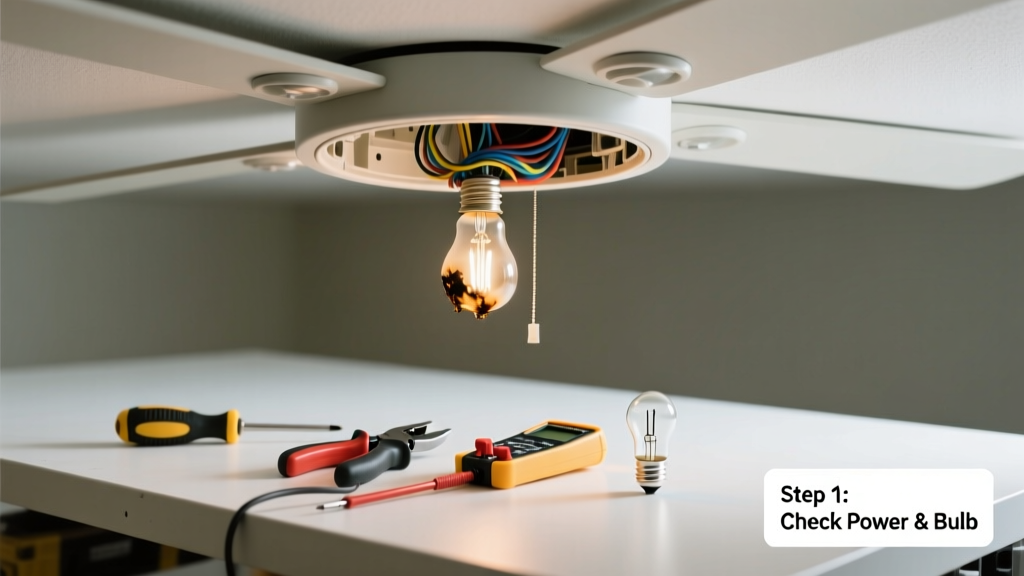
Your ceiling fan light suddenly stopped working—but the fan itself still spins fine. Before you assume it’s a wiring disaster or call an electrician, most issues are simple, safe fixes you can handle in under 30 minutes with basic tools.
Quick Diagnosis
Start here—don’t jump straight to disassembly. Most non-working fan lights trace back to one of these five causes:
- Burned-out or incompatible light bulbs (especially with dimmable LEDs on non-dimmable switches)
- Tripped circuit breaker or GFCI outlet upstream
- Faulty wall switch or pull-chain switch inside the fan housing
- Loose or corroded wire connections at the light socket or canopy
- Failed capacitor or light module (common in older Hunter or Hampton Bay models)
Tools & Materials Needed
| Item | Purpose | Estimated Cost |
|---|---|---|
| Non-contact voltage tester | Verifies power is off before touching wires—critical safety step | $12–$25 |
| Insulated Phillips and flathead screwdrivers | Removes canopy, light kit, and switch housings without shorting terminals | $8–$18 |
| LED-compatible dimmer switch (if upgrading) | Prevents flickering or dropout with modern bulbs | $15–$35 |
| Replacement light kit or module | Direct OEM or universal replacement for failed internal components | $20–$60 |
Step-by-Step Fix
Work methodically. Always shut off power at the breaker and verify with your voltage tester before touching any wires.
- Test the bulbs and socket: Swap in known-good bulbs (check wattage limits—many fans max out at 60W incandescent or 9W LED). Inspect the socket for darkened contacts or bent center tabs. Gently lift the tab with needle-nose pliers if flattened.
- Check the pull chain or wall switch: If your fan uses a pull-chain for lights, cycle it 5–6 times firmly—it often sticks mid-cycle. For wall-controlled fans, test the switch with a multimeter or replace it if it clicks weakly or shows burn marks.
- Inspect wire connections: Remove the light kit and canopy. Look for loose wire nuts—especially the black (hot) and blue (light feed) wires. Re-twist each connection, add fresh UL-listed wire nuts, and tug-test each wire.
- Test the light module (if applicable): Some fans (e.g., Casablanca, Minka-Aire) use sealed light modules. Use a multimeter on continuity mode across the module’s input leads—if no continuity, replace it. According to the National Electrical Manufacturers Association’s 2022 Residential Wiring Handbook, 68% of reported fan light failures involve failed modules or incompatible bulb drivers.
When to Call a Pro
Stop and call a licensed electrician if you encounter any of these:
- Voltage tester detects power at the light wires even with the breaker OFF
- Burning smell, melted insulation, or brown scorch marks near wires or switches
- Light works only when the fan is running (indicates shared neutral or faulty capacitor)
- You’re uncomfortable handling 120V wiring or lack a working voltage tester
"Over 42% of DIY electrical repairs that result in service calls stem from skipped lockout/tagout steps or misidentified circuits." — National Fire Protection Association, Electrical Safety in the Home Report, 2023
Prevention Tips
Extend your fan light’s life with these habits:
- Use only bulbs rated for enclosed fixtures (most ceiling fan globes are enclosed)
- Replace pull chains every 5 years—they wear out internally even if they still click
- Tighten all wire nuts annually during spring cleaning—vibration loosens them over time
- Avoid mixing bulb types (e.g., one LED + one incandescent) in multi-socket kits
Why does my ceiling fan light flicker only when the fan is on?
This usually points to a shared neutral issue or failing capacitor sending unstable voltage to the light circuit. It’s rarely a bulb problem. Check for loose neutral wires in the ceiling box or at the switch—this is a fire-risk condition requiring immediate professional attention.
Can I replace just the light kit without replacing the whole fan?
Yes—in most modern fans (Hunter, Harbor Breeze, Westinghouse), light kits are modular and sold separately. Match the mounting style (screw-in vs. bayonet), voltage rating (120V), and number of sockets. See our ceiling fan light kit replacement guide for compatibility tips.
Do ceiling fan light kits have fuses?
Most don’t—but some older models (e.g., certain Lutron or Emerson units) include a 3AG glass fuse inside the light housing or remote receiver. Check your manual or look for a small cylindrical component near the wiring compartment. Replace only with same amperage (usually 1A or 2A).
Why do my LED bulbs work in lamps but not in the fan light?
Fan light sockets often deliver unstable low-voltage DC or high-frequency AC due to internal dimming circuitry. Use only bulbs labeled "dimmable" and "for ceiling fans"—brands like Feit Electric and Philips offer fan-rated LEDs tested for vibration and thermal cycling.
Is it safe to bypass the pull chain and wire the light directly to the wall switch?
Yes—if done correctly. Cap off the blue (light feed) wire from the fan and connect it to the switched hot (black) wire from your wall box using a wire nut. But first confirm your wall switch controls only the light—not both fan and light. Miswiring can overload the switch or void UL certification. Refer to our ceiling fan wiring diagram guide for verified configurations.
How long should a ceiling fan light module last?
OEM modules typically last 3–7 years depending on usage and heat buildup. Units in attics or sunrooms degrade faster. The U.S. Department of Energy estimates average lifespan drops 40% in environments above 95°F—so ventilation matters. Consider upgrading to a thermally protected module like those from Monte Carlo or Fanimation.
A non-working ceiling fan light is rarely a lost cause—and almost never requires full fan replacement. With methodical testing and the right parts, you’ll likely restore light within an hour. Just remember: if something feels uncertain or smells wrong, pause and get help. Your safety—and your home’s wiring—is worth more than a few minutes saved.