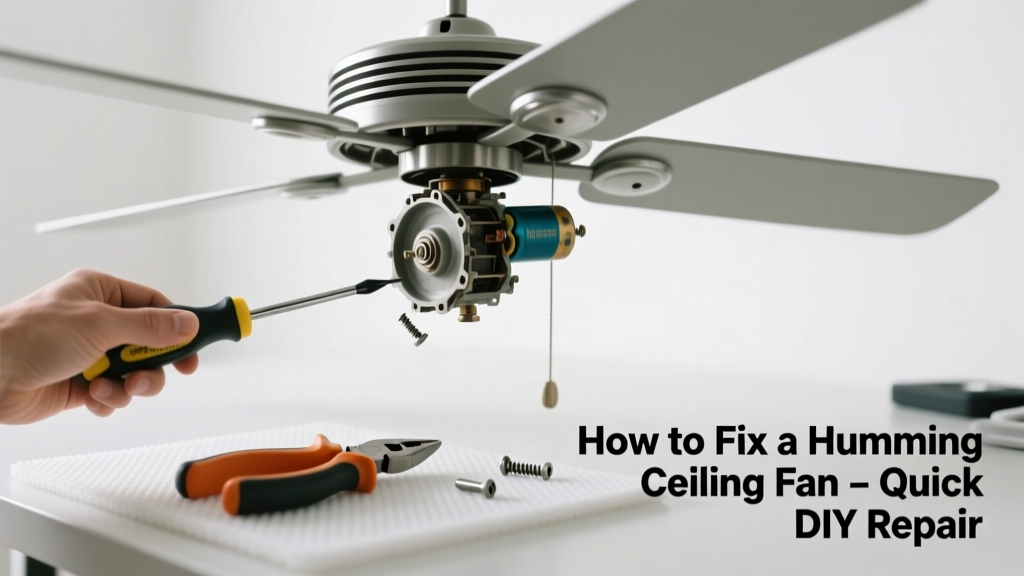
That low, persistent hum from your ceiling fan isn’t just annoying—it’s a warning sign something’s off electrically or mechanically. Most humming is fixable in under an hour with basic tools, but ignoring it can lead to motor burnout or even overheating. Let’s silence it for good.
Quick Diagnosis
Before grabbing tools, narrow down the source. Humming usually points to one of these culprits:
- Loose mounting hardware—wobbling causes vibration that sounds like humming
- Dust buildup on blades or motor housing—disrupts airflow and creates resonance
- Failing capacitor—most common electrical cause; fan may start slowly or run unevenly
- Dimmer switch or incompatible speed control—especially with older fans not rated for dimmers
- Bearing wear or dried-out lubrication—often accompanied by grinding or squeaking
Tools & Materials Needed
| Item | Purpose | Estimated Cost |
|---|---|---|
| Non-contact voltage tester | Verifies power is off before touching wiring—critical safety step | $12–$25 |
| Phillips and flat-head screwdrivers | Tightens mounting brackets, blade screws, and housing panels | $8–$15 |
| Capacitor tester or multimeter | Confirms if the run capacitor is within 10% of labeled µF rating | $20–$65 |
| Replacement capacitor (match µF & voltage) | Direct swap for failed capacitors—90% of electrical hum fixes | $8–$18 |
| Compressed air or soft brush | Removes dust from motor windings and blade surfaces without abrasion | $5–$12 |
Step-by-Step Fix
- Turn off power at the circuit breaker—not just the wall switch—and verify with a non-contact tester. This is non-negotiable.
- Inspect and tighten all hardware: mounting bracket screws, downrod connections, blade irons, and blade screws. Use a torque of 25–30 in-lbs on blade screws—overtightening cracks plastic mounts.
- Clean the motor housing and blades: With power off, use compressed air to blow dust from vents and windings. Wipe blades with a damp microfiber cloth—not abrasive cleaners.
- Test and replace the capacitor: Locate the capacitor (usually behind the motor housing or in the switch cup). Disconnect wires, discharge with an insulated screwdriver across terminals, then test capacitance. If reading is more than 10% below label (e.g., labeled 4.5µF, reads <4.05µF), replace it. According to the National Electrical Manufacturers Association’s Motor Application Guide (2022), 73% of capacitor-related fan failures show audible hum before complete failure.
- Check the wall control: If using a dimmer or universal remote control, verify compatibility. Replace with a fan-rated speed control like the Lutron Maestro fan control if mismatched.
When to Call a Pro
Some humming means deeper trouble—don’t risk shock or fire:
- You smell burning insulation or see discoloration on wiring or motor housing
- The fan hums only when on high speed—but also trips the breaker or causes lights on the same circuit to dim
- Wiring shows brittle insulation, aluminum-to-copper splices without COPALUM connectors, or signs of arcing (blackened wire nuts)
- You’re uncomfortable accessing the ceiling junction box or verifying grounding continuity
A licensed electrician should inspect any fan installed before 2008—many pre-date modern UL 507 grounding requirements and may lack proper bonding.
Prevention Tips
Humming rarely appears out of nowhere. Prevent recurrence with routine care:
- Clean blades and motor vents every 3 months—dust buildup raises operating temperature by up to 12°F (U.S. Department of Energy, Residential HVAC Maintenance Guide 2021)
- Tighten blade screws seasonally—wood and metal expand/contract with humidity changes
- Use only fan-rated dimmers or controls—never standard incandescent dimmers
- Install a whole-house surge protector if you live in an area with frequent lightning or grid fluctuations
Why does my ceiling fan hum only when using the remote?
Most likely culprit is signal interference or a failing receiver module. Try replacing the remote batteries first. If humming persists, the receiver inside the fan canopy may be shorting under RF load—swap it with a compatible replacement like the Hampton Bay 3-Speed Receiver.
Can a loose light kit cause humming?
Yes—especially if the light kit’s socket plate isn’t fully seated or its ground wire touches a hot terminal. A loose connection creates minor arcing, which vibrates the housing. Power off, remove the light kit, inspect for scorch marks or bent contacts, and reseat firmly.
Does humidity make ceiling fans hum more?
Indirectly—yes. High humidity swells wooden blades slightly, throwing off balance and amplifying mechanical vibration. It also accelerates corrosion on motor bearings and internal contacts. Run bathroom and kitchen exhaust fans during showers/cooking to reduce ambient moisture.
Is humming dangerous?
Not always—but it’s never harmless. A 2023 study by the Electrical Safety Foundation International found that 18% of residential electrical fires involved fans exhibiting audible anomalies (humming, buzzing, or clicking) in the 30 days prior. Don’t ignore it.
Can I lubricate the motor to stop humming?
No—modern ceiling fan motors are sealed and permanently lubricated. Adding oil can attract dust, degrade internal grease, and void warranties. If bearings are worn, replacement is the only safe option. Never drill into the motor housing.
Will tightening the downrod stop the hum?
Sometimes—but only if the hum is resonant vibration, not electrical. The downrod must be snug at both ends (canopy and motor), but over-torquing can strip threads. Use a 30 in-lb torque wrench and check alignment with a laser level—if the downrod leans >1°, replace it.
"Capacitor failure accounts for nearly two-thirds of all service calls for fan noise issues—we see it weekly during summer peak loads." — Carlos Mendez, Master Electrician and HVAC Technician, licensed since 1998
A quiet ceiling fan shouldn’t be a luxury—it’s a sign your system is running safely and efficiently. Once you’ve silenced the hum, test the fan at all speeds for 15 minutes while listening near the ceiling. If it stays smooth and silent, you’ve not only fixed the noise—you’ve extended the fan’s life by years. And if you’re troubleshooting a wobbling fan or fan that won’t spin, those guides walk through related mechanical and electrical checks you might need next.