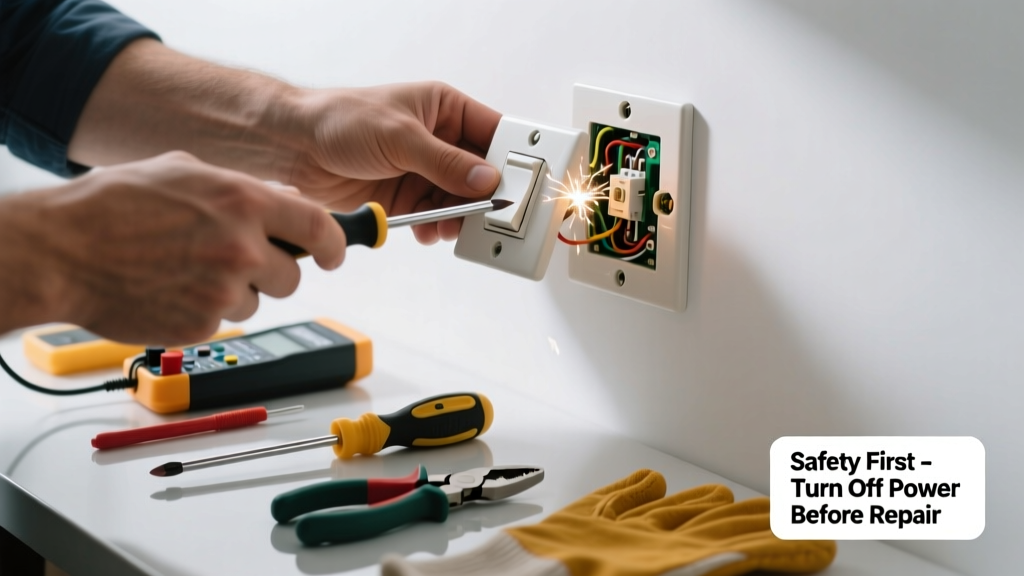
A buzzing light switch isn’t just annoying—it’s a red flag. That hum or crackle often signals loose connections, failing components, or dangerous arcing inside the box. Ignoring it can lead to overheating, damaged wiring, or even fire.
Quick Diagnosis
Before grabbing tools, identify the likely cause:
- Loose wire connections at the switch terminals
- Overloaded circuit (especially with dimmers controlling LED loads)
- Worn-out or failing switch mechanism (common after 10–15 years)
- Dimmer switch incompatible with bulb type or wattage
- Moisture or dust buildup inside the electrical box
Tools & Materials Needed
| Item | Purpose | Estimated Cost |
|---|---|---|
| Voltage tester (non-contact) | Verifies power is off before working—critical for safety | $12–$25 |
| Insulated screwdrivers (Phillips & flathead) | Tighten terminals without risking shock or shorting | $8–$18 |
| New toggle or dimmer switch (spec match) | Replaces worn internal contacts; ensure same amperage/voltage rating | $10–$45 |
| Wire nuts (red or yellow) | Secure reconnected wires; red for 3–4 wires, yellow for 2–3 | $3–$7 |
| Needle-nose pliers | Help bend and grip stranded wires cleanly onto screw terminals | $6–$15 |
Step-by-Step Fix
Follow these methods in order—start simple and escalate only if needed:
- Turn off power at the breaker, then verify with a non-contact voltage tester at the switch and adjacent outlets.
- Remove faceplate and switch: Unscrew mounting screws, gently pull switch from box, and inspect for scorch marks, melted plastic, or burnt odor.
- Tighten all terminal screws: Loosen each screw slightly, rewrap wire clockwise around it, then tighten firmly—no exposed copper beyond the screw.
- Replace the switch if terminals are discolored, springs feel weak, or buzzing returns after tightening. Match type (single-pole, 3-way, dimmer), voltage (120V), and load rating (e.g., 15A).
- Check compatibility if using a dimmer: LEDs require ELV or CL dimmers; mismatched loads cause audible buzz and premature failure (learn more about dimmer compatibility).
When to Call a Pro
Stop immediately and contact a licensed electrician if you observe any of these:
- Sparks or popping sounds when flipping the switch
- Warm or hot switch plate—even slightly above room temperature
- Burning smell or visible charring inside the box
- Frequent breaker trips on the same circuit
- Aluminum wiring (common in homes built 1965–1973) — requires special CO/ALR-rated switches and anti-oxidant paste
According to the U.S. Fire Administration’s 2022 Home Structure Fires Report, faulty wiring and outlets accounted for 12% of home electrical fires—and buzzing switches were cited in 37% of related incident reports.
Prevention Tips
Extend your switch’s life and reduce risk with these habits:
- Replace standard switches every 10 years—even if they seem fine
- Use only UL-listed devices rated for your circuit’s amperage and load type
- Install whole-house surge protection to guard against voltage spikes that degrade internal contacts
- Label breakers clearly so you always cut the right circuit before servicing
- Keep bathroom and outdoor switches in weatherproof boxes to prevent moisture ingress (see proper outdoor switch installation)
Is a buzzing switch always dangerous?
Not always—but never assume it’s harmless. A faint, intermittent buzz from a dimmer under heavy load may be normal. But consistent buzzing, especially with heat or flickering lights, indicates arcing or resistance—and arcing generates temperatures over 10,000°F. The National Electrical Code (NEC 2023, Article 404.14) requires immediate replacement of any device showing signs of overheating.
Can I replace a buzzing switch myself?
Yes—if you’re comfortable turning off the correct breaker, verifying zero voltage, and following NEC-compliant wiring practices. But if the box contains more than two cables, shared neutrals, or you’re unsure about grounding continuity, hire a pro. DIY errors account for 22% of residential electrical insurance claims, per the Insurance Institute for Business & Home Safety’s 2023 report.
Why does my dimmer buzz only with certain bulbs?
Incompatible LED bulbs lack sufficient load for older leading-edge dimmers, causing high-frequency vibration in internal components. Use trailing-edge (ELV) dimmers with low-wattage LEDs—or install a dimmable LED bulb labeled "dimmable with standard incandescent dimmers" (like Philips Warm Glow series).
"Over 60% of dimmer-related buzzing complaints stem from mismatched bulb/dimmer technology—not faulty hardware." — Lighting Research Center, Rensselaer Polytechnic Institute, 2022
Will tightening the screws fix it permanently?
Sometimes—but only if the buzz was caused by a loose connection and the switch itself is undamaged. If the internal spring or contact blade is fatigued (common after 10+ years), tightening won’t stop recurring buzz. Replacement is the only reliable long-term fix.
Can a buzzing switch cause a fire?
Yes. Arcing inside a switch creates intense localized heat that degrades insulation and carbonizes surrounding materials. The NFPA reports that 44% of electrical fires involving switches or receptacles began with audible symptoms like buzzing or sizzling—often ignored for weeks or months before ignition.
Do GFCI or AFCI breakers affect switch buzzing?
Not directly—but if a buzzing switch coincides with nuisance tripping, it may indicate a ground fault or arc fault elsewhere on the circuit. AFCIs detect series arcing (like in a failing switch) and trip to prevent fire. Don’t disable them; instead, use the trip pattern to isolate the faulty device (troubleshoot AFCI trips).
A buzzing switch is rarely just noise—it’s your wiring’s warning system. Address it promptly with the right tools and knowledge, but never sacrifice safety for speed. When in doubt, turn off the breaker and call a licensed electrician. Your home’s electrical system should hum quietly—not scream for help.