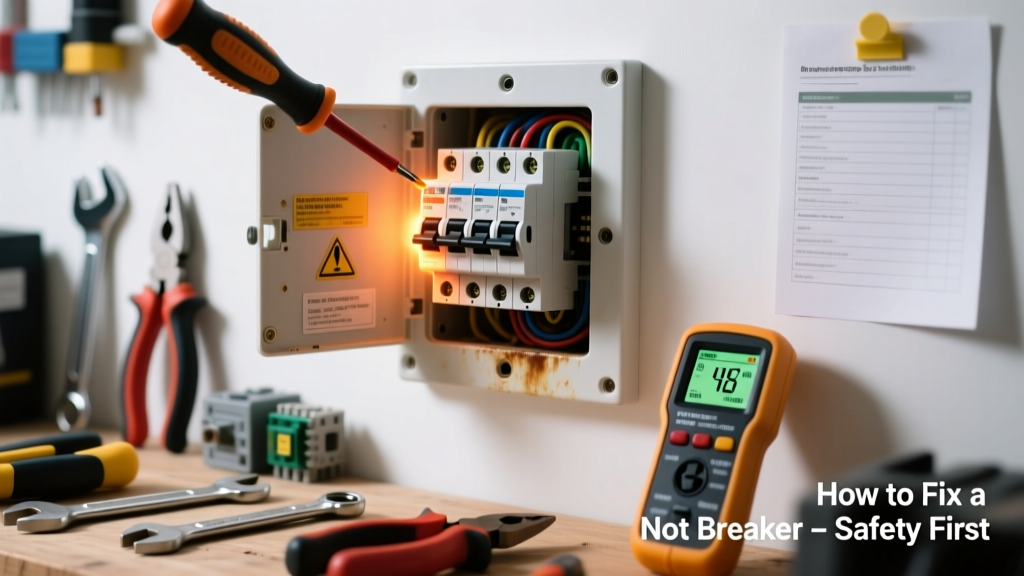
A circuit breaker that’s noticeably warm—or worse, hot to the touch—is never normal. While slight warmth (up to 90°F) can occur under heavy sustained load, anything hotter signals trouble: loose connections, overloaded circuits, or internal failure. Ignoring it risks arcing, panel damage, or even fire—so act fast but safely.
Quick Diagnosis
Before touching anything, turn off the main power if you suspect serious issues. Common causes include:
- Loose terminal screw on the breaker or bus bar
- Overloaded circuit drawing near or above rated amperage for extended periods
- Corroded or damaged bus bar contact point
- Failing breaker with high internal resistance (common in breakers over 15 years old)
- Shared neutral or multi-wire branch circuit (MWBC) imbalance
Tools & Materials Needed
| Item | Purpose | Estimated Cost |
|---|---|---|
| Non-contact voltage tester | Verifies power is off before handling components | $12–$25 |
| IR thermometer (infrared) | Measures exact surface temp—critical for confirming abnormal heat | $35–$80 |
| Insulated 1/4" nut driver set | Tightens terminal screws without risking short-circuit | $18–$32 |
| Wire brush (stainless steel) | Cleans oxidation from bus bar and breaker clips | $6–$12 |
| Replacement breaker (same brand, model, amp rating) | Required if internal failure is confirmed | $15–$45 |
Step-by-Step Fix
Follow these methods in order—stop and call a pro if any step reveals unexpected conditions (e.g., melted plastic, burning smell, discoloration):
- Power down and verify: Shut off main breaker. Use your non-contact tester on the hot bus bar and all terminals—even after shutdown—to confirm zero voltage.
- Check load and temperature: With power restored temporarily (only if safe), use your IR thermometer to measure the suspect breaker’s surface temp and compare to adjacent breakers. Anything >110°F warrants investigation; >130°F means immediate de-energization.
- Tighten terminals: With main power OFF, remove the breaker’s hot wire, inspect for corrosion or pitting, clean contacts with wire brush, then reinstall and torque terminal screw to manufacturer spec (usually 25–35 in-lbs—check data sheet).
- Inspect bus bar: Look for silvering wear, bluing, or carbon tracking on the bus bar where the breaker clips on. If present, the entire panel section may need professional assessment.
- Swap and test: Replace with identical new breaker. Monitor load and temperature over 48 hours using IR readings before and after typical peak usage (e.g., evening AC + oven + laundry).
When to Call a Pro
DIY stops—and licensed help begins—when you see or suspect any of these:
- Visible melting, charring, or blistering on the breaker housing or bus bar
- Voltage readings above 0V at the breaker’s line terminal with main power OFF
- Breaker trips repeatedly *after* tightening and cleaning, especially under light load
- Your panel is Federal Pacific (FPE), Zinsco, or Pushmatic—known for dangerous failure modes
- You’re uncomfortable working inside a live panel enclosure, even with main power off
According to the National Fire Protection Association’s 2023 Electrical Equipment Fire Report, 72% of residential electrical fires involving panels originated from overheated breakers or loose connections—most preventable with early intervention and proper torque.
Prevention Tips
Extend breaker life and avoid repeat issues with these habits:
- Label every circuit clearly—including dedicated loads like HVAC compressors or EV chargers
- Use an energy monitor (e.g., Sense or Emporia) to track real-time amperage and spot chronic overloads
- Retorque all breaker terminals every 5 years—even if no symptoms exist (per Eaton’s 2022 Panel Maintenance Guide)
- Avoid daisy-chaining high-draw devices (space heaters, microwaves, hair dryers) on the same circuit
- Install AFCI/GFCI breakers where code requires—it reduces stress on standard thermal-magnetic units
Can a hot breaker cause a fire?
Yes—sustained temperatures above 140°F degrade insulation, oxidize copper, and increase resistance, creating a feedback loop that can ignite nearby combustibles. The U.S. Consumer Product Safety Commission reports that overheated breakers contributed to over 1,200 home fires annually between 2019–2023.
Is it normal for breakers to get warm during summer?
Slight warmth (≤95°F) under full load in high ambient temps is common—but not *hot*. If the breaker feels too hot to hold for 3 seconds, or exceeds 110°F on IR reading, it’s unsafe regardless of season.
Can I replace a breaker myself?
You can—if your local code allows homeowner panel work, you own the meter socket (not utility-owned), and you follow NEC Article 408 requirements. But if your panel is older than 2000 or has aluminum bus bars, consult a pro first. See our guide on how to replace a circuit breaker for full safety protocol.
Why does only one breaker feel hot while others are cool?
This usually points to a localized issue—not whole-panel overload. Most often: a loose connection *at that breaker*, failing internal mechanism, or a downstream fault like a damaged appliance cord causing intermittent arcing.
Should I turn off the main breaker before checking?
Yes—always. Even with the suspect breaker switched off, its line terminal remains live unless the main is off. A shock hazard exists anytime the panel cover is removed without main power disconnection. Review our electrical safety checklist before opening any panel.
What’s the difference between warm and hot?
Warm: ~90–100°F—feels like skin temperature or slightly warmer. Hot: ≥110°F—uncomfortable to touch for more than 1–2 seconds. Critical threshold: 130°F indicates urgent failure risk. Use an IR thermometer—you can’t trust hand sensation alone.
A hot breaker isn’t just inconvenient—it’s your panel’s distress signal. Address it methodically, prioritize verified measurements over guesswork, and respect the limits of DIY. When in doubt, pause, power down, and bring in a licensed electrician. Your safety—and your home’s wiring integrity—depends on it. For related troubleshooting, see our guides on circuit breaker tripping constantly and flickering lights electrical issue.